


Our team loves photography and we hope you do too. While taking countless photos in Quebec, we thought it would be an appropriate time to update the image templates for all of the WordPress.com themes.
If you are using galleries or inserting one image at a time into your posts, you can take advantage of the updated image templates. Make sure to click the Post URL button in the Link URL area when inserting your images or configuring a gallery. When you do this, the images will then link to the image attachment page.
When viewing an image attachment page:
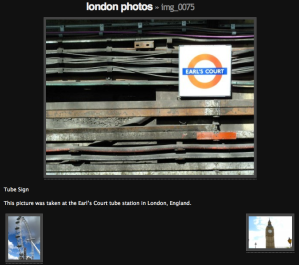
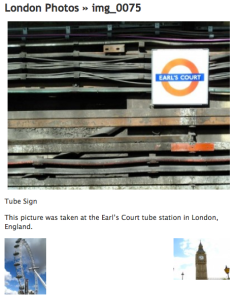
- The image will automatically be displayed to fit the content width of the theme.
- If set, a caption and description will display beneath the image.
- Small thumbnails with links to the previous and next image are shown.
- If the image is part of a gallery, the title will provide a link back to the gallery permalink URL.
 WordPress.com News
This is great for me! But i have a favour to ask, any chance of getting something similar but for a couple of mp3s? I’m a singer/pianist and would love to use this site to make my website from, but a demo is pretty important and i hate myspace!
Something to think about anyway! xx
Very nice. Thanks
I’m still waiting for flash capability and a tie into Google pics, but this is still cool. One step at a time!
Thanks for all the great work!
yes to the google pics and flash ability. I just want a slideshow of my pics from google, and being able to embed it into a page, not a widget. any chances that can happen sooner than later?
We don’t have plans for this at the moment, but will keep your suggestions in mind for future features 🙂
Call me stupid but I don’t see what it’s all about. I’m a photoblogger myself, but really… Why??
nice ^_^
I’m slow I guess… but I can’t seem to figure out how to do this. I would LOVE to change all my posts to this, but am lost. Is it possible to do this with all the old posts? Is there somewhere that gives specific directions how to do this “link” part? All of my images come from my computer. Please help… THANKS! 🙂
very cool
good
great for all of us!
Thanks, but until you remove the “view image” and “Save image as” capabilites of these themes, (similar to monotone’s security) I won’t be moving.
Nice update though. People who aren’t as worried about image theft should like those a lot!
That is pretty nice
I’d really just like some lightbox functionality for photos – to view a few photos inline, without having to navigate away from the writing.
Good = ยอดเยี่ยมฟ่ะ
Nice feature. Thanks WP!
You guys rock!
What a helpful information! Thank you WP!
This is a really useful addition. I will definitely be using it, especially on my Events Management Blog. Thanks WordPress for keeping as innovative as usual.
This will be great for images that I’m not linking to my Flickr photostream, but still want to post on my blog. Thank you!
Nice feature but very confusing. It’s will be way better and easier for must users to just have a tool in the editor to create or insert an image gallery instead of having an image insertion button. Using Flickr and inserting the it’s Flash gallery code makes a much more interesting gallery without the need to leave the page.
thank you so much
Good but here i can’t find any Albam type template for wordpress.
Very Cool!!! already tried it and i really like it thanks to you Nick and WP
Great idea … really amazing
im just new in wordpress.com
Good
☺
Thanx for all ☺
Nice and wonderful, cant wait to use it. Tanx
Well done – keep up the good work!
Nice! Now this is way better that it was before.
yeah this is really confusing for a non-tech person
Unfortunately for the most part I have stopped posting on my site but this is great news if I (we) ever start back or even open a new blog. WordPress, thanks. This is great.
Its very-very nice! Thanks
Well , I love it anyway
Too bad the “The image will automatically be displayed to fit the content width of the theme.” makes it wierd with the right part of pics cut off, and nothing to clearly say the user should widen their window.
How about the ajax-y popup-in-place that make the rest of the page darken – of other sites
Thank you very much..
thanks for the great update. I will try it out.
Nice to do!
i like…..~nice..