


We’ve given one of our favorite features a boost! You can now manage your profile photo, or avatar, right on WordPress.com. This avatar, powered by a service called Gravatar, is the image that represents you online — a thumbnail that appears next to your name when you interact on blogs and websites. With this recently refined feature, you can upload, edit, and update your avatar at wordpress.com/me.
Your avatar shows up in many places on WordPress.com. For example, you’ll see it on your site next to your blog posts:

And when you like someone’s post:

Or when you comment on a post:

As you can see, your avatar helps to establish your identity and credibility on WordPress.com — but also across the internet. It will also appear on other websites that use Gravatar, like Stack Overflow and Hootsuite. This means that you don’t have to re-upload the same photo multiple times across the web.
How to Update Your Avatar
While logged into your WordPress.com account, go to wordpress.com/me or click your profile icon at the top-right corner of the screen. You’ll see the edit screen for your profile:
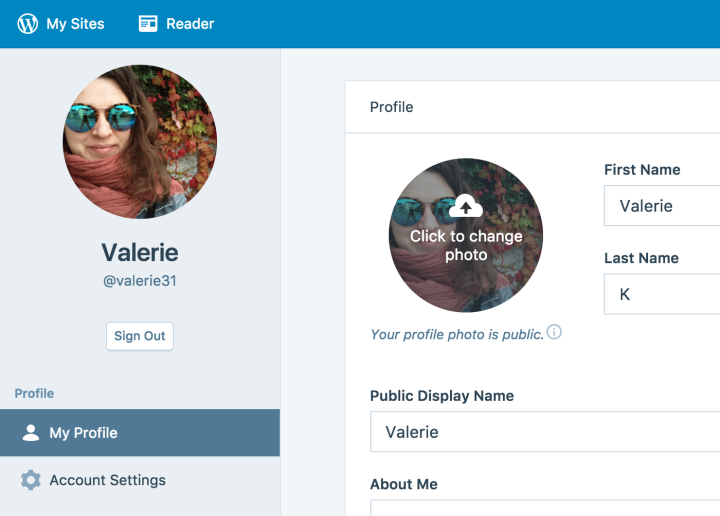
From here, you can either click on your photo to change it:
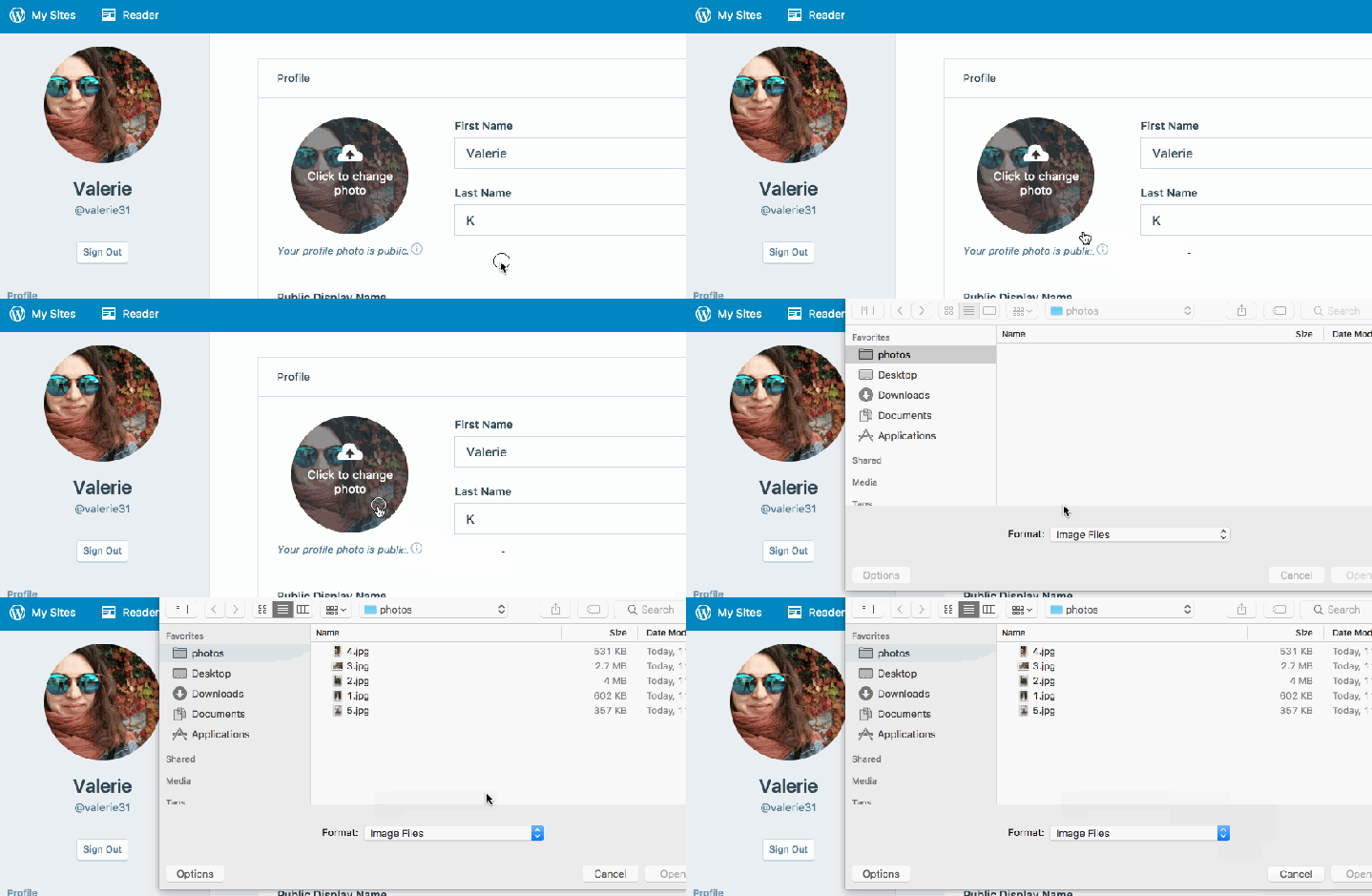
Or drag and drop a new photo from your computer:

You can also edit the photo — rotate, flip, or crop — before setting or changing it:
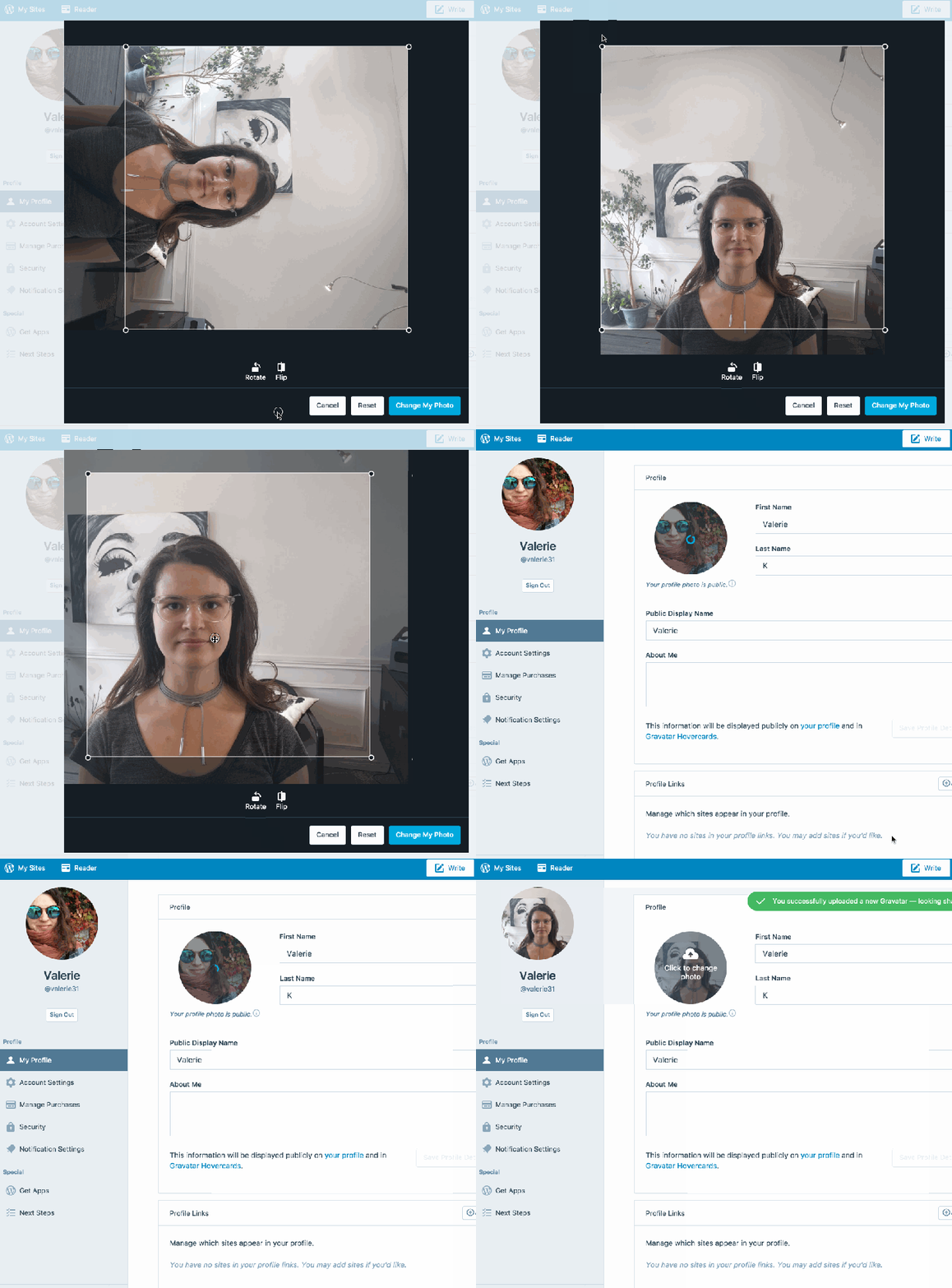
When you’re happy with your image, click Change My Photo and you’re all set!
We’ve also made this update for the desktop app. If you have questions, refer to the Gravatars Support page or contact Support for assistance. We look forward to seeing your faces around the web!
 WordPress.com News
Thank you – I just did mine and it was super easy. I had always been confused about where it would show up if I did it on the Gravatar site.
That is great. Thank you
Favorite with who? What I would like is to be able to set my avatar on my own website(s) without depending on a third party and with the ability to choose whether I used a consistent avatar across networks.
Very helpful post for me .
Thanks For Sharing It .
Now I learn That What is Gravtar And How it is work..
Gravtar Gives Backlink To Site this Is Important Point you have not added in your article ..
That sounds so easy ! Thnk you .
This is great info! I never really understood what a Gravatar was or the importance of it before.
Very helpful post.
Oh no, sorry to hear you’re running into trouble! I’m not able to help directly here – would you be able to explain what’s going wrong on our free support forum? It’s here: https://wordpress.com/forums Folks there would be happy to help you get started 🙂
I’ve been debating on changing mine up…hmmmm…
I like this feature, it’s like your insignia on the net.
Oh thanks. This was so helpful
It’s awesome.. It’s easy to use also.
Some times when we go to do changes some of us do get stuck and confused. You have given a very clear picture on how to do it and also how it is being shown in different places in the blogs.Thank you very much for the guidance 🙂
Thank you for the compliment 🙂 I’m happy you found the description helpful.
You’re welcome 😀
Thanks for the upgrades that have made posting easier and more fun.
That was well explained. Thank you.
Y’all are too generous! ❤
That’s Great Always Enjoy your update WordPress.Com
Great
This is a very great feature! Now I can change my Gravatar easily to match with my profile picture in other social media accounts! 😀
Thank you for this article! Great stuff!
Cool !!!
I’m just starting on WordPress, in fact I’ve just started a blog – at least I think I have. I know what I want to talk about and I really want to reach out to others, reading this has given me a little bit of a boost… Thanks
Thank you for your tips
Thanks for the great informative post!
Wunderbar!