


We’re excited to tell you more about WordPress.com’s new navigation experience. The update makes managing your entire site more intuitive and creates consistency across all parts of WordPress.com. This update also allows you all to take advantage of the wider WordPress open source community, creating the same admin menu as WordPress.org that you see referenced in lots of documentation and tutorials.
As we continue to grow, we’ve heard that navigating WordPress.com could be confusing because of different sidebars layouts, menus, etc. We listened to your feedback and ran usability tests on new designs to improve the experience.
Updated Sidebar Menu Design in WordPress.com
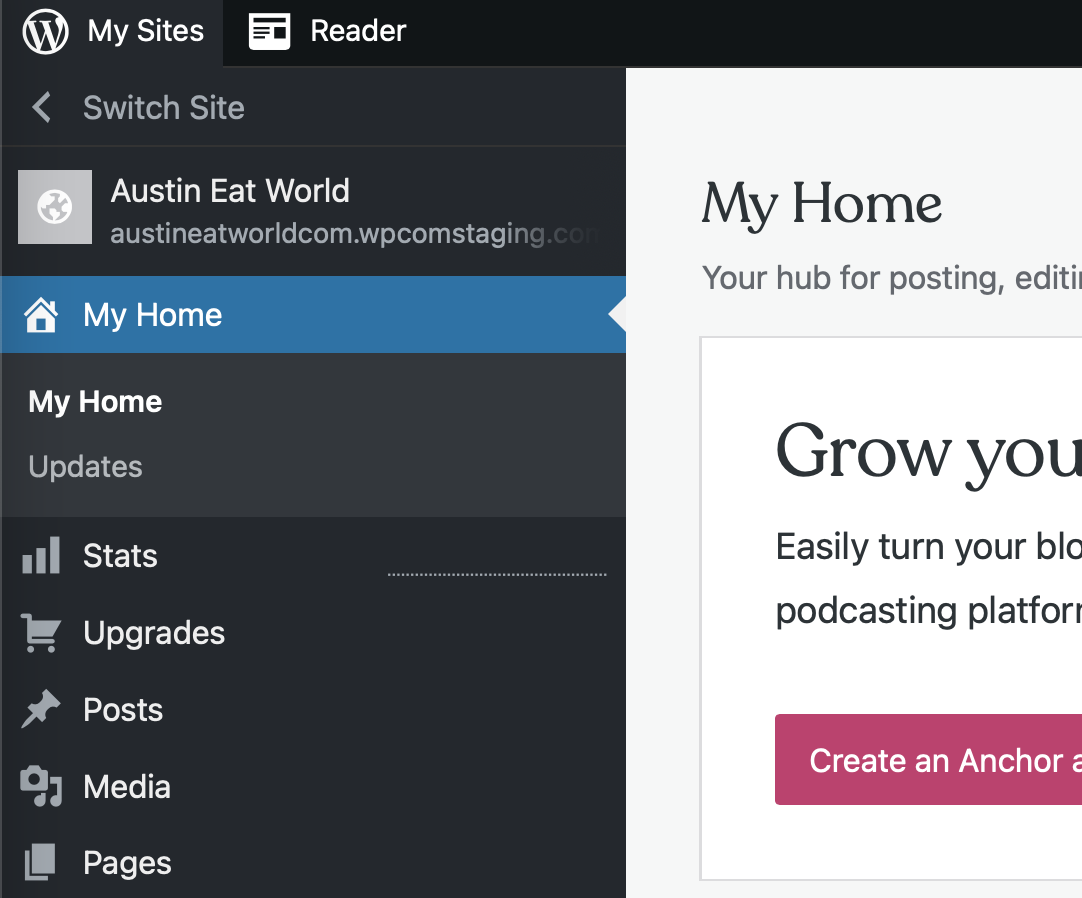
This design update combines sidebars and menus that were mismatched and streamlines them into one dashboard that’s consistent for everyone.
For many of you, there will be little to no change in how you use WordPress.com. We’re surfacing most menu items from third-party plugins and themes by default.
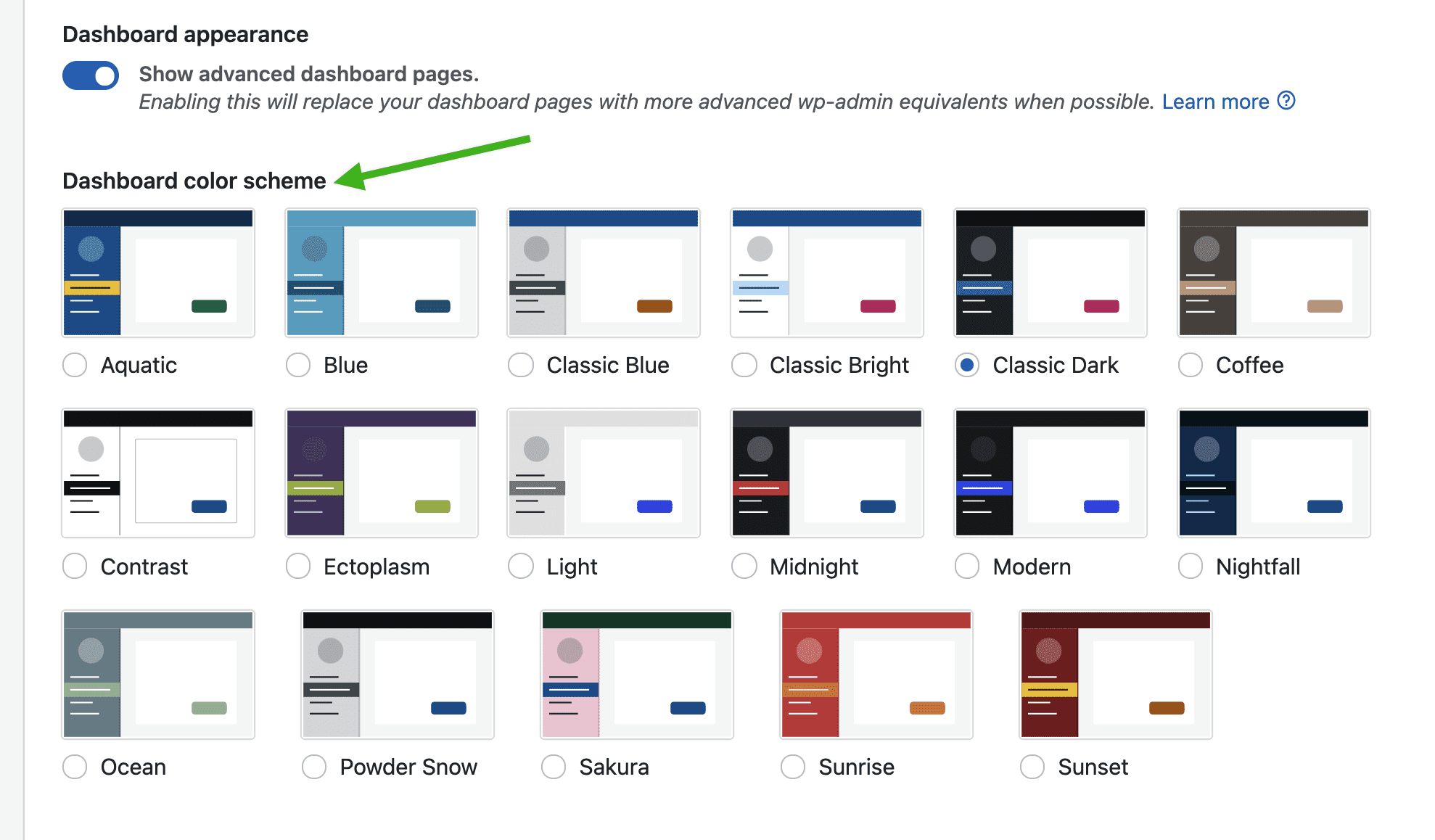
In Account Settings, give your WordPress.com interface a new color scheme. You can now choose a color for your dashboard.
Thanks for the continued feedback to make WordPress.com more intuitive to use for all. You can also join an ongoing conversation about this new navigation experience in our WordPress.com Forums. And we’re not done yet – we’ll continue to listen and evolve as WordPress.com grows. Happy WordPressing!
 WordPress.com News
This update is slick and clean. I’m old school. I have always preferred the ugly backend Admin interface; and now I still have it, but beautified, and still functional, and with all my mechanical levers still in place! Thank you!
I absolutely do not like the new format.
We would love to hear specifically about what you don’t like. Thanks!
Thanks for the update!
Love the new site updates!! I can see everything in one place now!
What new navigation experience? I’m being forced to use wp-admin even though I haven’t toggled it on.
The toggle turns on wp-admin advanced controls but there isn’t a toggle to turn on the new navigation experience. If you go into your account settings (https://wordpress.com/me/account), you can confirm whether it is toggled off but your default view when you login to your WordPress.com account should be this updated experience. If not, please do let us know.
It’s defaulting my posts and pages to show as the wp-admin view, and the only way I seem to be able to get the calypso view if I manually type in the URL wordpress.com/posts/mentalhealthathome.org
After further review, some sites require you to input that full URL in order to get the “non wp-admin” view and after looking at your site, this will be the case for you. So in the meantime, please bookmark that URL as it’s going to be the best way to get that view you want for your posts and pages.
wow amazing
Bonjour, C’est un peu compliqué ! Could I have your explanations in French ? For example, I can’t find “edition classique” as bloc when I write an article ! Thank you !
Bonjour. This is not a block but an automatic update to the WordPress.com interface and experience. If you want to turn on (or off) wp-admin advanced controls, that is done through your account settings. You can go to https://wordpress.com/me/account (Réglages du compte) and change between wp-admin being on and off where it says “Apparence du tableau de bord.”
But some themes have no showing images
Hi! Can you please tell us more about what you mean – which images?
Hey respected austin Visit my website u can check gofufa.org i dont know why my content pic is not showing u can check it whats the error
Thanks for sharing this. Your site, gofufa.org, is not hosted with WordPress.com, so the interface update here will not impact it. It looks like potentially an issue with media storage? You should double-check with your web host and they can better help you out!
Thanx austin my friend i understan i hosted with 1 & 1 ionos thanx for the information you give me idea and solve my problem
This makes it much harder to use! Specifically if I want to have AMP set on standard (which I always did), my logo now covers much of the page when I am trying to write a post. This is not good.
Thanks for letting us know about this, Shari. The team is working on a fix for this “Standard” setting issue. In the meantime, you can set AMP to “Transitional” and that should solve the issue.
Thanks for reporting this! It should have been fixed now.
Is this PC only or iOS as well?
Great question. This is for web (PC) only not mobile.
I’m from Gen. Z. I’ve been using social media from the past 12-13 years or so… but nothing is more satisfying for me than posting a blog on WordPress.
Couldn’t agree more!
Thank you!
Thanks for the update
Everything is much easier
Yes
vielen dank !!!!!!!!!!(((*L*))))))
Always appreciate the updates. Your website and platform is very user friendly!
Thank you for sharing this one.I really appreciate this post.
thank you for sharing this one