
Imagify Image Optimization: Optimize Images | Compress & Convert to WebP/AVIF
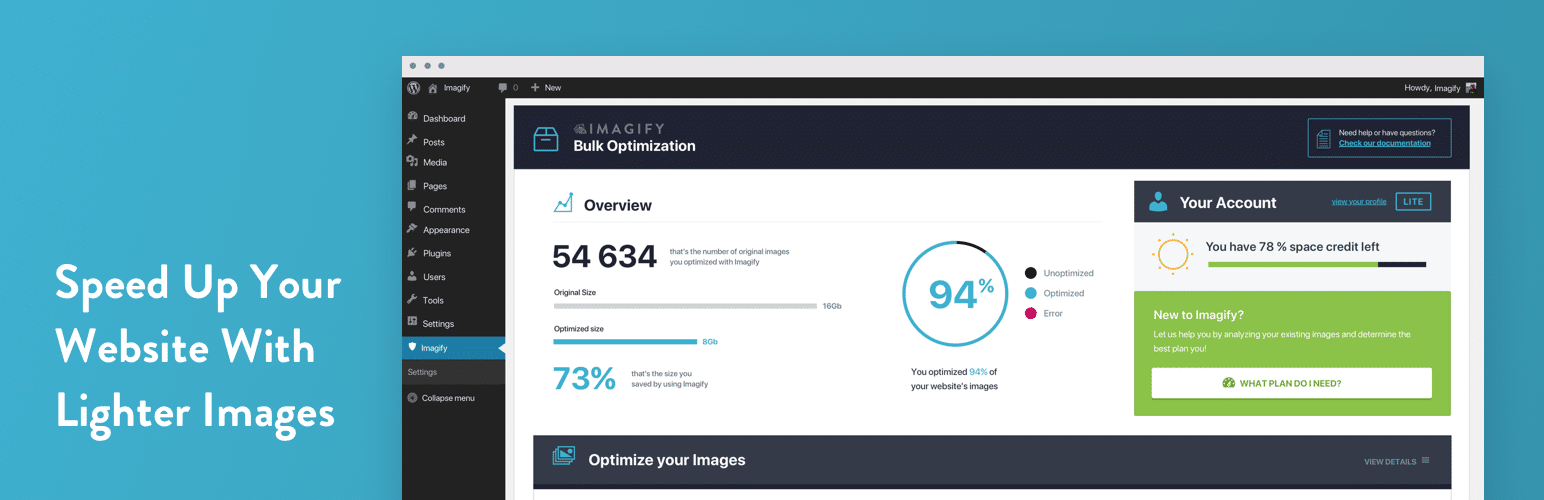
Image optimization in 1‑click: compress, resize & convert to WebP/AVIF – free up to 20MB/month. Enjoy the easiest WordPress image optimizer to set up.
🏆 El plugin más sencillo de optimización de imágenes para WordPress
Imagify is the simplest image optimization plugin for WordPress to optimize images, so your website loads faster and images stay lighter. It’s designed for site owners who want quick and effective results with a very easy setup.
With Imagify, you can resize and compress images and convert them to WebP and AVIF directly from your WordPress dashboard, with up to 20MB of images optimized each month for free. Image optimization takes just one click and does not require technical knowledge.
Whether you are uploading new images or optimizing an existing media library, Imagify makes image optimization simple, reliable, and easy to manage.
What sets Imagify apart:
-
WebP and AVIF conversion included in the free plan, so you can use next-gen image formats right away.
-
Easy to use, with no advanced configuration to learn.
-
Smart image compression that does the job for you and reduces file size while preserving image quality.
-
Bulk image optimization that runs in the background.
Watch the video and see for yourself why Imagify is the easiest image optimizer to make your images lighter and save time:
✨ Optimize Images with Imagify – Features at glance:
-
Smart Compression (Does the job for you) – Automatically balances image quality and performance. You don’t need to tweak settings. Imagify optimizes every image for the best compression rate while preserving visual quality, so you save time and get consistent results without having to choose any settings.
-
Lossless Compression (Optional) – Prefer pixel-perfect quality? Choose lossless compression. This option is ideal for photographers and quality-focused websites.
-
Next-Gen Formats: WebP and AVIF (In one click) – Convert your images to WebP for wide compatibility or AVIF for superior compression in one click. This helps improve your Google PageSpeed performance score and Core Web Vitals grades.
-
Resize Large Images Automatically – Resize oversized images to a maximum width of up to 2560 pixels on upload or during optimization. This can reduce file size by up to 80 percent while keeping images optimized on all devices.
-
Asynchronous Bulk Optimization – Optimize your entire Media Library in the background without slowing down your site. Bulk optimization runs asynchronously, so you can keep working while Imagify handles the image optimization process for you.
-
On-the-Fly Image Resizing – Resize images directly from the app or within WordPress. This makes it easy to optimize images at the ideal size right away.
-
Original Image Backup – Keep your original images stored in a separate folder before the optimization process. This makes it easy to restore them at any time.
-
Flexible File and Size Optimization – Choose which WordPress image sizes you want to optimize, including thumbnail, medium, large, 1536 px, and 2048 px. This helps you optimize only what you actually use and manage your monthly quota more efficiently.
-
Auto-Optimize on Upload – New images are optimized automatically as soon as you upload them to WordPress. No manual steps and no forgotten images.
-
MCP: AI ACcess for Imagify – Connect Imagify to your AI tool of choice and get answers based on your Imagify data. Ask your AI about image optimization status, available quota, or whether your images have WebP and AVIF versions. You can also troubleshoot issues or optimize and restore a single image directly from the conversation. Imagify is the first image optimization plugin to offer this kind of AI connection.
✨ In short, you have everything you need to optimize images at scale while keeping quality high and your setup simple.
💡 Why optimize images with Imagify?
Imagify is an image optimizer built by the same team behind WP Rocket and focuses on delivering the best performance while saving you time, whether you are new to image optimization or managing a large number of images across multiple websites.
Imagify helps you optimize images, convert them to WebP and AVIF, and easily improve performance, including PageSpeed scores and Core Web Vitals. You’ll make your images load quicker without spending time adjusting settings.
📸 Optimize and compress images easily
Imagify helps you optimize images by reducing their file size without losing image quality. Your pages load faster, without changing how your images look to your visitors.
You can compress and resize images as they are uploaded, or optimize existing images in your media library. Imagify supports common image formats, including PDFs.
If images are too large, you can set a maximum width. Oversized images are automatically resized during optimization, proportionally and without cropping.
The part you’ll love the most: Imagify uses Smart Compression to automatically choose the best balance between image quality and file size, so you get lighter images without visible quality loss or having to tweak settings yourself.
⚙️ Enjoy image Optimization in the background
If you have many images, bulk optimization lets you optimize them all at once. The process runs in the background, so you can keep working while Imagify optimizes images for you. Original images are always preserved and can be restored at any time.
🔄 Convert images to WebP and AVIF
In addition to resizing and compressing, with Imagify you can convert images to WebP and AVIF without upgrading, as next-gen image conversion is included in all plans, including the free one.)
You can choose whether to generate WebP images, AVIF images, or both from the Imagify settings. Once enabled, Imagify creates next-gen versions of your images.
To serve these image formats on your site, you simply enable the option to display images in WebP and AVIF. Imagify then delivers the best format supported by each visitor’s browser.
Image fallback is handled automatically. If a browser does not support WebP or AVIF, the optimized JPG or PNG version is served instead, ensuring full compatibility.
Imagify supports next-gen conversion for all common image formats, including JPG, JPEG, PNG, and GIF.
For instance, you can convert GIF to WebP, JPEG and JPG to WebP, and even PNGto WebP. The same goes for AVIF: you can convert GIF to AVIF, JPEG and JPG to AVIF, PNG to AVIF.
⚡ Boost your PageSpeed Insights score and optimize Core Web Vitals
Heavy images are one of the most common reasons pages load slowly. When images are too large or not served in modern formats, they drag down performance and user experience.
Imagify helps you fix this at the source by compressing images and converting them to the next-gen formats mentioned above, so pages load faster and feel smoother to visitors. Such image optimization tasks help your site meet Google’s performance recommendations, fix PageSpeed Insights audits such as “Serve images in next-gen formats”” and ““Efficiently encode images”, and improve key metrics like Core Web Vitals.
With lighter images across your site, you get faster load times and better performance where it matters most and, piece on the cake, without having to fine-tune performance settings yourself!
🔌 Connect your AI tool to Imagify with MCP
Running multiple websites? With MCP (Model Context Protocol), you can get answers about your websites from a single conversation with your AI tool.
Connect Imagify to an MCP-compatible AI tool such as Claude, GitHub Copilot, Codex, or ChatGPT, and it can access your actual Imagify data to answer questions, troubleshoot issues, and optimize or restore a single image when you ask. MCP is enabled by default, so there’s nothing to configure in Imagify itself. Just connect from your AI tool and you’re ready to go.
Ask questions like: * «How many images still need optimization?» * «Do I have enough quota left to optimize everything?» * “Why wasn’t my hero image optimized?»
Your AI tool can also optimize or restore a single image when you ask it to. Nothing happens to your images unless you ask for it.
MCP is included in all Imagify plans, free and paid, at no extra cost. It works alongside the plugin, not instead of it. Bulk optimization and settings changes still happen in the Imagify plugin itself.
Requires WordPress 6.9+ and Imagify 2.3+.
💬 ¿Qué piensan nuestros usuarios de Imagify?
Esto es lo que nuestros usuarios dicen acerca de nosotros después de haber optimizado sus imágenes con Imagify:
«Las imágenes y otros medios son las partes más voluminosas de tus páginas web (probablemente). Por tanto, no olvides optimizar las imágenes antes de añadirlas a tu sitio. Para WordPress hay muchos plugins de optimización disponibles. Mi favorito es Imagify.»— Mark Wilkinson
«Para ofrecer un tratamiento de adelgazamiento a tus imágenes pero sin alterarlas estéticamente, hay un gran plugin en WordPress: Imagify. Sencillo, eficaz y funcional, realmente merece la pena echarle un vistazo.»— WP Marmite
«Imagify es una herramienta maravillosa, potente y fácil de usar. Es rápida, compite y supera otros plugins/software ya consolidados. ¡Impresionante!» — Simon Harper
«Si quieres «exprimir» lo más posible tus imágenes y reducir el peso de tu sitio web de manera profesional…Imagify» — Ivica Delic
«Imagify es sin duda el más increíble entre los plugins WordPress para la compresión de imágenes: ¡imperdible!» — Eric Walter
💰 ¿Imagify es gratis?
Puedes optimizar gratuitamente 20 MB de imágenes (es decir, unas 200 imágenes) cada mes. También puedes convertirlas gratuitamente al formato WebP de última generación.
¿Necesitas comprimir más imágenes? Echa un vistazo a nuestros planes: https://imagify.io/pricing
💡 ¿Quieres consejos para la optimización de imágenes?
If you want to optimize images and know more about using WebP images on WordPress, improving your PageSpeed score with Imagify, or compressing multiple images online, take a look at our blog: https://imagify.io/blog/
Está repleto de consejos sobre compresión de imágenes y ¡mucho más!
- Cómo convertir imágenes a WebP en WordPress con Imagify
- Cómo optimizar imágenes en WordPress para mejorar el rendimiento y el SEO
- Cómo reducir el tamaño de la imagen sin perder calidad (y ahorrar espacio)
- Cómo cambiar el tamaño y comprimir varias imágenes en línea (métodos sencillos)
- Cómo hacer que tus fotos se carguen más rápido en WordPress: 6 tácticas clave
- Cómo optimizar las imágenes para Page Speed (y Google)
👥 ¿Quiénes somos?
Somos WP Media, la empresa que está detrás de WP Rocket, el mejor plugin de caché para WordPress.
Nuestra misión es mejorar la web: la estamos haciendo más rápida con WP Rocket y más ligera con Imagify.
✉️ Get In Touch!
- Sitio web: Imagify.io
- Contáctanos: https://imagify.io/contact
- Twitter: https://twitter.com/imagify
🚀 Plugins relacionados
- WP Rocket: el mejor plugin de caché para acelerar tu sitio WordPress.
- Lazy Load: el mejor script de carga diferida para reducir el número de peticiones HTTP y mejorar el tiempo de carga de la web.
License: GPLv2 or later License URI: http://www.gnu.org/licenses/gpl-2.0.html