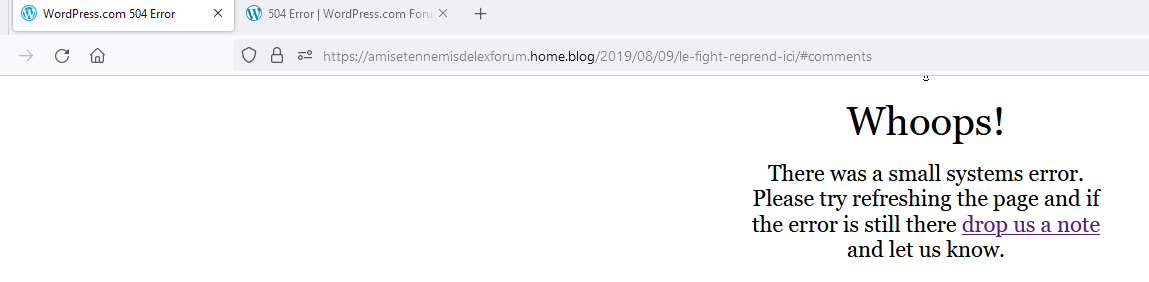
504 Error
-
Erro 504 for 2 dys on my blog, cant fix it
https://amisetennemisdelexforum.home.blog/ -
@sven1960, I’ve relocated your comment to a dedicated support thread since it wasn’t related to the topic you initially commented on.
Upon accessing your site, amisetennemisdelexforum.home.blog, it loads perfectly on my end.
If you’re still encountering issues, please capture a screenshot of the problem, ensuring the browser’s address bar displays the site URL. If you’re unfamiliar with the screenshot process, you can refer to this support document for guidance: https://wordpress.com/support/make-a-screenshot/
After taking the screenshot, incorporate it into your response using the Image Block, and we’ll investigate further.
Appreciate your cooperation!
-
-
That page show fine to me, so I guess it’s a local connection problem.
The 504 (Gateway Timeout) status code indicates that the server, while acting as a gateway or proxy, did not receive a timely response from an upstream server it needed to access in order to complete the request. The error may be a temporary occurrence due to too much traffic toward the server or site.
I would start by clearing your browser cache and cookies and visit your site again.

-
-
-
Hey there,
I was able top reproduce the error when loading your comments. The error is likely related to the over 97,000 comments associated with this post. I also noticed that your Discussion settings will only paginate the comments after 110 comments. We can resolve this issue by showing fewer comments per page. To change this, you can update the pagination under Settings > Discussion > Comments. Then next to Break comments into pages I recommend setting the number of comments displayed to 30 or fewer. This should resolve the 504 page error when loading the comments. We also have a help page on discussion settings here:
 In your website’s Discussion Settings, you can control how people interact with your site through comments. This guide will explain each setting.
Access Your Discussion Settings
To visit the Discussion Settings:
Visit your site’s dashboard.
On the left side, hover your mouse over Settings near the bottom.
Select Discussion.
Settings → Discussion
Fediverse Setting
Hope this helps!
-
Tks so much Staff-Dragon that works !! Ur right 97K com = server full, maybe i might delete all coms !
Btw tks again. Great help. -


- The topic ‘504 Error’ is closed to new replies.


 WordPress.com Forums