

A few Tortuga questions
-
Hi
First of all, already thanks if you are reading this. I love the amount of help offered in this forum.
I’m launching a new version of my current website, and want to use Tortuga as a starting point. But I would love to make some customizations (via css), and hopefully somebody can help me.
1. Switching main title and site header image
How can I put the big image on top of the website, and the titles below? An example of this is the Healthy Living WordPress theme.2. Locking a banner
Can I put an image on top of my right column, above the social media plugins? I would then have: two colums of news, and one column with an image on top, and then the Facebook, Twitter, and Instagram plugins below.3. Images on the home screen
All my news items have images, but they don’t show on the home screen. Can I put this option on? A lot of other themes offer this.4. More font style
Can I add more font style than the ones standard offered? I would like to use Helvetica Neue Condensed.5. Text in button
All buttons say “Read more”. Can I change this to something else?Many, many thanks!
-
Hi there,
Switching main title and site header image
There is a way to do this, but it is only supported in some of the latest browsers. If you need to support older browsers, then you would need to use a different theme that has the header where you prefer it. If that isn’t a concern, let me know and I can help with the code.
Can I put an image on top of my right column, above the social media plugins?
Yes, you could use an Image Widget.
Images on the home screen
I’m not sure what you mean. The featured images appear for posts on the front page of Tortuga.
More font style
You would need to upgrade to WordPress.com Business to add your own fonts.
All buttons say “Read more”. Can I change this to something else?
This can be changed, but it won’t work in Internet Explorer.
Once you have the theme activated on your site, let me know and I can help with the necessary CSS.
-
Thanks for your quick and clear answers.
Images on the home screen
=> Tortuga only shows text posts on my home screen: title, author, and the first 25 words. Can I also add an image to this? It would be great if the site automatically puts the image used in the blogpost on the homescreen, in a thumbnail-kinda way. -
Yes it can use the featured images as long as the site is set up according to the theme guide. This is what the front page looks like when you do that:
-
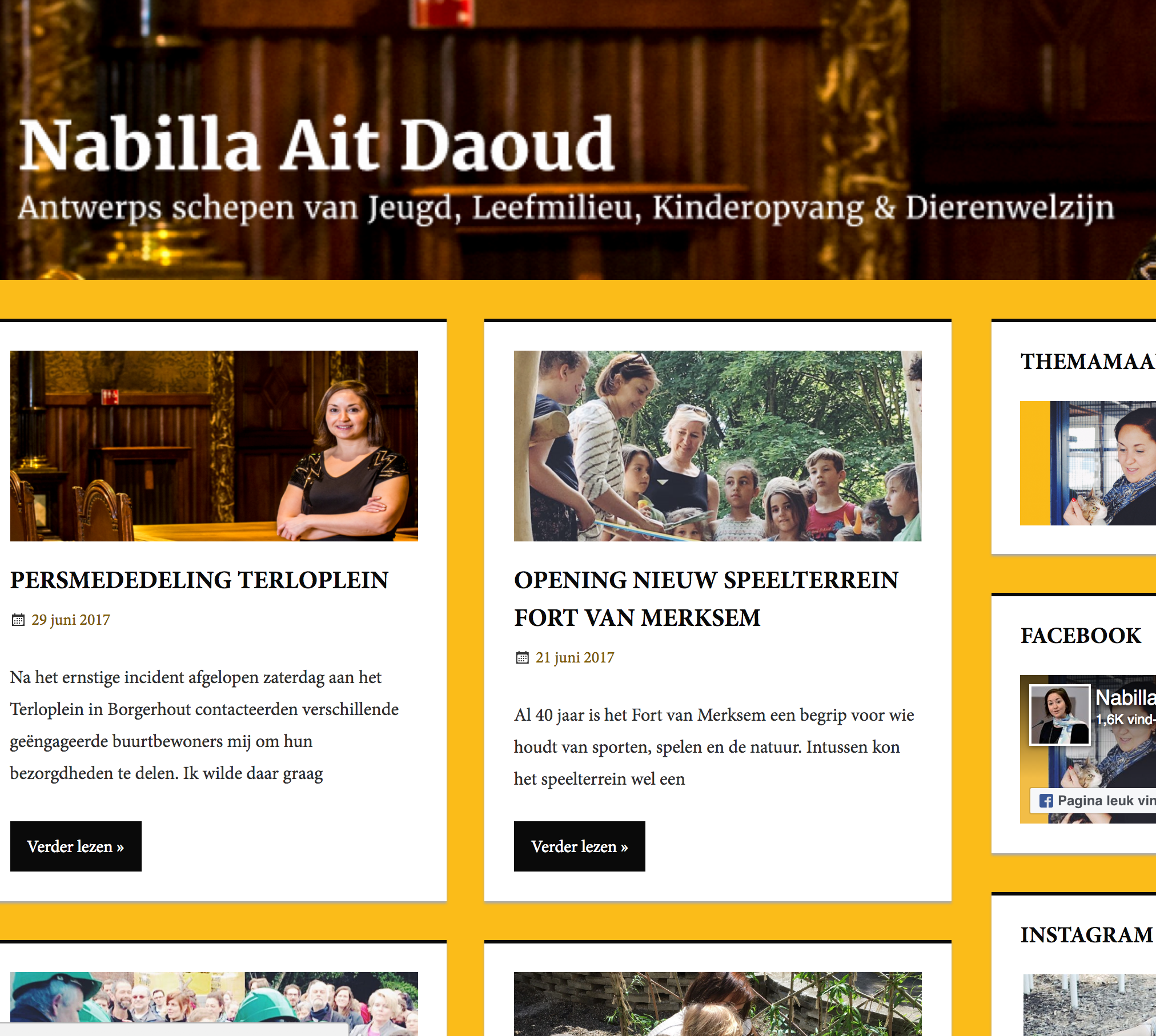
Sorry, but my front page doesn’t show the blog post images. What am I doing wrong? Thank you.
https://nabillaaitdaoud.be/ -
-
Yes, thank you for helping me. I put them in the wrong place (in the text section, not in the image section). My bad, thanks again.
Another small question. Is it possible to remove all the share options below every post? For example, here: https://nabillaaitdaoud.be/pers/



- The topic ‘A few Tortuga questions’ is closed to new replies.
 WordPress.com Forums