

About Twenty Sixteen theme
-
I’m using the theme Twenty Sixteen and having the recent post on the front page. I would like to limit the display to the most recent post only so that it doesn’t take scrolling forever to the bottom. I also like the ‘older post’ button down below. How do I do that?
The blog I need help with is: (visible only to logged in users)
-
Hi @thisweekfx,
By default, the Twenty Sixteen theme has the infinite scroll feature enabled.
You can restrict the number of posts by following these steps:
1)Go to My Sites->Settings->Writings(tab).
2)You would find a section “Content Types” within it “Blog Posts”.
3)You can set the number of blogs you want to display before the “Older Posts” option should appear and then click on “Save Settings”.You can learn more about it in this support document:
Hope this helps, let me know for any further questions.
Thanks!
-
@pavanraheja, thank you very much for the direction, it was helpful.
However, I do not see any change after I change the blog display per page to 1, is there anything else i should do to trigger it? -
Hi @thisweekfx,
Your blog seems to work correctly, and the “older post” option is visible on the 1st blog. Here is the screenshot:
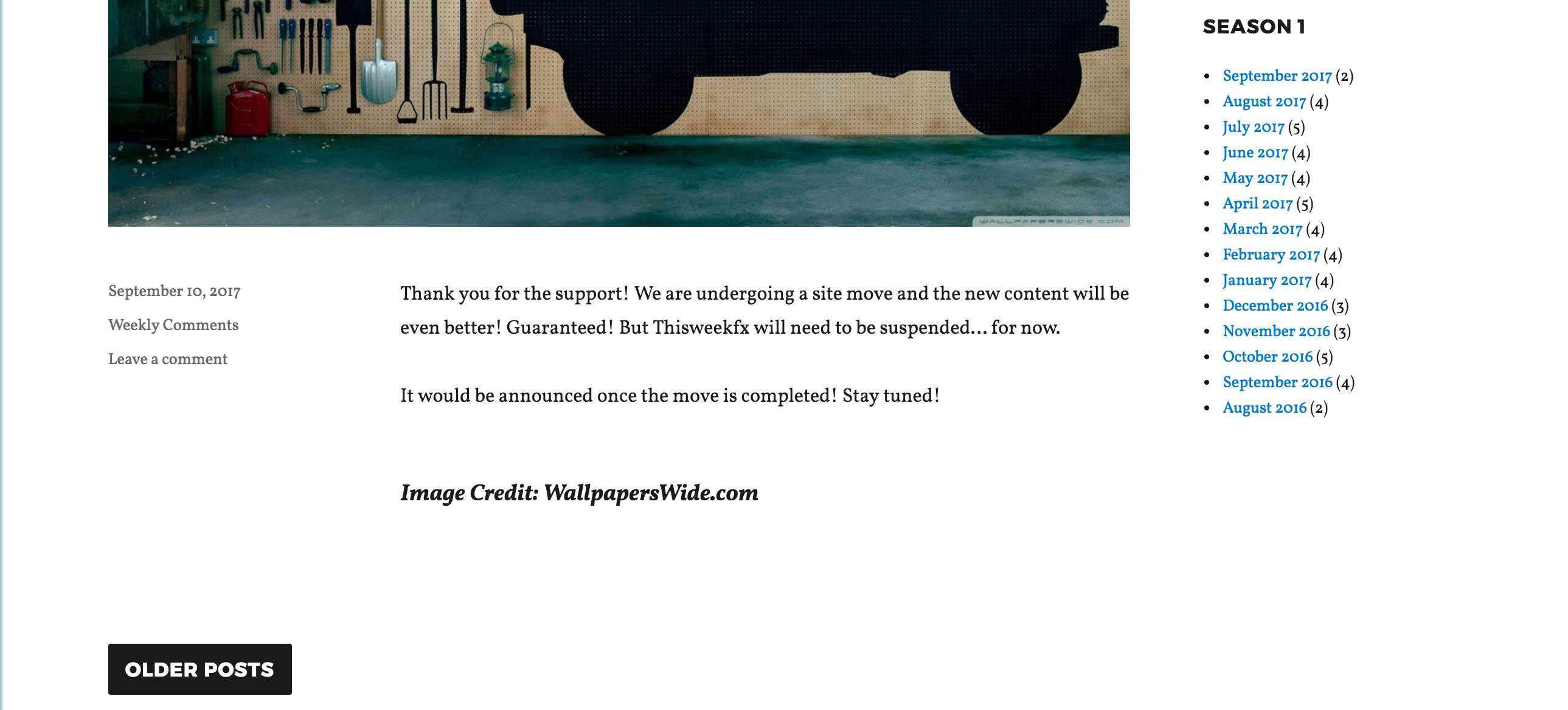
Could you try to clear your browser’s cache and try ones again? You can clear your browser issues by using this support document:
Let me know how you get on, would be happy to assist you further.
Thanks!
-
Hey, @pavanraheja,
Thanks for the help! It does work now. So I figured that besides changing it in Settings > Writing, I need to uncheck “infinite scroll” from Settings > Reading.
Just so you might want to know about this as well.
Thanks again!
-
Hi @thisweekfx,
I was aware sent you the link in the first reply to the “infinite scroll”. Missed out on asking you to cross-check if it’s disabled.
Glad to know you figured it out and the posts are as per your liking. Please do let me know if I can help you with anything else.
Best Wishes! :)


- The topic ‘About Twenty Sixteen theme’ is closed to new replies.
 WordPress.com Forums