

Access to image information
-
1. I dutifully write captions, titles, and descriptions for each image that I upload to insert in a post. How can I, or anyone else, access any of this information, except the caption?
2. I intend to use a photo taken by someone else. Where should the name of the photographer be entered? He would wish his name to be prominently displayed. How should that be done?The blog I need help with is: (visible only to logged in users)
-
Hi there,
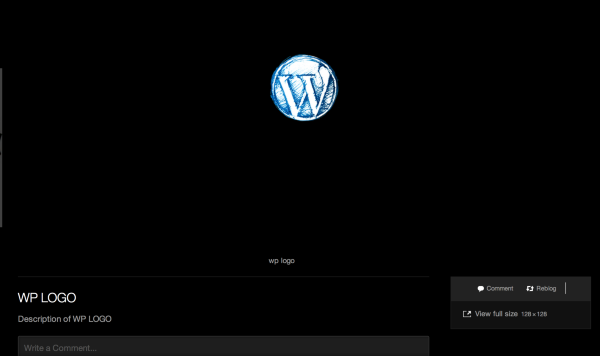
What you can do is create a Gallery, and when you click on the image, all information (title, description, caption) can be viewed as seen here:
However, I highly recommend adding a watermark to your images. Although you are not able to completely prevent the copying of your images and documents, the watermark can thwart any unauthorized use. Normally, this can be accomplished within the files’ respective editing programs (Microsoft Word, Adobe Photoshop, etc.). Run some Google searches or check out the documentation of your particular software package for more information on this. There are also several third-party applications that allow you to add watermarks to images.
Feel free to reach out if you have any questions!
-
Thanks, Grace.
Is it true, then, that the ONLY way that the description I have attached to an image can be accessed is if I have posted the image in a gallery? I don’t put many of my images in a gallery, as each is a vital part of just one post.
My second question is not about protecting copyright, but just about giving due credit to the photographer. It is connected to my first question. I feel that the photographer’s name should stay with the image. There is definitely no room for his name in the image caption. If I put it in the image description, that is no good unless the description is normally visible to any reader. That does not seem to be true except where the image is posted in a “gallery”. Is that right? -
Hi there,
For the Adelle theme – yes, you would need to add an image to a gallery to show the description.
As for the second question, I think if you are using a photographer’s image you should definitely have a watermark on the image. It’s better than adding it in any caption/description, etc. It should be on the image itself.
-
On my Adelle theme, I now have access to descriptions of images!
In articles posted up to June 7th, clicking on an image in a blog post would give just the naked image on a bare screen. In those posted from June 16th, clicking gives the image on its own blog page, with its identifier as the main title, and the full description below the image.
Can I infer that the Adelle theme has been edited?
A remaining mystery is: under what circumstances does the “Alt” title appear? -
HI there!
Yes, when you click on the image the description will appear. I thought you were talking about the image within the post – whether the description would appear there or not.
A remaining mystery is: under what circumstances does the “Alt” title appear?
So the Alt title attribute is there for search engines to read – not actually meant to appear on the post itself.
The way to get a description of some sort to appear within the post itself would be to add a caption.
Let me know if you have any questions with this!
-
Thanks, Grace.
Up to 16th June, I definitely could not access image descriptions except by setting up a special Gallery. So I infer that the Theme has now been amended to allow it.
I understand that the “Alt” title is not only for search engines, but also for the visually impaired, and for those surfing with images suppressed. Can I simulate the procedure that a visually impaired person uses, so I can check that the “Alt” function is working?
I must say that it seems to be working for search engines. When I do a google search for my material, I get far more hits on my images than on my texts. -
You should be able to turn off images in your browser. Googling “Turn off images in [browser name here]” should find you the instructions.
-
Thanks rootjosh.
By chance, I accessed the “Alt” captions on some of my images due to a WordPress glitch that others have had trouble with. Some images failed to appear as thumbnails on upload to my Media Library, although I could edit them. On the Post Edit page, “Insert Media” produced a box with no image, but the “Alt” caption in the corner. So that confirmed that “Alt” is working.
Like others, I found that this image failure glitch is intermittent.
I have another different image query, but I will start another thread for it. -
Thanks rootjosh.
By chance, I accessed the “Alt” captions on some of my images due to a WordPress glitch that others have had trouble with. Some images failed to appear as thumbnails on upload to my Media Library, although I could edit them. On the Post Edit page, “Insert Media” produced a box with no image, but the “Alt” caption in the corner. So that confirmed that “Alt” is working.
Like others, I found that this image failure glitch is intermittent.
I have another different image query, but I will start another thread for it.


- The topic ‘Access to image information’ is closed to new replies.
 WordPress.com Forums