Add heading line or text before home slider in Stay theme
-
Hi,
I am very new to CSS and have just been sent here by a happiness engineer to ask my question.
I am using the Stay theme and it has a home slider.
I wish to add a heading and text (eg – heading of “Welcome to Explore Yoga Travel ” + next line text “So much more than a yoga retreat” ) before the home slider on my home page as when I look at my site on a smaller screen we only have the photos appearing and it seems a bit unfocused/confusing.Could someone please provide the CSS needed to add a heading and line of text before the home slider appears on my home page please?
Thanks
The blog I need help with is: (visible only to logged in users)
-
Currently you have your image in an image widget in your Header Widget Area. I would suggest instead to use a Text Widget and include the image and the text you are wanting in that widget. It is difficult to add multiple lines in that area with CSS alone. Here are some Text Widget references for you on using them and creating links and such.
-
Hi,
Thanks for the information. Whilst I am trying to sort out my logo in the header area as well this question is about actually trying to move the pages text up before the home slider on my home page.
I wish to move the home page heading – Explore Yoga Travel is focused on giving you something different – “your ultimate yoga holiday combination – so much more than a yoga retreat!
Discover yoga, relaxation, culture and cuisine in a boutique holiday experience.” to sit above the home slider so it can be read to guide people what the site is about.Is this possible?
Thanx
Mariska
-
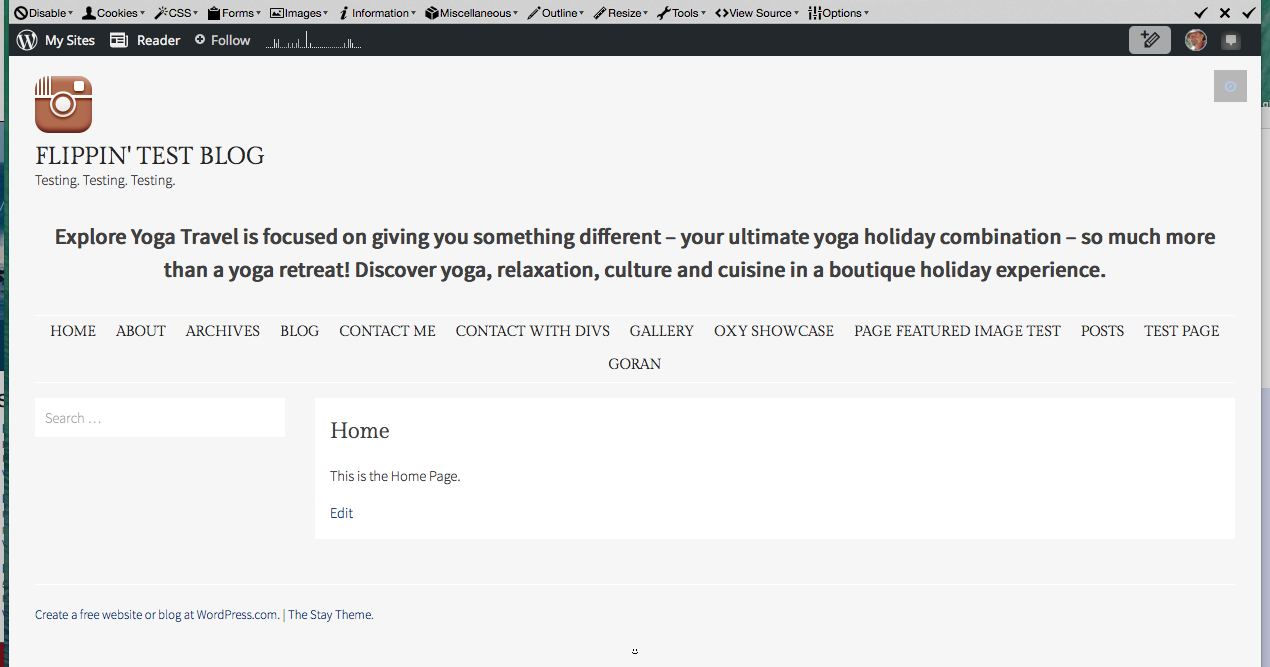
Mariska, yes it is possible using a Text Widget in your Header Widget Area. We can restyle it and widen it that text widget. Here is a screenshot from my test site using a text widget and then I also did the following CSS rule to widen it and to restyle things.
#masthead .widget-area { font-size: 150%; font-weight: 600; text-align: center; width: 100%; } -
Hi again,
Thanks for your reply. I think I am not being clear about what I am trying to do – sorry. I have taken a photo of the home page and added a couple of notes as to where I wish just this page’s heading text to be. I have added it to my media file and here is the URL.

Also, I am very new to CSS – do I type the text I want after the { in the above example?
And where do I place this CSS – does it go into the pages’s Text (as opposed to visual) area and is it at the start or the end?Thanks again.
Mariska
-
Mariska, thanks, and I do understand, but what I should have been more clear on is that we can’t move a line of text from within the page content area to above the slider reliably and have it display properly on all screen/window widths. It would take many, many lines of code to adjust the position of it for various screen/window widths.
The following CSS would be the closest we could get, which uses a :before pseudo selector and content declaration. The downside you will have to live with is that you can’t put a line break within the line of text, so it will not break where you would want it to. This was one of the reasons I suggested a text widget in the header widget area. Within a text widget you can do line breaks.
.site-main:before {
    content: "Explore Yoga Travel is focused on giving you something different – your ultimate yoga holiday combination – so much more than a yoga retreat! Discover yoga, relaxation, culture and cuisine in a boutique holiday experience.";
    padding-bottom: 20px;
    font-size: 130%;
    font-weight: bold;
    line-height: 1.2;
}
Here is screenshot of what the above would look like on a phone: https://cldup.com/pugVfujF9l.png
If you use the above, edit that page and remove that line of text from the content of that page.


- The topic ‘Add heading line or text before home slider in Stay theme’ is closed to new replies.
 WordPress.com Forums