

"add media" button is missing in my post editor
-
How can i get back the “add media” button in my post editor? It seems I have the permissions right but the button is missing with my current user and happens to me in all the browsers (Firefox, Safari and Chrome at least). I cleared caché and cookies in my current browser and didn’t help.
-
@rrey
If possible, send me a screenshot, so I can better understand the issue. You can simply upload the screenshot to your Media Library, like any other image, and I’ll be able to access it from there.
The page at the following link has some helpful tips for taking screenshots:
Once I get some feedback, we can take the next troubleshooting step in resolving your issue :-)
-
Well, ironically that’s actually the problem. I can’t upload any image because the media library and the add media button is missing in the post editor. But this is the editor with the missing buttons area highlighted
-
@rrey
Of course, my apologies.
Your ability to add media is determined by your user role for laculpaesdelscript.wordpress.com.
At present, you’re a Contributor. You need to be at least an Author in order to add media to the site:
https://en.support.wordpress.com/user-roles/
Let us know if you have any more questions.
-
Thank you! I understand this but the thing is other contributors to the same blog have the same role and them actually can upload images. What could be the reason?
-
-
-
@rrey
As far as I can tell, each user’s role for this site is being correctly implemented.
As I previously stated, you need to be at least an Author in order to add media to the site:
https://en.support.wordpress.com/user-roles/
If you have additional questions, please let us know.
-
I am having the same issue – but it’s only with one of my computers. The Add Media button has completely disappeared from page and post editor. I can snapshot and if that would be helpful. Any help would be appreciated.
Thanks! -
I have checked all 3 of your WordPress.com sites, and I can correctly access the Add Media button in the editor:
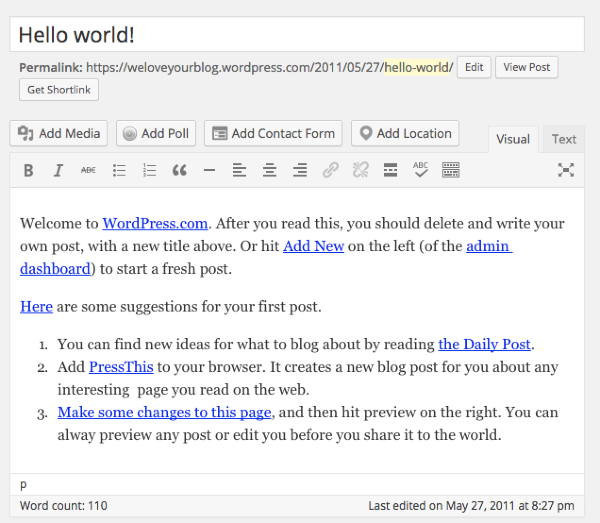
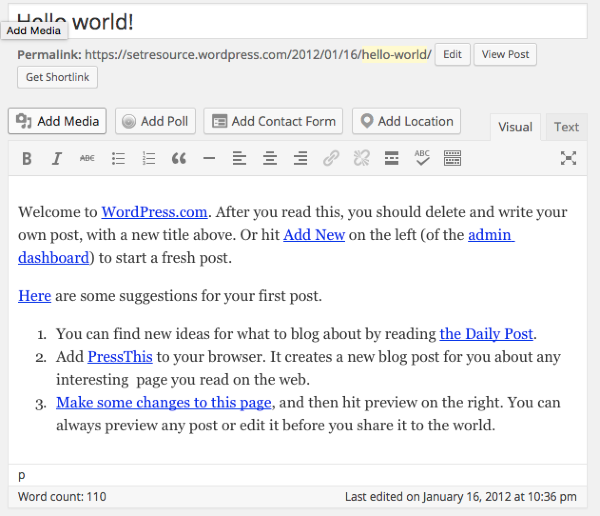
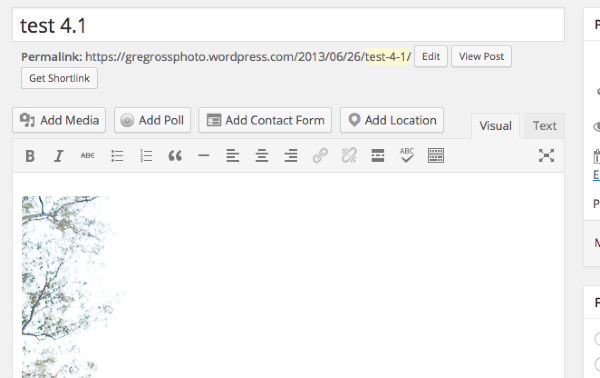
Can you please try clearing out your browser’s cache?
Also, can you replicate the issue in another browser (e.g., Chrome, Safari)?
A screenshot would be helpful, as well:
If you are still having a problem, let me know, and we can take the next troubleshooting step, once I get more feedback.
-
Thanks for the response. I’ve cleared the cache on my macbook, safari and within wordpress. This button is still missing. Below I have attached a snapshot of the exact button missing. Looking forward to your response.
Thanks!

-
You’ve reached support for the free blogs hosted at WordPress.com. The site you’ve indicated is running a self-hosted/installed version of WordPress (using the free WordPress.org software).
To clear up any confusion, WordPress.com and WordPress.org are two different entities. You can read more about that here:
Since your site is self-hosted with a different provider, support staff at WordPress.com do not have access to your site’s files or the ability to provide support for your current issue.
You can find support for your self-hosted WordPress site here:
If you need professional help for your self-hosted WordPress site, please check out:
You may also wish to contact your host’s support team for more assistance.
In regard to your issue, the following link may help, as well:
http://www.prophoto.com/support/
If you have any questions regarding WordPress.com, please let us know.


- The topic ‘"add media" button is missing in my post editor’ is closed to new replies.
 WordPress.com Forums
