

Adding a tagline
-
Hey, so I switched from the theme Baskerville, where it showed my tagline on the top of the page to the theme, Harmonic- which I like much better, however, it does not show my tagline at the top of the home page. Is there a way I can get it to do that? Thank you!
The blog I need help with is: (visible only to logged in users)
-
Howdy willhaussler!
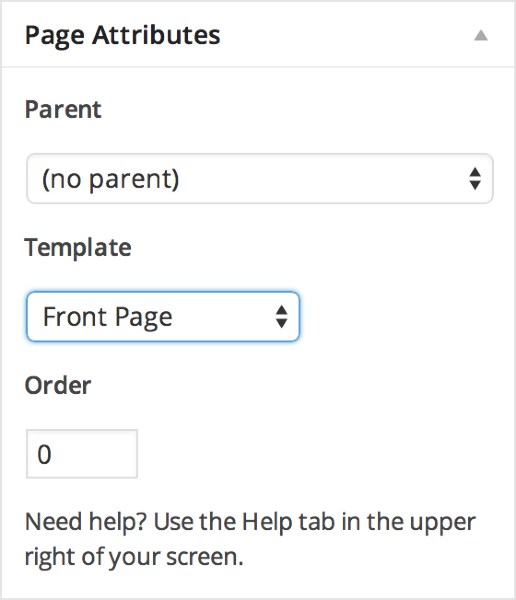
For the Harmonic theme, you can show your tagline by creating a static homepage and setting it (through the page edit) as the Front Page.
I found a similar situation to yours at https://en.forums.wordpress.com/topic/problems-with-harmonic-theme-tagline-hyperlinking-and-full-width-template?replies=8
To quote gracejiyoung:
…the tagline is not visible.
You can make the tagline visible by editing your Home page and setting the template to Front Page as seen here:
-
Thank you!
Now I have a follow up question. Once I do this, how do I change the photos in the background?
-
You’re very welcome!
To change the photos in the background, you’ll go to https://wordpress.com/customize and some of the sections (title, news, etc.) have the ability to add a featured image.


- The topic ‘Adding a tagline’ is closed to new replies.
 WordPress.com Forums