

Adding Google Analytics code to CSS
-
Hi I am trying to figure out where to add my unique anyalitics code to my blog. It says to copy the following code, then paste it onto every page you want to track immediately before the closing </head>tag. I can’t find this </head> tag anywhere. Is there another place I am suppose to be placing this code? Not in the CSS page?
The blog I need help with is: (visible only to logged in users)
-
We bloggers cannot access metadata on free hosted WordPress.com blogs. CSS editing can only be used to change appearance and that’s it. It cannot be used to add any code at all to the <head> tag.
Does the Custom Design upgrade let me edit HTML?
No. The Custom Design upgrade allows you to edit fonts and CSS only. You can change the appearance of a theme, but not its HTML markup, PHP code, or content. Read the full entry > http://en.support.wordpress.com/custom-design/#frequently-asked-questions -
Read this as well:
Additional Info
Can I use Google Analytics?
No, Google Analytics cannot be used on WordPress.com blogs at this time. http://en.support.wordpress.com/stats/#additional-infoNote: There is no upgrade you can purchase that changes this at all.
-
Interesting, so what if I upgrade? This link here http://www.wpbeginner.com/beginners-guide/how-to-install-google-analytics-in-wordpress/
says it’s possible, but I am guessing that’s only for upgraded sites?Thanks for getting back.
-
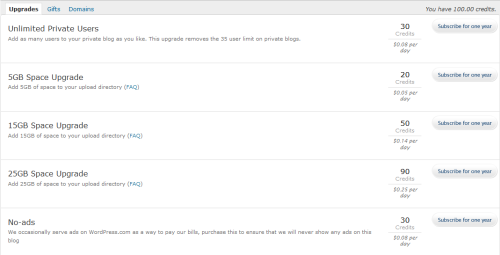
Note: There is no upgrade you can purchase that changes this at all.
What you point to does not apply to free hosted WordPress.com blogs. It applies to WordPress.org installs only. Please read this > WordPress.com vs WordPress.org: The Differences http://support.wordpress.com/com-vs-org/
-
-
WordPress.com and WordPress.org are completely separate. If you want a refund for the custom design upgrade you can request one > Dashboard > Store > My Upgrades


- The topic ‘Adding Google Analytics code to CSS’ is closed to new replies.


 WordPress.com Forums