

After trying to verify Google incorrectly, site no longer opens.
-
I have royally screwed something up after unsuccessfully pasting a Google verification code under “Available Tools”. Not only didn’t it verify, now the site won’t open using either my WordPress address (https://davidmartinmusic.wordpress.com) or my domain name I own (davidmartin.org). Both were working fine before. It reads “The page isn’t redirecting properly” I can access the Dashboard, however. Please help. Thanks.
The blog I need help with is: (visible only to logged in users)
-
Your issue is unrelated to Google site verification.
First, please contact your domain’s registrar, pair Networks, to verify davidmartin.org’s status, as it may have expired.
After you’ve confirmed control of your domain, you will need to update its name servers to point to WordPress.com:
http://en.support.wordpress.com/domain-helper/?host=davidmartin.org
Please go to your domain registrar’s site and log into the control panel. You will need to update the name servers as below:
NS1.WORDPRESS.COM
NS2.WORDPRESS.COM
NS3.WORDPRESS.COM
For more information, please visit the help documentation provided by the registrar and our support page:
http://en.support.wordpress.com/domain-mapping/map-existing-domain/
Let me know if you have any questions.
-
Thank you for the reply! I had already added NS1 and NS2 but not NS3 so now my Custom DNS records read:
NS Records
@ » NS2.PAIRNIC.COM.
@ » NS1.PAIRNIC.COM.
www » ns3.wordpress.com.
www » ns1.wordpress.com.
www » ns2.wordpress.com.Hopefully this is correct. I just thought it was odd that the site stopped working right after I attempted the Google Verification yesterday after about a week of working just fine.
And it’s been about 1 hour since I added ns3 but still not working. I’ll keep checking but if that’s not it, hopefully you’ll have another suggestion?
David
-
I’ve since removed the 3 wordpress.com addresses above just to try to get the original https://davidmartinmusic.wordpress.com to work and still can’t get it.
-
I have visited davidmartinmusic.wordpress.com and viewed several of its pages, and it appears to be functioning correctly:
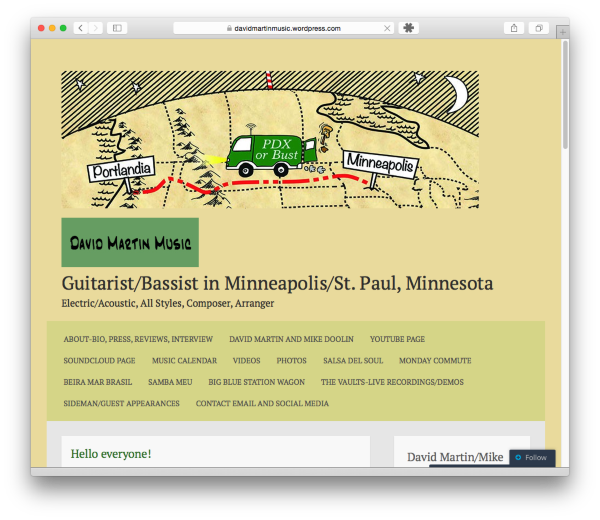
The issue you encountered was most likely due to either your browser’s cache, or DNS not yet being up-to-date.
Can you please try clearing out your browser’s cache?
In regard to davidmartin.org, it still appears that the domain’s status is inactive and that it is not pointing towards WordPress.com:
If you have additional questions, please let us know.
-
Thank you! Yes! As of yesterday I got it working. I had created a “forwarding loop” (as one person who wrote me said) but they didn’t tell me where I needed to change it. I kept thinking I had to go to my web host site, but actually just needed to go to My Domains on WordPress and choose my WordPress address as the default. Whew! I still would like to get the site verified by Google, however so hopefully I can figure that out.
-
The following page will assist you:
If you run into an issue, let us know and we will be happy to help.


- The topic ‘After trying to verify Google incorrectly, site no longer opens.’ is closed to new replies.
 WordPress.com Forums