

Apostrophe 2 theme not displaying wide post thumbnail?
-
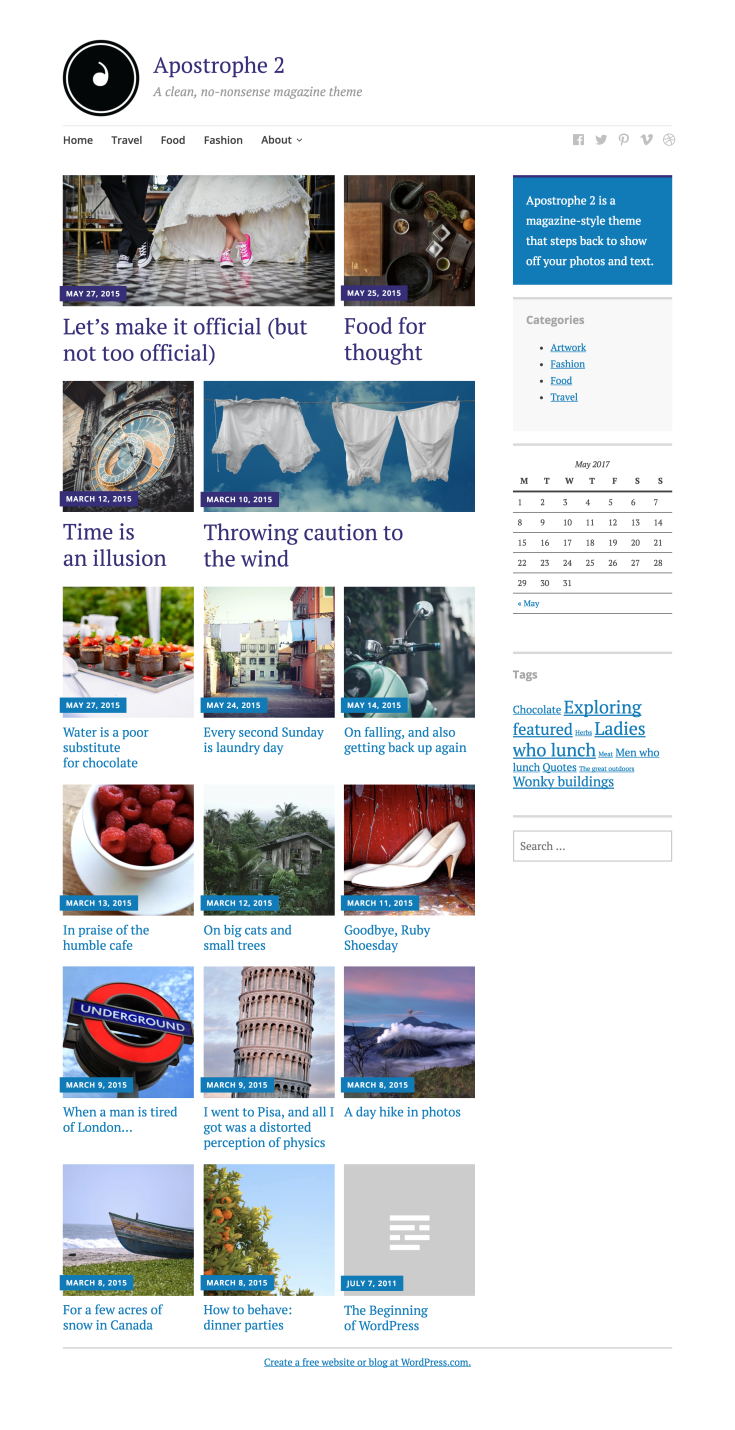
On the Apostrophe demo page, the first post image on the home page is wide, followed by a square one. However upon installing it on my blog, all the post images are square. How would I get the wide image? I can’t seem to find this setting anywhere.
The blog I need help with is: (visible only to logged in users)
-
Hi there,
The first four posts you see on the demo site has been marked as featured, which makes them display differently from the rest of the posts.
To set that up, first go to My Site ->Design ->Customize ->Featured Content, and set a unique tag you want to use for featured posts.
Then, when you create a post you want to feature at the top, you add that tag to the post. And over time you can change which posts appear in that area by adding and removing that tag on various posts.


- The topic ‘Apostrophe 2 theme not displaying wide post thumbnail?’ is closed to new replies.
 WordPress.com Forums