

Best theme with prominent follow button
-
Hi. I’ve been blogging for a couple of months (www.morethanabitdeaf.com) and would like to find a theme where it is possible to display a more prominent “how to follow this blog” button. I’m currently using the Isola theme, which is lovely, but people are telling me they can’t work out how to follow me. I want something where “click here if you want to be told when there is a new post” (or similar) is right there on the front page. Thanks for any help or suggestions.
VeraThe blog I need help with is: (visible only to logged in users)
-
Hi there, Isola tucks away widgets (like the Follow widget) in an off-screen area. If you’d like widgets to be more obvious, you could try a theme with a right or left sidebar widget area.
Penscratch has a clean and simple design like to Isola, but if you add widgets to the Sidebar widget area they’ll appear in the right column on every page, like this:
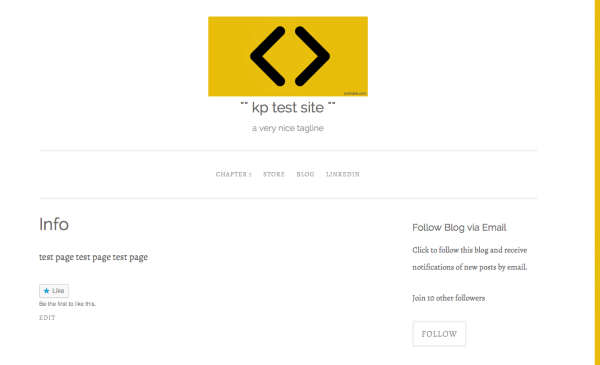
Another option would be to keep Isola, but create a sticky post that’ll always be displayed first, and embed a Follow widget right into the post using the subscription shortcode.
Let me know how it goes!
-
Thank you Kathryn. I’ve changed to Penscratch and really like it. Could you help me with something else. I’ve set up a new page, to show all the posts that mention gadgets I’ve found helpful. It’s called Useful Gadgets! What I want to do is have a piece of text that people read first when they click on that, saying what is going on (eg here are a number of posts I have written about pieces of kit I’ve found helpful etc etc) but I can’t work out how to do it. Do I need a sticky post??? And if so how do I do that in that location. Any suggestions gratefully received. Also, does this theme allow me to show just extracts of each post, rather than the whole thing, so that scrolling down the page doesn’t take so long?
My blog is morethanabitdeaf. -
@morethanabitdeaf, If you add a category description in your admin dashboard at Posts > Categories, it will show at the top of that category page on Penscratch. Edit your categories that you wish to have an opening statement on and then save and the description will show at the top of the categories page.
-
Many thanks for the very rapid reply. I did what you suggested, for which many thanks, and all seemed to be OK. In fact I set up a new category (gadgets) and redirected the relevant posts to it (changed the category listing in the page for each of the relevant posts). But now there is no Gadgets option showing in the menu bar. Useful Gadgets is still there, but with no content – because of course I’ve moved it all to Gadgets. Help! What have I done wrong?
Thanks again
morethanabitdeaf. -
Hi Vera,
I can see that all four posts that had been categorised as “Useful Gadgets” are now in your new “Gadgets” category.
You can update your menu item to link to the new “Gadgets” category by first navigating to My Site in the top left of WordPress.com and then the “Menus” option in the left sidebar:
https://wordpress.com/menus/morethanabitdeaf.com
Select the pencil icon new to “Useful Gadgets” to edit it and then select the new “Gadgets” category from the resulting window. Save your changes once done and your menu items will link to the correct places. :)
Let us know how you get on with that or if you have any extra questions.
-
-


- The topic ‘Best theme with prominent follow button’ is closed to new replies.
 WordPress.com Forums