Blask Theme – Featured Image Text in Portfolio
-
When I hover over a project featured image the text appears as a dark grey or black. How can I change this to white?
The blog I need help with is: (visible only to logged in users)
-
Hi Jenny,
The portfolio item title text is set to black when using one of the color palettes under My Site > Customize > Colors & Backgrounds.
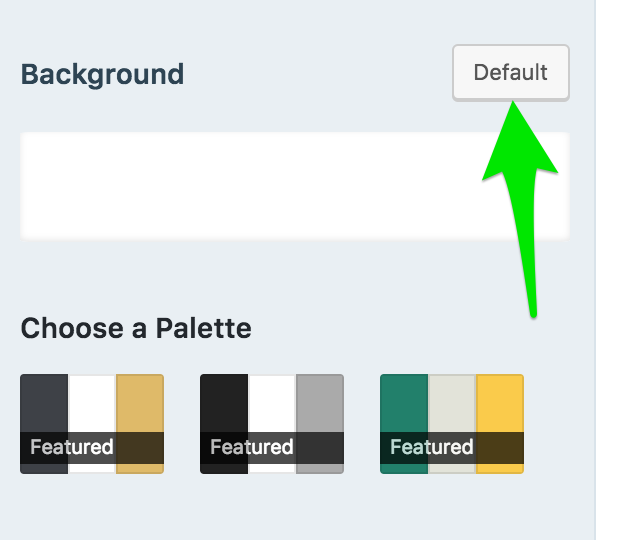
To change it back to white while using the free plan, you’ll need to click the Default button next to the Background settings.
Screenshot: https://cldup.com/UcaLLQCHbA.png
From there, you can click the white rectangle below the Default button to change the background color of the site. When I tested that, the portfolio item titles stayed white on the front page.


- The topic ‘Blask Theme – Featured Image Text in Portfolio’ is closed to new replies.
 WordPress.com Forums