

blog not loading remotely or from links in Word file
-
I am having no luck accessing my blog remotely. It’s loading okay from my own home PC. But even on that it won’t load from a link in a Word file at all.
From Word I get the following message
Unable to open https://bashfulbadgersblog.wordpress.com/Cannot download the information you requested.
It will appear in Google searches but clicking on the link brings up the following message –
Secure Connection Failed
An error occurred during a connection to bashfulbadgersblog.wordpress.com.
Cannot communicate securely with peer: no common encryption algorithm(s).
(Error code: ssl_error_no_cypher_overlap)
The page you are trying to view cannot be shown because the authenticity of the received data could not be verified.
Please contact the website owners to inform them of this problem. Alternatively, use the command found in the help menu to report this broken site.I get the same message when I log in and try to access the blog though other people’s WordPress blogs were loading fine from my Reader.
The blog in question is https://bashfulbadgersblog.wordpress.com/
I now don’t want to post the blog link anywhere as people cannot access the posts.
Anyone else had this problem? Anyone know what I can do about it? Is it anything to do with me running Classic Editor?
My log in page is
https://wordpress.com/wp-login.php?redirect_to=http%3A%2F%2Fen.forums.wordpress.com%2F%3Fnew%3D1
The blog I need help with is: (visible only to logged in users)
-
I have visited bashfulbadgersblog.wordpress.com and viewed several of its pages, and it appears to be functioning correctly:
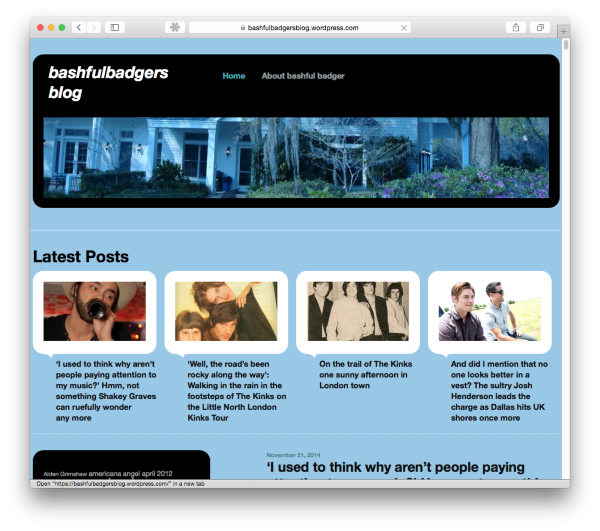
The issue you encountered was most likely due to either your browser’s cache, or DNS not yet being up-to-date.
Can you please try clearing out your cache and cookies?
In regard to https://bashfulbadgersblog.wordpress.com/Cannot, you do not have a valid Page with that URL, so there is no content to load:
https://bashfulbadgersblog.wordpress.com/wp-admin/edit.php?post_type=page
If I’ve misunderstood the issue, or if you have any other questions, please let me know.
-
Thanks for advice. I don’t think it can be to do with my cache and cookies as the blog always opens okay from Google search results, etc. from my home PC. But I will clear them anyway. It’s only when I try to access it from a library computer, for instance, that it doesn’t load and I get that message. If other WP blogs are loading from the library computer, could it still be a problem with the library system’s cache/cookies?
With the page that doesn’t appear to be a valid url, that has a rogue ‘Cannot’ on the end. Should appear
Unable to open https://bashfulbadgersblog.wordpress.com/
Cannot download the information you requested.That site loads fine on my home PC from Google links but won’t open from a Word file. Just get that message. Other sites load fine from links in Word files though.
So there are two problems really, maybe unconnected.
-
If other WP blogs are loading from the library computer, could it still be a problem with the library system’s cache/cookies?
It’s possible, or the site may be getting caught in the library’s filter. In case it is a caching issue, clearing it might help:
That site loads fine on my home PC from Google links but won’t open from a Word file.
Since there doesn’t appear to be anything wrong with your site, this is most likely related to Word or how the links were created.
Please refer to the following document to make sure that the links in question are correctly configured:
Let us know if you have any more questions.
-
Cheers.
I think you may be right and the library system may be filtering it out. At least you’re finding it loads okay.
Re. the Word file problemo, I’ve tried to work out if the links are correctly configured and they seem to be.
I’ve inserted them as hyperlinks in Word documents as well as just copied them in from the site. I’m still getting the same message about not being able to load them. Other links work fine from the Word files. I’ve even tried other WP blog links. And my own links used to work up until relatively recently, sort of autumn 2014. So it’s a bit of a mystery.
-
In fact, I’ve just tried links that used to function fine from an old file and they are no longer working.
-
Have you tried touching base with Microsoft?
http://support.microsoft.com/ContactUs
Also, can you describe exactly how you are creating these hyperlinks in Word? Are you doing anything differently than from when they were working before?
Once you give me some additional clarification, I will be more than happy to continue addressing your issue.
-
Okay, I’ll try that.
Re. links in Word files, I’m just copying them from the top of the blog when it has opened much of the time, on my home PC.
My friends say they can access the site okay from links in emails, etc. But I’m at another library and getting the same message –
Secure Connection Failed
An error occurred during a connection to bashfulbadgersblog.wordpress.com.
Cannot communicate securely with peer: no common encryption algorithm(s).
(Error code: ssl_error_no_cypher_overlap)
The page you are trying to view cannot be shown because the authenticity of the received data could not be verified.
Please contact the website owners to inform them of this problem. Alternatively, use the command found in the help menu to report this broken site. -
I tried it through Internet Explorer too and it’s coming up
This page can’t be displayed
•Make sure the web address https://bashfulbadgersblog.wordpress.com is correct.
•Look for the page with your search engine.
•Refresh the page in a few minutes. -
And I tried it from a Word file link at the library and got this
Unable to open https://bashfulbadgersblog.wordpress.com/
Cannot locate the Internet server or proxy.But maybe that’s because the libraries are blocking me?
-
Since you’re using a computer and network that are not under your control and (most likely) tightly regulated, it may not be possible to troubleshoot this issue without the assistance of the library’s staff.
At many such institutions, software and hardware is locked down by local IT. Your best bet is to seek the assistance of library staff if the issue comes up the next time you are using their resources.
Perhaps they can try this:
http://windows.microsoft.com/en-us/windows7/Reset-Internet-Explorer-settings
If you have an issue accessing your site outside of these networks, let me know, and I will be happy to assist you.
-
Thanks, I did report it to the library and they contacted their IT department about it. But had yet to hear back by the time I left the library … The librarian said it wasn’t a blocked site because that came up with a recognisable error code. I might give them a call to see if IT ever got back to them. And pass the message on. Thanks.


- The topic ‘blog not loading remotely or from links in Word file’ is closed to new replies.
 WordPress.com Forums