

Blog Posts
-
I am unable to add share and like buttons and a comment box to my blog posts. Also, is there a way I can create a page that will show my blog posts?
The blog I need help with is: (visible only to logged in users)
-
HI there,
We’re you able to figure this out? I saw that you added the sharing buttons and comment field to your posts as seen here:
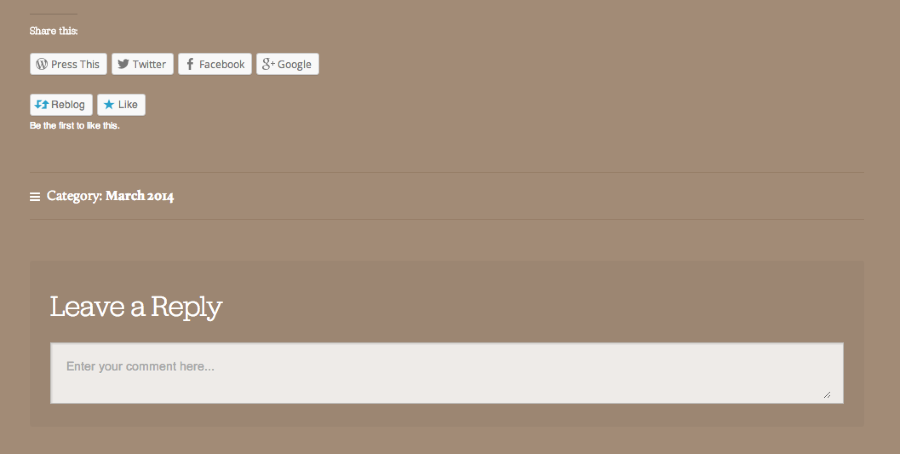
Also, I see that you set your latest posts on your front page. So, currently I am seeing your Diving into Life post. If you want to create a static front page, and set a separate page as your Posts page, you can do that by going to Settings > Reading in your Dashboard.
Feel free to reach out if you have any questions!
-
I attempted to add the sharing buttons and comment field, however it does not reflect on my latest post (front page). I want to have all my blog posts on my front page as a subpage titled, “BLOG” similar to HDYLL, OUR STORY, and CONTACT US. So if a follower is on our HDYLL page they can click “BLOG” tab and return to our home page where our blog posts will be.
-
Hi there,
Please note that you have to click into the post for the sharing buttons and comment field to show up.
Once I went into the individual post here I could see it: http://livelifemn.com/2014/03/09/diving-into-life/
Please let me know if you have any questions!


- The topic ‘Blog Posts’ is closed to new replies.


 WordPress.com Forums