

Blog set up problems
-
Not able to get to Profile page. It sends me to Gravatar page that doesn’t allow me to add/crop image, no info profile page available to fill in. Getting fed up.
The blog I need help with is: (visible only to logged in users)
-
Hi there!
I believe you’re referring to the image on your sidebar shown here:
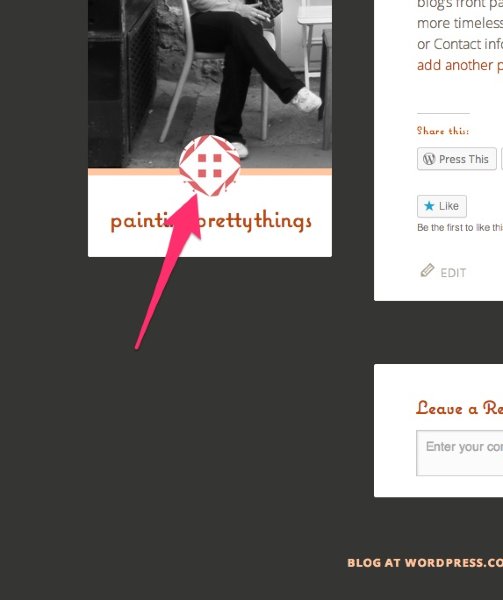
Is that correct?
If so, in order to set that image, you’ll need to create a Gravatar profile as you mentioned.
You should be able to set a Gravatar image from the following link:
https://dashboard.wordpress.com/wp-admin/users.php?page=grofiles-editor
Just follow the instructions here:
http://en.support.wordpress.com/avatars/gravatars/#upload-an-avatar
Can you give that a try?
-
I’ve gone in a few times and changed the Gravatar image, I think it took this time. I’m still wondering why I can’t change the font of the name of my blog. I go into fonts from appearance, I pull up the list (that I am assuming are available to me?) try to make the change, save them, it says it’s publishing and it just never changes. One day it did and then it was gone, the next day the letters were back to default and were too big for the box. I tried to change the size, nothing. And where do I find my blog on the internet? I keep typing it in, nothing again.
-
Great! I’m glad we got the Gravatar setup.
With regards to the font, currently, I see the custom font you have set (Coquette) applied when I visit your site here:
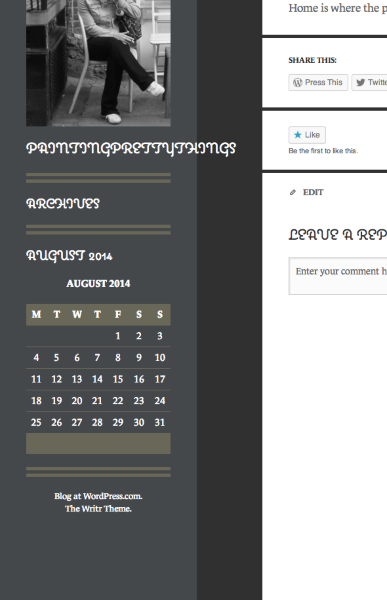
Is that what you’re seeing on your side?
It looks like since you have a long, one-word title, the site title is running outside of the grey area. There are two main options here:
- We could put a space after the “y” in “pretty”.
- I could give you some CSS that would wrap the word down to the next line so it wouldn’t run over the boundary
Let me know how you would like to move forward with that!
And where do I find my blog on the internet? I keep typing it in, nothing again.
Are you referring to your blog appearing in search engines? If so, that can take a bit of time. What are you searching for when your blog isn’t showing up?
I’m currently seeing your blog when I search for your domain as shown here:
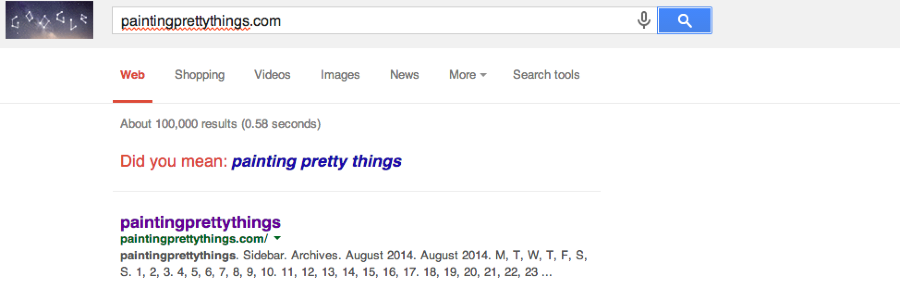
As far as appearing for other terms like “painting”, this is likely due to how new your blog is. We automatically ping all of the major search engines when you publish a post so your site is up-to-date. Since your blog is relatively new and doesn’t have any posts yet, search engines have little to go off of.
Google also takes into account quite a few factors to determine how your site ranks for certain content. For example, a lot of sites write about the term “painting”. Google decides how your content compares to other content and then ranks it accordingly. Unfortunately, we don’t have any control over how your site appears in Google.
Here are some tips on boosting SEO (or how your site ranks in search engines):
http://en.blog.wordpress.com/2014/05/02/seo-quick-tips/
http://en.blog.wordpress.com/2013/03/22/seo-on-wordpress-com/Please let me know if you have any additional questions!


- The topic ‘Blog set up problems’ is closed to new replies.
 WordPress.com Forums