

Blogging site to Website?
-
Firstly, I registered for a blog and my side has .wordpress. now, I bought a domain.
I want to have that domain as a website and I don’t want the blog. How can I do That?The blog I need help with is: (visible only to logged in users)
-
Hi there!
After looking into your account, I found that ericglenn123.wordpress.com was set as the primary domain. I have switched that to your domain: ericglenn123.com, and I can now find your site there as seen here:
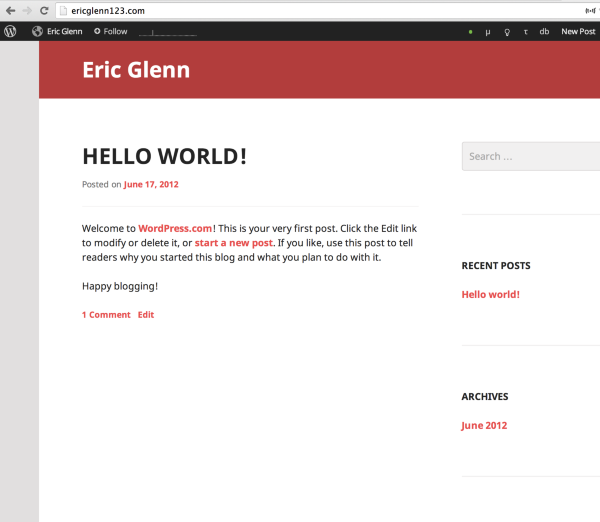
If that is not what you see, can you please try clearing out your cache and cookies using the guide below?
Let me know if you have any questions with this!
-
I’ve seen that the Primary domain is changed, but that is not my problem. either way I use the ericglenn123.wordpress.com or the ericglenn.com, It’s still a blog site. I don’t even have the Plugin panel at the side. and the “Visit site”
I want a Real Website.. not a blog
-
Hi there,
Please note that the words site and blog are used interchangeably here on WordPress.com. They are one in the same. There’s no separate sign up or theme for a website versus a blog. They’d be exactly the same.
I’m assuming the differences you want between a blog and site would be that you’d want a custom menu and static pages like a Home page, Contact Page, etc. And then you may want a separate page for all your posts (blog type posts).
In order to do this you can create a Home Page by going to Pages > Add new in your Dashboard. This is a static page that would be the page your readers view the minute they visit your site. After you published that, create another page titled Blog, Posts or whatever you want if you want a separate page with all your posts. Leave this page empty, but publish it.
Then go to Settings > Reading in your Dashboard. At the top where it says Front Page displays: select a static page and set the the Home page you just created as your Front Page, and the Blog or Posts page as your Posts page. If you don’t want a Posts page, you can leave that blank.
Finally, if you want to create a Custom Menu you can by going to Appearance > Menus in your Dashboard. Please view the link for further instructions.
As for the plugins, please note that it is not possible to install plugins on WordPress.com, for security reasons. Plugins can only be installed on self-hosted WordPress blogs. If you are wondering how WordPress.com differs from WordPress.org, this support article explains the distinction:
WordPress.com has a lot of built-in features that were inspired by popular plugins. Chances are, the feature you are looking for is already there! You can search our support site via this link:
For any features on WordPress.com, the support page will explain how to set it up.
If you don’t find what you are looking for, just let me know what you’d like to achieve with a plugin, and I’ll help you find a solution.


- The topic ‘Blogging site to Website?’ is closed to new replies.
 WordPress.com Forums