

Blogs are linked. I want to separate them.
-
I want separate blogs
The blog I need help with is: (visible only to logged in users)
-
-
Hi there!
Sure I’d be happy to! Just give me the name of the domain you want moved and the WordPress.com site you want it moved to! Once I get that I can transfer everything promptly.
Let me know if you have any questions with this!
-
I need to separate comworderadvocate.org from alianzadefresno.org. At this time comworkeradvocate points to alianzadefresno. I need comworkeradvocate to be a stand alone blog. Thanks for any assistance you can provide.
-
-
Hi there,
Please note that I will need to move the domain to another WordPress.com site. Currently, I see another site named: siestan.wordpress.com. Would you like it moved to that site? If not create a new WordPress.com site by going to My Sites in your Dashboard. There will be a link to create a new one.
Please let me know if you have any questions!
-
I am unable to separate blogs through Dashboard My Sites. Can you direct me to a step by step instructional aide. This is not working. I only wanted another blog, not linked to Alianzadefresno.
-
Actually, there is no Dashboard, My Sites, as you instructed. There is only Dashboard, My Blogs. That was not helpful.
-
Ah, sorry – I mean when you log into WordPress.com (not Dashboard) there will be My Sites at the top of the page. It looks like this:

When you go there you can create a new site. It will look like this:
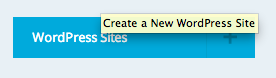
Create a new WordPress.com site and I can separate out the domain and add it there.
The only other site I’m seeing is: siestan.wordpress.com. Do you want it there? If not, create a new site.
Please note that domains are like mailing addresses – they have absolutely nothing to do with the content of the site. You can learn more about domains here:
-
Sorry, I am not seeing the same thing. I have one set of menus for Alianzadefresno and another for Comworkeradvocate.org. Only options are “Create Another WordPress”, “Upgrade Now and Go Premium”. Do I have to upgrade?
-
I am unable to separate blogs through Dashboard My Sites. Can you direct me to a step by step instructional aide. This is not working. I only wanted another blog, not linked to Alianzadefresno.
-
-
1) Go to http://WordPress.com. Do not go to your site’s Dashboard.
2) It will look like this:
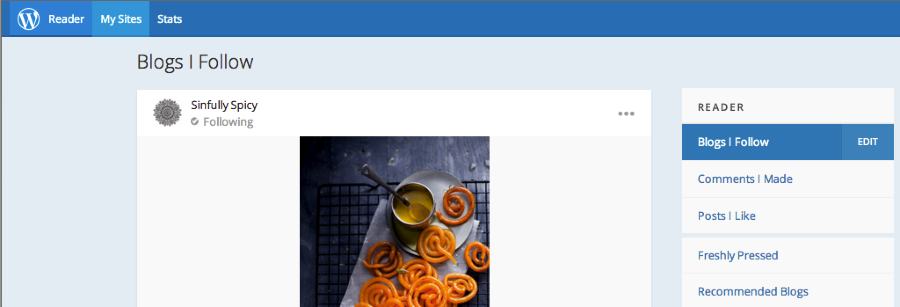
3) Click on My Sites
4) Click on the + next to WordPress.com Sites as seen here:
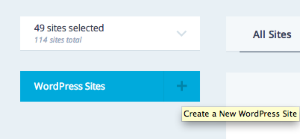
5) Create a new site.
6) Reply to me with the new site name.Cheers!
-
I have followed your instructions, so far nothing appears as you suggested. I went to other service providers to move my blog, I will have to pay all over again. Is there anything else you can suggest to separate these two blogs? Is there anyone else, a supervisor or someone I can correspond with? I am certain I own the domain, when I went to Bluehost and GoDaddy they indicate it is taken, that I know of, nobody else owns it. Can you please help or give me direction to someone who can? Thanks.
-Stan -
Thank you for creating the site: comworkeradvocate.wordpress.com! That’s all I needed.
The domain: comworkeradvocate.org (which you own) has now been separated. It is now pointing to:
comworkeradvocate.wordpress.com
as seen here:
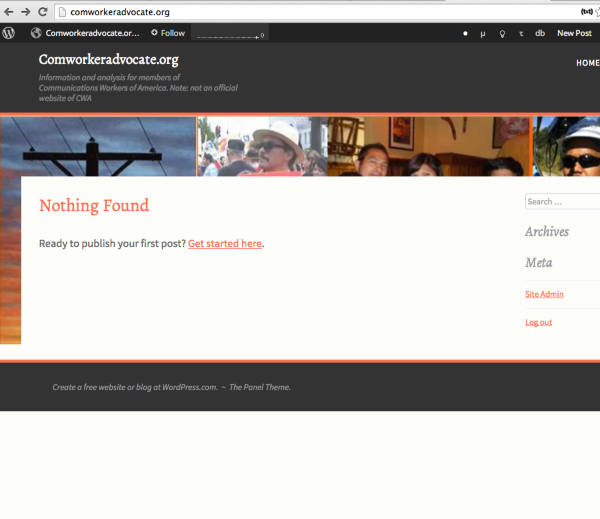
alianzadefresno.org is pointing to alianzadefresno.wordpress.com as seen here:
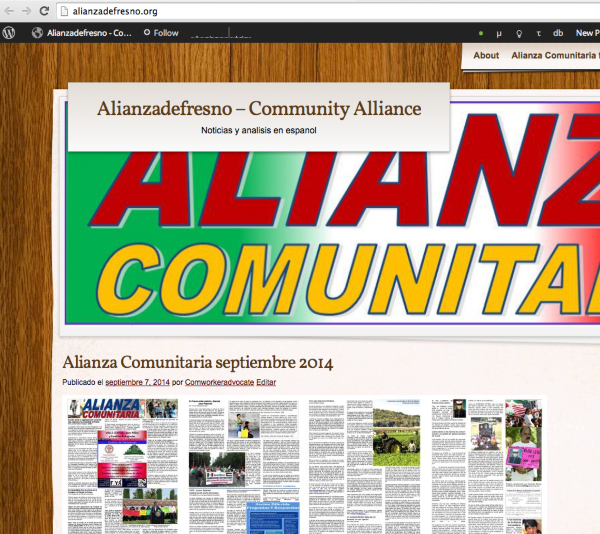
If you would like to speak to someone else I’d be more than happy to point you over to my team lead or anyone else!
Cheers!


- The topic ‘Blogs are linked. I want to separate them.’ is closed to new replies.
 WordPress.com Forums