

Bottom Page Links
-
The links from the bottom of the page are showing up large through the middle of my site. It has been like this since I activated my newly purchased web template “Sweet Life”. How can I correct this?
The blog I need help with is: (visible only to logged in users)
-
Hi there,
Are you talking about these links:
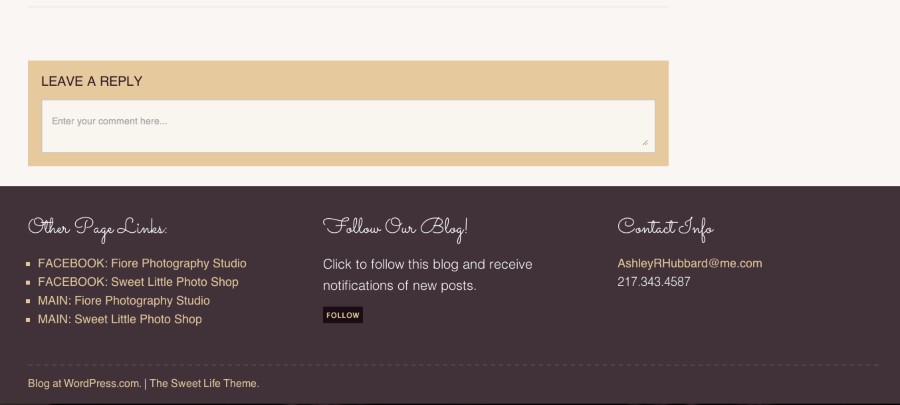
After looking into your site, I couldn’t find them in the middle of the page. Can you please try clearing out your cache and cookies using the guide below if you are still having this issue?
If it’s still happening, can you please provide me a screenshot, so I can better understand the issue. You can simply upload the screenshot to your Media Library, like any other image, and I’ll be able to access it from there.
The page at the following link has some helpful tips for taking screenshots:
Feel free to reach out if you have any questions!


- The topic ‘Bottom Page Links’ is closed to new replies.
 WordPress.com Forums