

Can I stop blog posts printing narrow (on a site using Twenty Thirteen)?
-
My site (http://mg3c.com) has a mixture of pages and posts. I am using the Twenty Thirteen Theme with a Custom Design upgrade. At the moment, the pages have no widgets in the sidebar and the posts use widgets in the footer and sidebar. Pages print using the full width of the paper, but posts do not. If there are any widgets in the sidebar, the print width is calculated as if the sidebar is present (even though it doesn’t get printed).
I want people to be able to print pages and posts using the full width of the paper. Can this be enabled using CSS or is there an error in the default CSS?
Thanks,
Mark.The blog I need help with is: (visible only to logged in users)
-
Hi Mark!
Here’s what I got when I printed your most recent blog post:
Click to access 1xyhuwY27S.pdf
The spacing looks the same as on your Pages:
Click to access 7uCQex736D.pdf
Can you make sure you’re using the most recent version of your browser by visiting this site:
https://www.whatismybrowser.com/
These are the most recent versions of the most common browsers:
Let me know what you find!
-
Thank you Shawna. It is reassuring to know that not everyone sees the same issue.
My browser is up to date — Safari 7.0.5. I have now checked in Chrome and Firefox and it prints properly, so it must be a Safari problem. (I should have checked the others first, but I use Safari more.)
-
Just to follow up on this following a bit more testing once I reactivated the widgets I wanted on my pages.
It appears that Chrome and Firefox print properly — discarding widget content and using the whole page width.
However, Chrome doesn’t display widgets properly onscreen. Instead of the secondary widget area appearing in the sidebar, the widgets are just appended to the content area before the footer (where the primary widget area is).
FIrefox and Safari both display the widgets correctly onscreen (primary in the footer and secondary in a sidebar), but Safari doesn’t print properly (as described before).
Could this behaviour be explored and corrected in the theme (if possible)?
Thanks,
Mark. -
Thanks so much for the follow up info!
I just took a look at your site in Chrome and everything seems to appear correctly:
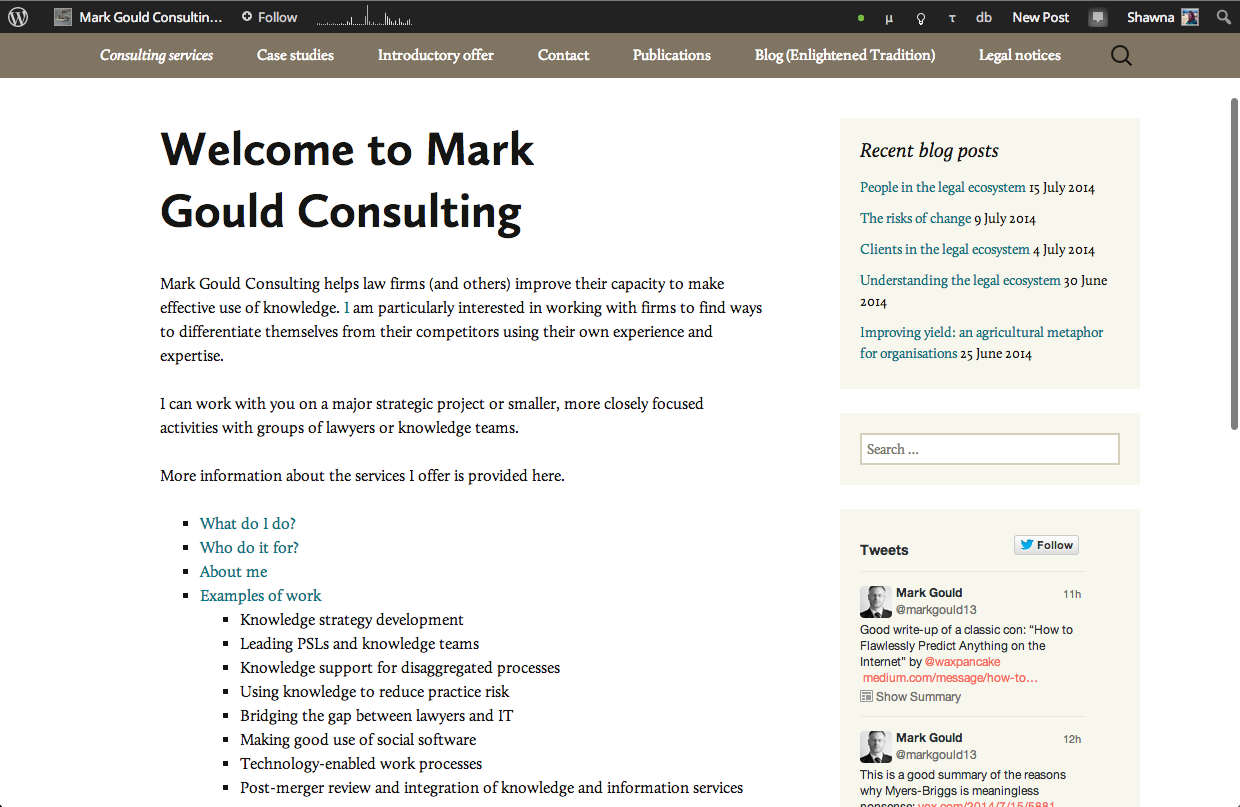
Can you take a screenshot of what you’re seeing? You can just upload it to your media library and I’ll be able to see it there.
I do see what you mean about printing in Safari. I’m going to do a little digging around and see if I can figure out what’s causing this.
-
I need to concentrate harder when I’m testing!
The Chrome screen display issue was my fault — the browser window was just less than 1000px wide, unlike the others, so it had reflowed the content.
-
Oh perfect! I did some testing with printing in Safari and I’ve submitted a ticket for our theme developers to take a look. However, you should know, these printing tickets tend to be low priority. We have global print settings for all of our themes, and these printing issues are browser specific with only certain themes so its hard to track them down.
I’ll let you know when I hear back from the developers about it!


- The topic ‘Can I stop blog posts printing narrow (on a site using Twenty Thirteen)?’ is closed to new replies.
 WordPress.com Forums