

Can you change the appearance of the text when using portfolio shortcode?
-
Hello,
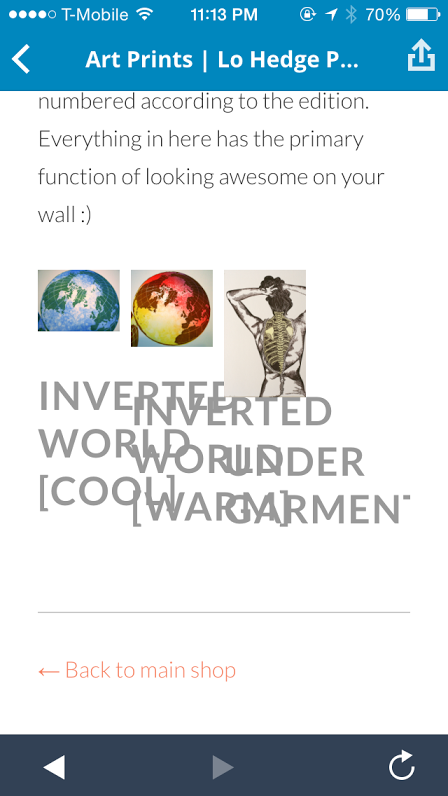
When I use the portfolio shortcode to embed on a page, it formats the images according to the columns I specify, but the text is huge and overlaps with the columns next to it. It looks especially bad when I look at my site on my phone. Is there a way to alter/format the text when you use portfolio shortcode? Or even delete it altogether, and just have images? I would prefer properly formatted titles under my photos.
Thanks in advance,
LoriThis is a screenshot of what I’m seeing on my phone:
The blog I need help with is: (visible only to logged in users)
-
Hi there. It appears that this is how the theme was designed, and I’m rather surprised I haven’t see it mentioned before. I’ll tag this for staff to look into why the titles don’t resize on smaller screens.
You can find all the options for customizing the shortcode here: https://en.support.wordpress.com/portfolios/portfolio-shortcode/#attributes Unfortunately there isn’t an option to omit the titles.
If you have the custom design upgrade you might also be able to do this using CSS. You can post in the CSS forum for the code you’ll need to do this: https://en.forums.wordpress.com/forum/css-customization#postform
See here for more info on the custom design upgrade:
http://en.support.wordpress.com/custom-design/#frequently-asked-questions
http://en.support.wordpress.com/custom-design/
http://en.support.wordpress.com/custom-design/editing-css/ -
-
Was that screenshot taken from within the WordPress app or a browser? I think that might be some of the app’s style getting in the way but wanted to make sure before reporting a bug. I tried out that page on your site with the text added back in and saw the overlapping on small desktop widths too, but that big gray text formatting I couldn’t replicate.
Checked out your site on my phone just now and it looks like you found how to remove the content correctly:
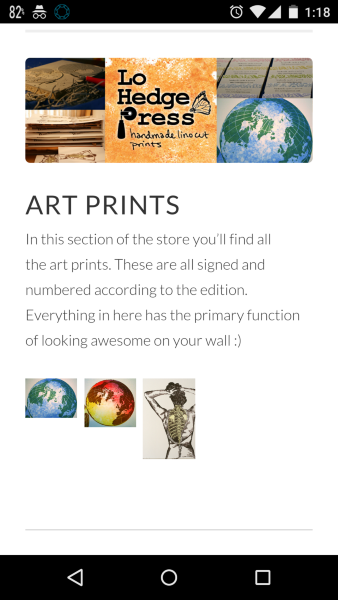
But I understand you’d like to have the text included as well.
Right now custom CSS would be the only way to modify the appearance of that text.
But let me know regarding that screenshot and I’ll get this reported to the theme team. :)
-
Hi Alex,
I believe I took that screenshot while looking at my page in the app. However, I just added the titles back in to check and the problem happened when I viewed the page both in the app and on safari on my phone. I was the big gray text that overlapped between the columns.
Thanks for the response :) Hopefully it’s fixable.
-
Hi Lori,
Thanks for the additional confirmations :)
I’ve reported this to our theme developer team and will reply back here with any new information
-Alex G.


- The topic ‘Can you change the appearance of the text when using portfolio shortcode?’ is closed to new replies.
 WordPress.com Forums