

Cannot center paired images anymore as of July 22, since new post editor changes
-
Have been using the same procedure to center paired images for years. Suddenly, it no longer works as of July 22.
Once I set the width of each of side-by-side pair so that the combined width is within the allowed total width for the theme, my simple procedure for centering them has been to set each of the pair’s “align” setting to “none,” and then highlight the pair and center. Voila! This has worked for the past three years at least. As of today it fails. The second or right-hand image now always gets bumped down to the next line when I attempt to center the pair with the above method. So how is it done with the “new improved” WordPress post editor?
The blog I need help with is: (visible only to logged in users)
-
Here is a demo page (draft) illustrating the results of two attempts to center paired images as described above:
-
Hi there!
To get the two images centered and beside each other, insert them as normal and ensure that their alignment is set to “None”. Then, from the tag selector on the bottom left of the content box, select “p” then click the Align Center button from the toolbar.
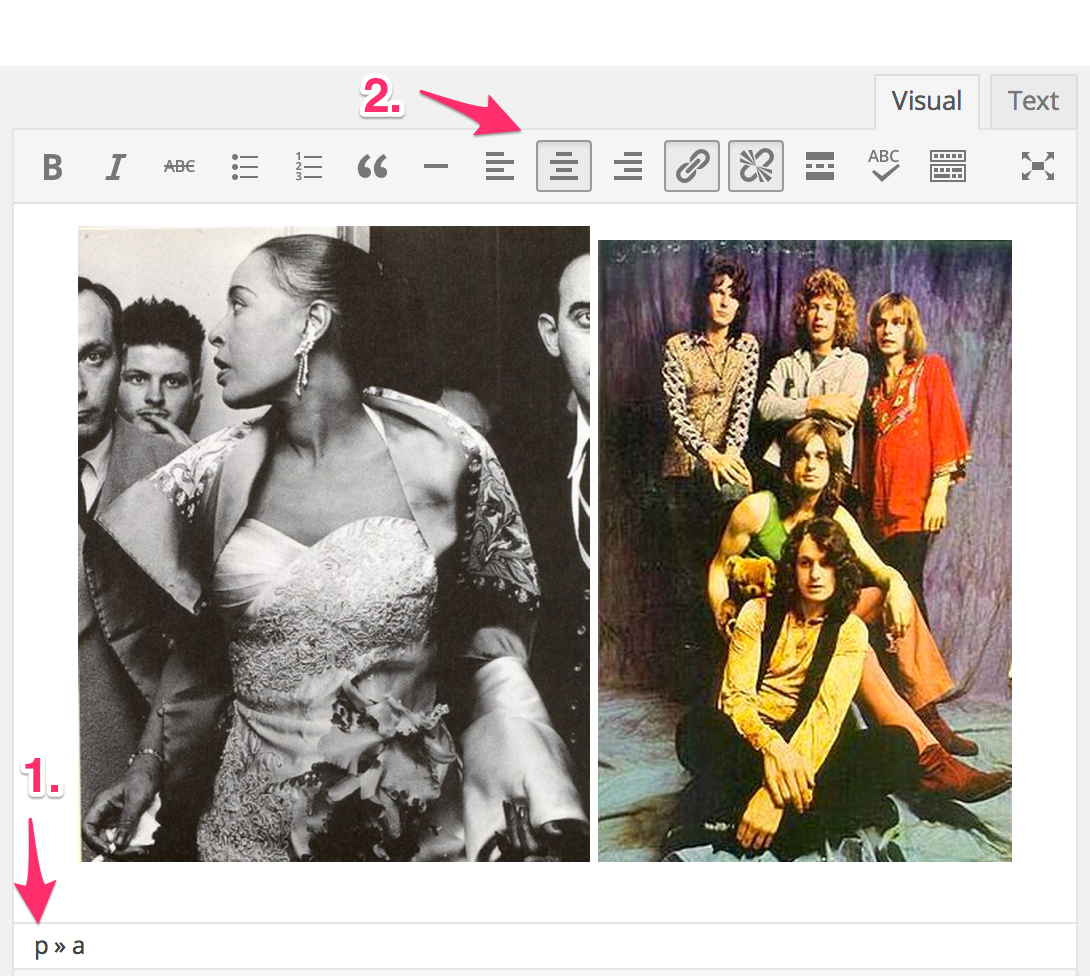
Let me know if that works. Thank you!
-
-


- The topic ‘Cannot center paired images anymore as of July 22, since new post editor changes’ is closed to new replies.
 WordPress.com Forums