Can't create blog
-
I’ve been trying for days and from different computers but it still gets stuck in the ‘choose your address’ part :( I can’t choose any option
The blog I need help with is: (visible only to logged in users)
-
Hi @chayoo16 – Are you having trouble with finding a domain that you want to use? Or are you having trouble registering a domain?
You can register a new domain here: http://wordpress.com/start/domains/
This guide will help you get your blog up and running in 5 easy steps: https://en.support.wordpress.com/five-step-blog-setup/
If you continue to experience issues at domain search page, try to force refresh your browser, clear your browser cache and cookies, and then log out + back in to you WordPress.com account. Here are step by step instructions to help with this: https://en.support.wordpress.com/browser-issues/
-
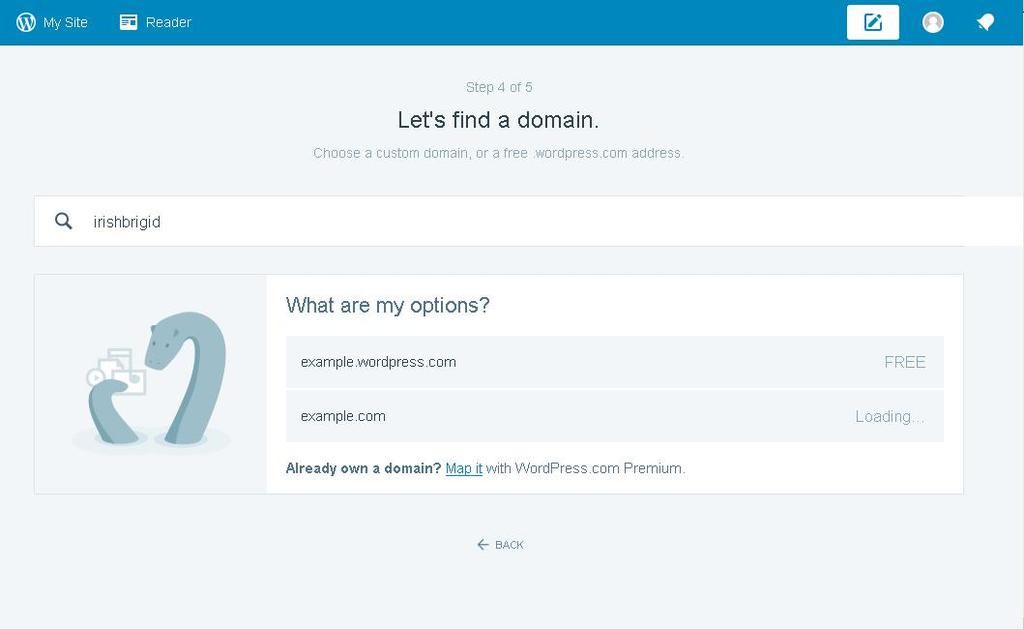
Chayoo’s problem sounds similar to mine. On the six-step set up I get stuck on “find a domain.” There’s a text box for entering an address that has a magnifying glass icon at the left side. Below is a list of two options, a WordPress address for free and a personal domain that’s marked as “Loading…” Typing a word, any word, in the text box and either hitting Enter or clicking the magnifying glass do nothing.
-
Irishbrigid, that is exactly what happened to me! WordPress took like three days before finally working. I don’t know how it got fixed.
-
I wish someone did. There are a lot of forum topics on this problem but very few of them have an replies. There’s nothing on WordPress’s support pages.
-
@irishbrigid – You can register your domain from this link: http://wordpress.com/start/domains/ When you load that into your web browser you will see that the page is asking you to pick a theme, you can skip this step for now by scrolling to the bottom, the next page will be for your domain.
@wuvmachine – Did you still need help with registering your domain?
You will also find the link to register new domains in the Domains Support Guide: https://en.support.wordpress.com/all-about-domains/
-
I know about that step. That’s the step I’m stuck on. I’ve been on that step multiple times and every time there is nothing I can do beyond typing something into the text box. There is no button. Nothing happens if I hit Enter. Clicking the magnifying glass does nothing.
I do not want to register a domain. I want a free blog. That’s it.
-
In case that isn’t clear enough, this is what I’m looking at.
[IMG]http://i39.photobucket.com/albums/e193/irish_brigid/stuckstep_zpsgkyo826v.jpg[/IMG]
-
You will need to register the domain for your free blog. The domain is your blogs address. Any site or blog that is on the internet has to have a domain to exist.
There are free domains that look like this (myblogrules.wordpress.com) and custom domains, which drop the .wordpress portion of the domain and look like this myblogrules.com or myblogrules.net.
Here are the step by step instructions on how to register your domain: https://en.support.wordpress.com/register-domain/ Once you have it registered, you will find it by locating ‘My Sites’ in the upper left corner of your screen when logged into WordPress.com. Once you select ‘My Sites’ your free blog will be listed. Click it and get started.
This guide will help troubleshoot any browser issues you may be experiencing:
https://en.support.wordpress.com/browser-issues/You can share screen shots here via https://snag.gy/ Just copy+paste the URL here. Be sure that you do not have any private information opened when you take the screen shot.
When you enter text into the search bar you may need to hit ‘enter’ on your keyboard for the search to be initiated.
-
Regardless, I cannot get past that step. “Enter” does nothing. Zip. Nada. Zilch. Zero.
This is the screenshot of the step I’m stuck on.
I *cannot* upgrade my browser to the latest version because I’m using a ten-year-old computer that runs on Windows XP. No, I can’t afford a new computer. Even if I could, I wouldn’t buy one just because this website is finicky. Nothing else on that troubleshooting page helps at all. If the only solution really is buying a computer that’ll run the latest version of Windows just so I can have an updated browser and plugins, I might as well go somewhere else.
-
Thank you for the screen shot.
Is irishbrigid.wordpress.com found listed under ‘My Sites’ in the upper left hand corner of your screen when you login to WordPress.com?
When using an older browser, you may not be able to utilize certain features on WordPress.com. You should still be able to register a domain, if not from that search box in the screen shot than from this link: https://en.support.wordpress.com/register-domain/ It will not matter which page you register the domain from, as long as you register it when logged in as irishbrigid, it will be associated with your WordPress.com account.
I am tagging this thread ‘modlook’ to ask staff to look into this issue further for you. They will have better insight about using Windows XP. They will contact you here. It may take a day or so to hear back. Thank you in advance for your patience.
-
You may have better luck utilizing The Classic, WP-Admin dashboard, if you aren’t able to use the current version of your web browser.
Once you get your domain registered, use this link to get to WP-Admin:
https://irishbrigid.wordpress.com/wp-admin/ -
@irishbrigid what browser are you currently using. And do you have a smartphone ?
The reason I ask is, that you could download the WordPress App on your phone and create your domain easily from there.
Or if you use Firefox or Google Chrome these two might give you more joy. -
My pleasure lizkarkoski, I just hope we can get irishbrigid to experience the joy of WordPress.com
-
Thanks @zazter and staff-zinnia, and thank you to whomever modlooked this thread :)
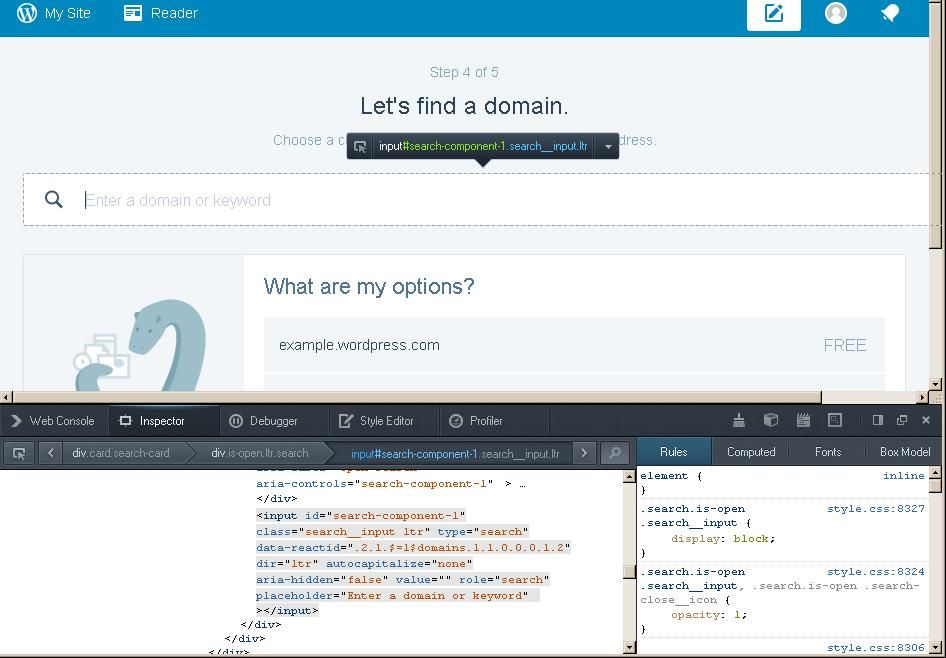
@irishbrigid are you using Chrome? If so can you right-click and choose “inspect element” , then click Console, and send a screenshot of that? I’m hoping it’ll include more information.
Also, if you’re on a slower connection, try just waiting a few extra seconds to see if that page will load.
@chayoo16 did you still need help?
-
I’m using Firefox 22.0 on a laptop.
I’ve given the page a good couple of minutes with nothing happening.
No sites appear under My Site.
The support page lizkarkoski linked to just directs me back to the page I’m getting stuck on.
-
@irishbrigid Firefox has a console too. Can you try using right-click & inspect element there? It may show us an error that would be helpful.
-


- The topic ‘Can't create blog’ is closed to new replies.
 WordPress.com Forums