

center posts with the header
-
How do I get the posts centered with the header up top? I got rid of the date and author stuff on the left side, but it didn’t move the posts over to the left any. Also, can I get rid of the black circle with the brick wall looking square in it to the right of each post?
thx!
The blog I need help with is: (visible only to logged in users)
-
Hi there!
How do I get the posts centered with the header up top? I got rid of the date and author stuff on the left side, but it didn’t move the posts over to the left any.
After looking at your site, it seems pretty centered to me as seen in this screenshot:
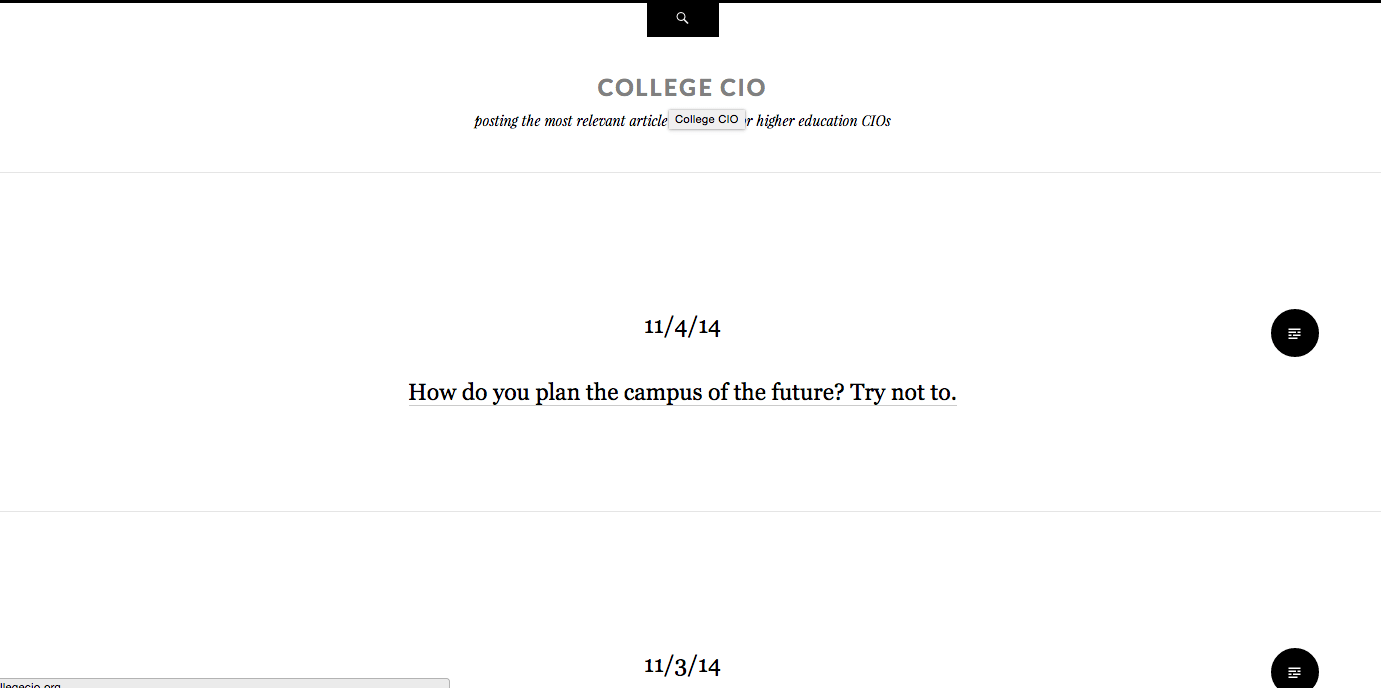
Let me know if you see otherwise.
Also, can I get rid of the black circle with the brick wall looking square in it to the right of each post?
You can also do this if you edit CSS. Please go to Appearance > Customize > CSS in your Dashboard and add this:
.entry-format-badge {
	display: none;
}
Let me know if you have any questions with this!
-
-
Are you trying to attach a screenshot? If you are, please upload it to your Media > Library page.
-


- The topic ‘center posts with the header’ is closed to new replies.
 WordPress.com Forums