

Change background page color
-
I have a saga them, and subscribe to premium wordpress.com. How do I change all of the page background colors from white to yellow #ffc519? I know I can edit my CSS, but I’m a complete beginner and need super simple instructions. I don’t know where to go to put my #ffc519 code in or where to put it?
The blog I need help with is: (visible only to logged in users)
-
I’d suggest you use the Customizer’s built-in background colour tool to make this change.
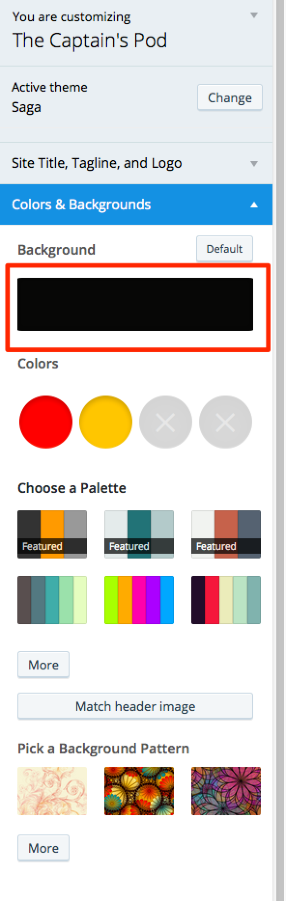
Click the black rectangle in the Colors & Backgrounds area:
Then click “pick your own color” –
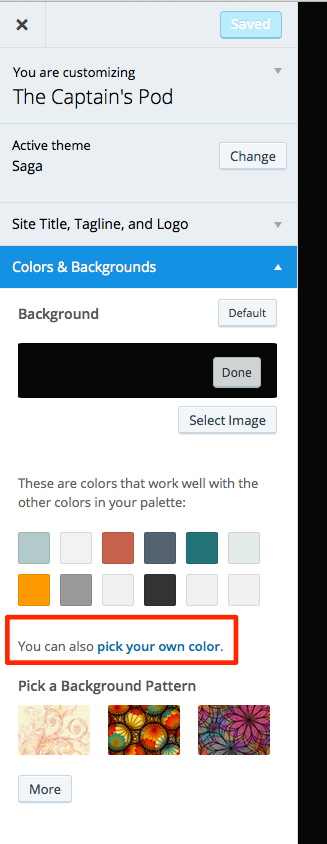
Add your colour code in the box provided, and click “Save & Publish.”
That should do it – let me know how it goes.


- The topic ‘Change background page color’ is closed to new replies.
 WordPress.com Forums