

Change category title in Elemin
-
How can I change the font color and size of the category title. Text is too large and I would like to change color. I have looked at the forum and have tried several things which do not work. Theme I have is Elemin and I have the custom upgrade. Thanks.
The blog I need help with is: (visible only to logged in users)
-
Hi there,
Are you referring to the category title to the left of your posts like “Welcome” in the example here?
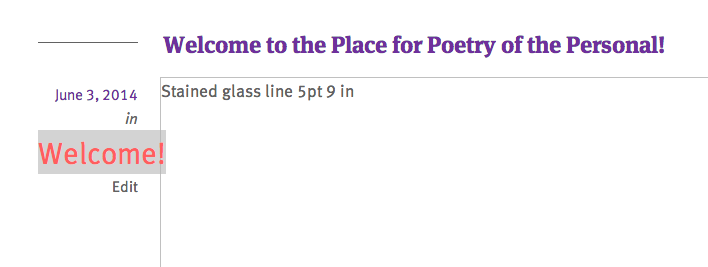
If so, you can use the following CSS:
div.entry-meta span.entry-categories a {
	font-size: 30px;
	color: #ff5e5e;
}
Just place that under Appearance -> Customize -> CSS.
Please let me know if you need anything else!
-
I am looking to change the Category title that shows up at the top of the page when you are in a specific category.
Currently the letters are very large a gray.
For example, when in the welcome category the title Welcome before the entry-is a different size and color.
Thanks. -
Hi!
I apologize for the misunderstanding. You should be able to change the category archive page title using the following CSS:
.archive .page-title {
	color: #fff;
	font-size: 15px;
}
Give that a try and let me know if it achieves what you’re looking for!


- The topic ‘Change category title in Elemin’ is closed to new replies.
 WordPress.com Forums