Change homepage image
-
I am trying to change the large image in the background to a custom image but cant figure out how to do so?
The blog I need help with is: (visible only to logged in users)
-
Hi,
Two questions:
Which theme is activated on the site?
Does the site presently have a static front page? -
One more:
If the site has a static front page, does that page have a featured image set that is displayed in the header area? -
Hi @kidfit2017,
For the Gateway theme, you can replace that image with your own.
To do so, you’ll go to My Site > Customize > Header Image.Here’s a link to the guide on using Gateway:
https://wordpress.com/theme/gatewayLet me know if that helps.
-
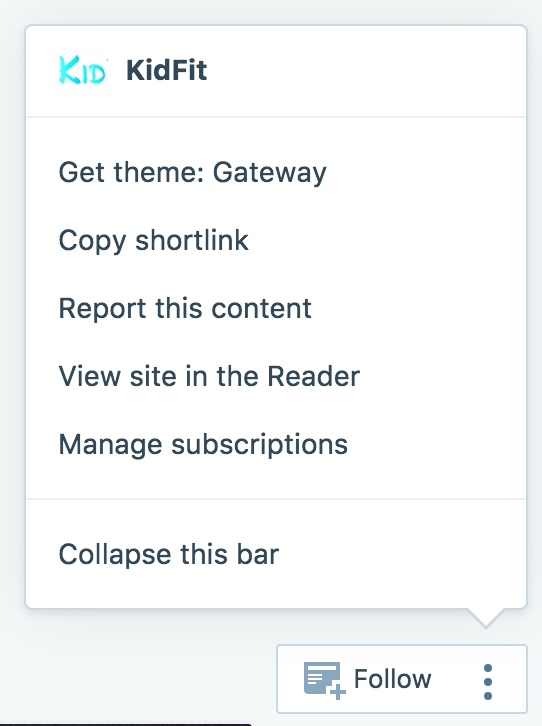
@musicdoc1: So a neat trick for finding out the theme name is using the action bar at the bottom of a site while you’re logged into WordPress.com. If you click the three dots next to the Follow button, you’ll be able to see the theme name at the top of a little menu. :)
-
Thanks! I already knew about that trick, but the OP’s site is set on private.
The Gateway header image displays at a rather narrow height. I presumed the OP was referring to the large default image at the top of the static front page with the Home Page template assigned. That would be a featured image.
-
OP’s site is set on private
Right you are!
I presumed the OP was referring to the large default image at the top of the static front page with the Home Page template assigned. That would be a featured image.
Good point. Yep, re-reading it, that’s likely the case here.
@kidfit2017, if you set that featured image on your Home page, it should update at the top of your site as @musicdoc1 suggested.
-
-
If the site has a static front page, what size is that image?
@aulaparamarcas:
Gateway recommends a header size of 2560 pixels wide by 640 pixels high.
You’ll find this and other information on sizes used in this theme at the very bottom of it’s guide. -
-
Sorry, isn’t for a header. Is for the static front page or outstanding image
@aulaparamarcas: The same recommendation would apply for the static front page using the Home Page template if you want to use a featured image.
In the Customizer under Theme Options > Homepage Template, there are areas you can use to add text below your site title and tagline. The more text you add, the taller the header area becomes. This text will appear on top of your featured image (or header image if no featured image is set).
-
How can you make the homepage banner either rotating images or one larger image without having the image text
-
Also another question, is there any way to make the banners in the Gateway theme static instead of rotating?
-
It is best to begin a new topic for a support request unrelated to the present topic. You may start a new thread at this page: https://en.forums.wordpress.com/?new=1.
-
-


- The topic ‘Change homepage image’ is closed to new replies.
 WordPress.com Forums