

Changing the url
-
I am rebranding my blog and I want to change the url from http://winkeysolutions.wordpress.com > to http://keeponwinking.wordpress.com How do I do this?
The blog I need help with is: (visible only to logged in users)
-
Hi there,
You can change a site address ending in wordpress.com by following the steps here:
http://en.support.wordpress.com/changing-blog-address/Please note that the final step in changing your site address allows you to keep or discard the old address. If you are changing your site address so that you can use the address for a new site, please be sure to keep the old address.
You may prefer to change the address for your site by registering a custom domain name. This takes “wordpress” out of the site address. You can register a custom domain name for your site here:
https://winkeysolutions.wordpress.com/wp-admin/paid-upgrades.php?page=domainsYou can read more about custom domain names here:
http://en.support.wordpress.com/domain-mapping/Let me know if you have any questions with this!
-
Hi
Following the instructions you gave me after I select My Blogs from the first step, I do not see how I can utilize step two. It takes me to a different screen. I do not see an option to “change blog address”. With all the changes to WordPress was this left out and placed somewhere else? -
Hi there,
No there are no changes to the Site Name Change place. I followed the instructions and was able to do it as the guide provided just now.
Make sure you are on the My Blogs page of your Dashboard. Here is the direct page:
You would find it by going to My Blogs in your Dashboard as seen here:
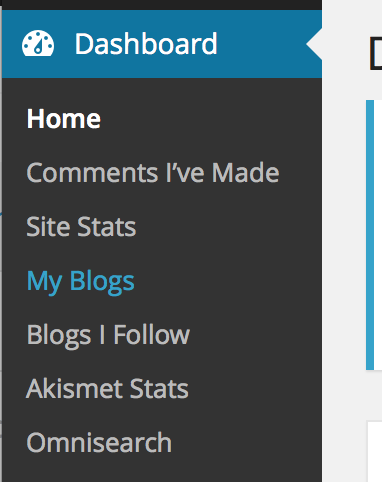
Cheers!
-
-


- The topic ‘Changing the url’ is closed to new replies.
 WordPress.com Forums