

column width
-
How do I change the width of a column?
WP.com: Yes
Jetpack: No
Correct account: YesThe blog I need help with is: (visible only to logged in users)
-
Hi there,
Is this in reference to the column block? If so, you can change the column width in the column block toolbar: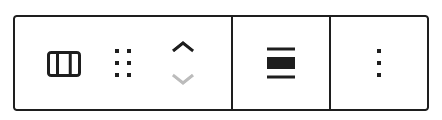
 The Columns block allows you to insert text, media and other types of content into up to six columns. When used one after another, the columns create a grid effect. Video Tutorial Add the Columns Block To add the Columns block, click on the + Block Inserter icon and search for “columns”. Click it to add the block to the post or page. 💡 Using your keyboard, you can
You can also just width via individual column settings.
Width: Sets the width in pixels of an individual selected column. You can change the column’s value to make it wider or narrower. Columns don’t all need to have the same value.
The Columns block allows you to insert text, media and other types of content into up to six columns. When used one after another, the columns create a grid effect. Video Tutorial Add the Columns Block To add the Columns block, click on the + Block Inserter icon and search for “columns”. Click it to add the block to the post or page. 💡 Using your keyboard, you canHope this helps. Please let us know if you have any questions.
Thanks!


- The topic ‘column width’ is closed to new replies.
 WordPress.com Forums