

Comment form does not appear on Home page posts
-
Comment form only appears if you click on the specific post (for instance, under “recent posts”.
However, on my home page, each post appears but does not display a comment box or any other way for people to provide a comment.
Comments have been enabled under Settings – Discussions and on individual posts (allow comments).
The blog I need help with is: (visible only to logged in users)
-
Hi Ellie,
Please note that comments can only be added once a reader clicks into the specific post. This was intentional designed this way because if a post ends up getting hundreds or even thousands of posts it will make it very difficult for readers to find the next post.
I’m sorry I couldn’t be of more help!
-
Is there any way to add a label & link next to the post title on the home page that brings them to the specific post & enter their comment there? Right now it looks as if comments aren’t an option.
-
Hi there,
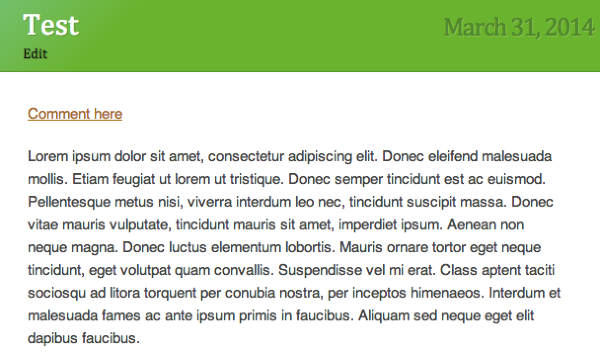
The Post titles are linked to the specific post, but what you can do is add a link called “Comment here” at the top of the post and link it to the specific post. It will look something like this:
-
-
-
Hi Ellie,
No you do not need an upgrade for this. Just edit your post, and type Comment Here at the top. Select that and click on the link icon. Paste in the link to the actual post. Here’s a support guide on adding links:
-
-


- The topic ‘Comment form does not appear on Home page posts’ is closed to new replies.
 WordPress.com Forums