

comments and full width
-
hello, I just bought the Profile theme and I’m very satisfied on how my blog looks now. I just want to see it at a bigger size, I mean full width pages. I want to make it look like this one: http://alinaceusan.net i mean, without so many white space on right and left sides, could you please help me?
and I also want to see the data when the post was published and the number of comments underneath the title of every post, as the demo theme shows it, how can I do this?
thanks a lotThe blog I need help with is: (visible only to logged in users)
-
I just want to see it at a bigger size, I mean full width pages. I want to make it look like this one: http://alinaceusan.net i mean, without so many white space on right and left sides, could you please help me?
The blog you linked to is actually the exact same width as your blog. However, the have used the Custom Design upgrade to change the background to white. Might that be the difference you’re noticing?
The Custom Design upgrade necessary for changing blog colors can be found here:
http://en.support.wordpress.com/custom-design/
I also want to see the data when the post was published and the number of comments underneath the title of every post, as the demo theme shows it, how can I do this?
This is actually occurring on one of your posts shown here:
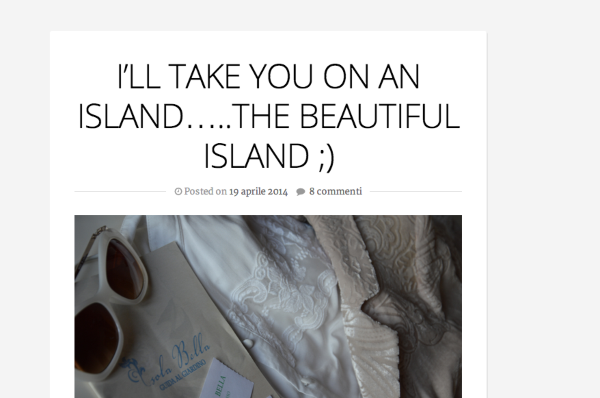
However, your other two posts are labeled “sticky”. If you “unstick” them, the date and comments will appear. More on sticky posts here:
http://en.support.wordpress.com/posts/post-visibility/#sticky-posts


- The topic ‘comments and full width’ is closed to new replies.
 WordPress.com Forums