

Comments button on Suits theme
-
The comments on the Suits theme are kind of hidden. Any chance they could be made more visible?
The blog I need help with is: (visible only to logged in users)
-
Hi Andrew,
When I view a comment I see this below:
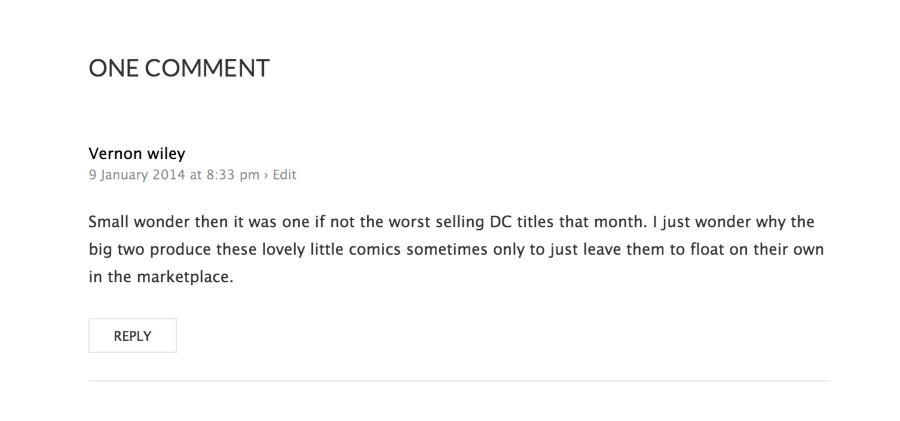
I was wondering exactly how you would like it to be more visible? Would you like the font to be more visible or a different color? You can do that by editing the CSS, in which you would need the Custom Design upgrade. Along with being able to edit the CSS you can apply custom fonts/colors! It’s worth checking out.
If you purchase the Custom Design upgrade and want to edit the CSS, most of our CSS support is done in our community forums by both staff and volunteers:
https://en.forums.wordpress.com/forum/css-customization
When you create a CSS-related help request, please make sure to select or link to the WordPress.com blog you’re working on and include a clear description of the change you’re trying to make. It helps a lot.
To learn more about how CSS editing works at WordPress.com, see this help page:
http://en.support.wordpress.com/custom-design/editing-css/
If you need to hire a consultant to help you with in-depth design work or large CSS revisions, please consider getting a quote from Tweaky:
http://en.support.wordpress.com/customize-my-site/request-theme-customization/
Cheers!
-
Hi Grace,
Yeah, they look great once you get to them :) I meant from the post page or the main page, where it goes “… on 13 January 2014. Leave a comment .”
Would CSS customization let me bold just the leave a comment, etc?
Thanks
-
Grace,
I’m actually seeing the very obvious “Leave a Reply” field on the post page. Ignore me…
-
Hi Andrew,
Oh I see! :) You can actually change the “Leave a Reply” to say whatever you want by going to Settings > Discussion in your Dashboard. Scroll all the way down to Comment Form.
Happy Blogging!


- The topic ‘Comments button on Suits theme’ is closed to new replies.
 WordPress.com Forums