

Connecting with the correct FB page
-
I want to share my blog posts on a new FB community page I just created, not on my existing personal page. But in order to connect my blog to Facebook or Twitter, both say that I have to switch to my PERSONAL page. It states, “To continue, you’ll need to switch from using Facebook as XXXX blog to using Facebook as “(My Name).” I don’t want to do that!
The blog I need help with is: (visible only to logged in users)
-
Hi there,
You’ll need to switch to your profile in order to connect Facebook. However, you should still be offered the option to connect as your page after you switch. The flow should look something like this:
Step 1: Switch to profile

Step 2: Choose account to connect
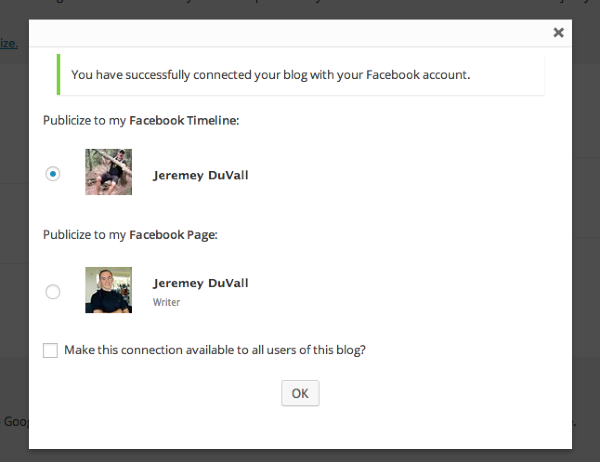
Can you give that a try?
-
Okay! I clicked “Switch” and without even having to choose which account, it now is linked to the blog page as I wanted it to be! That was totally backwards sounding to me and had me all confused. But whatever, now it works! Thanks so much!
-
Great! I’m glad we were able to get this figured out. Please let me know if you need anything else.


- The topic ‘Connecting with the correct FB page’ is closed to new replies.
 WordPress.com Forums