

"contact info" widget not showing
-
I am trying to add the “contact info” widget but it doesn’t seem to be showing up. I have filled out all the information required and would like it visible on all of my pages. However, when I save and refresh my pages, nothing. I am currently running the “twenty eleven” theme. Any suggestions?
The blog I need help with is: (visible only to logged in users)
-
Make sure the visibility is not hidden on all the pages or else the Contact Info Widget will not show up.
For more information, please see below:
-
If so exactly which step do you get stuck on please?
http://en.support.wordpress.com/contact-form/
http://en.support.wordpress.com/contact-form/#troubleshooting -
@kharwinder09 said, widgets now have “visibility” settings so we can select which pages they display on. See here: http://en.support.wordpress.com/widgets/#widget-visibility
-
OK, I will run you through exactly what I did. I opened “contact info” widget. Added to main sidebar (and showcase sidebar just to see if it changed visibility at all). Filled in the title, address, phone, and hours boxes. Clicked “visibility,” and made sure it was switched to show. I then added the pages I wanted it to be viewed on and saved. Opened my website and still nothing shows up.
-
That`s sounds frustrating. I’ll tag this thread for a Staff follow-up. Please subscribe to the thread so you are notified when they respond and please be patient while waiting.
-
Hello there,
Sorry about the problems you’re having. It appears that the theme’s footer widget area is quite easy to miss. To view it, scroll all the way down your blog and click on the rectangular tab on the bottom right with the “^” symbol. Here’s a screenshot:
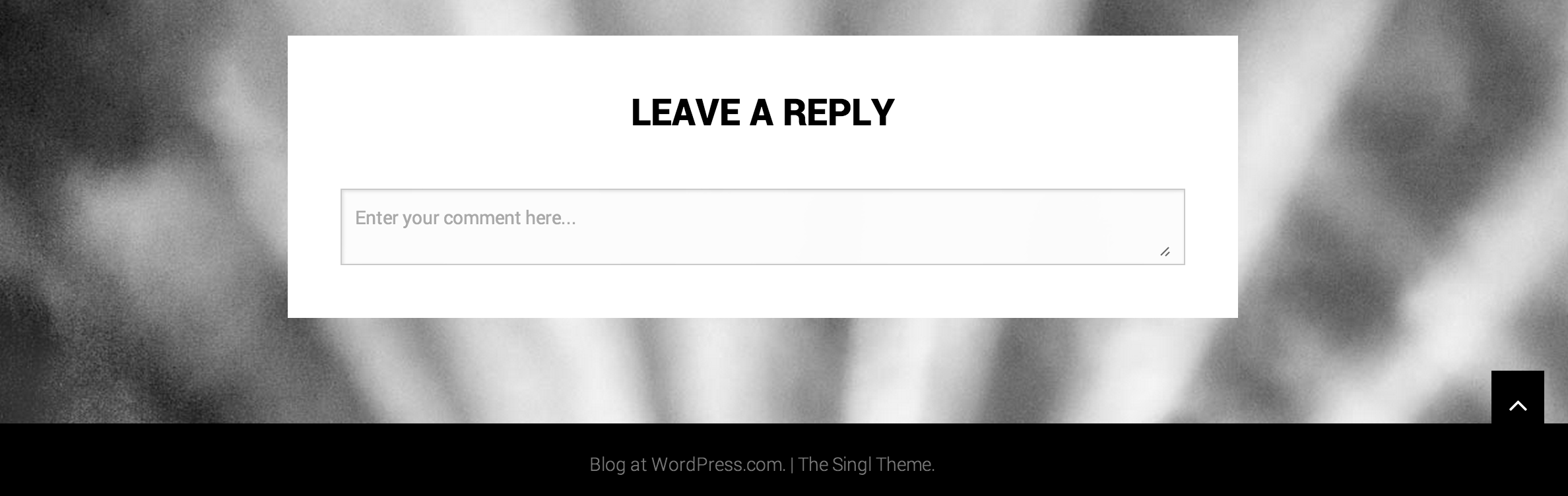
The footer area should pop up containing the contact info widget and the other widgets you activated.
For more info about your theme, click here:
http://theme.wordpress.com/themes/singl/
Let me know if you run into further problems. Thanks!


- The topic ‘"contact info" widget not showing’ is closed to new replies.
 WordPress.com Forums