

Contact page not displaying correctly
-
I’m trying to add a contact page to my blog, but when I hit publish and then look at the page, it shows my personal user name, my personal e-mail address, and an incorrect url. How do I get rid of this information so only blank fields (to be filled in by the user) are visible?
The blog I need help with is: (visible only to logged in users)
-
Hi there,
Are you seeing something similar to this but with your contact info? :
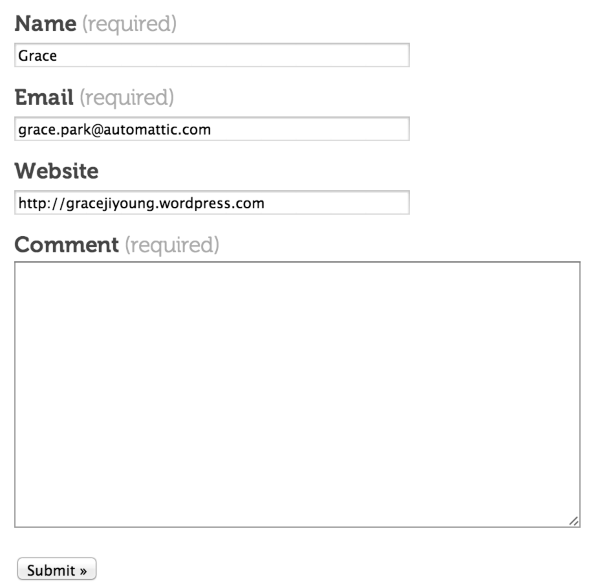
Please note that when you are signed into WordPress.com it automatically fills that in with your WordPress.com info for any contact page you view.
So, if your readers were to view your contact page (and they are logged into their WordPress.com account) their info would appear there. If they are not signed in, it will not be pre-filled. As seen in the screenshot above, I am signed into my WordPress.com account, so it’s pre-filled with my info.
Feel free to reach out if you have any questions!


- The topic ‘Contact page not displaying correctly’ is closed to new replies.


 WordPress.com Forums