

Contact Tab
-
Under email, it lists my personal email as the example. I’d like it to list my school one. How do I change what appears there?
The blog I need help with is: (visible only to logged in users)
-
Hi there,
By default, the contact form shows the details of the logged in user. Your contact form seems to work correctly. If you try to open it in another browser or an in private view mode, the contact form should appear correctly –– where you can fill in the details as per your liking.
For your reference here is a screenshot of how your contact form appears on my screen:
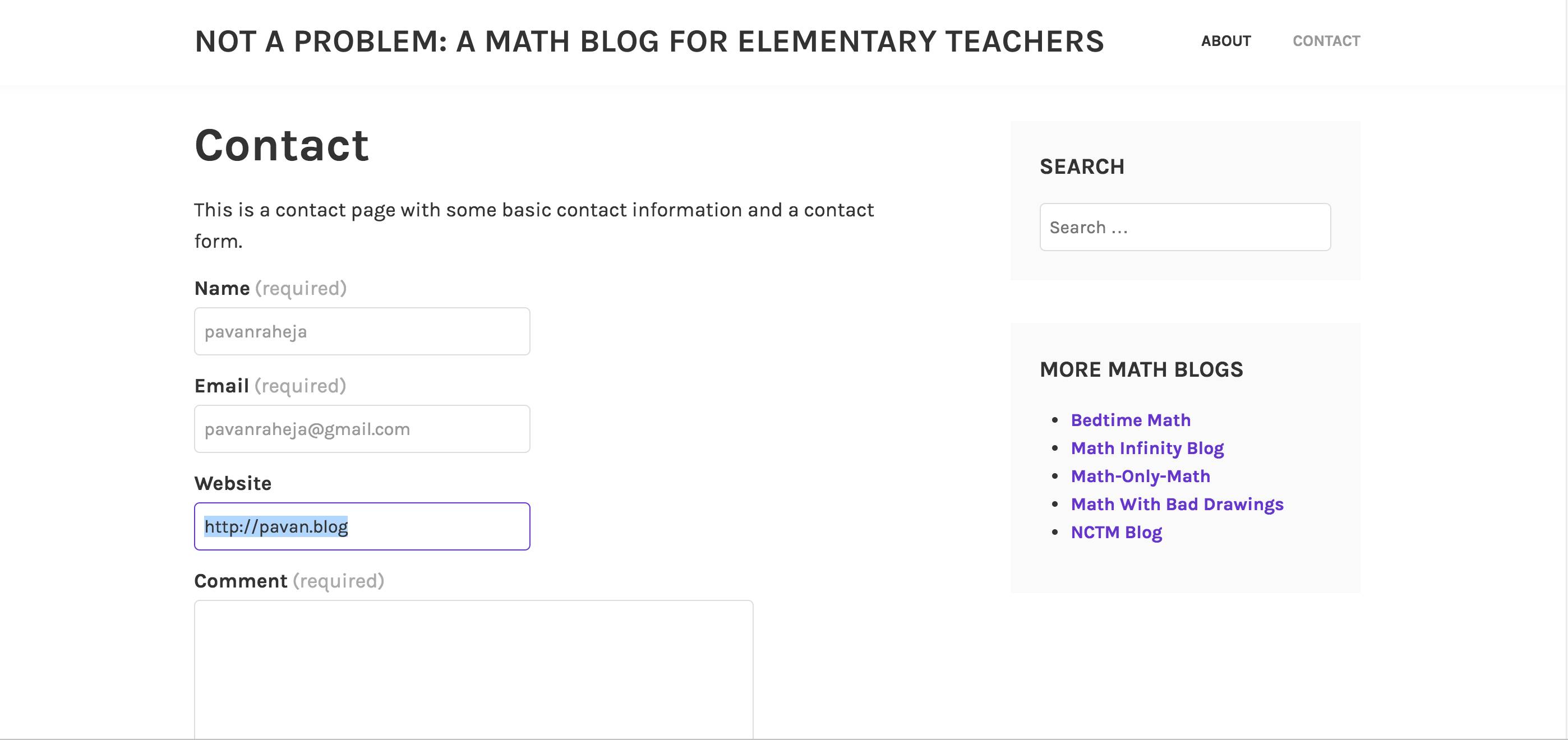
In your current tab as well you can change the Email address as per your need just by clicking and editing it.
Also, note the contact inquiries are sent to the email you use while setting up the contact form or by default it will take the email in your account settings.
Hope this helps, let me know for any further assistance.
Thanks!
-
Hi again
All I care about is if one someone else is looking at the contact form they do not see my email pop up as the example. Am I understanding you correctly that when someone else uses the form, they see their own email and not mine?Yes if they will see their details, not yours. In the screenshot above you can check, my details get filled up, not yours –– so be assured!
Let me know if we can help you with anything else.
Thanks!


- The topic ‘Contact Tab’ is closed to new replies.
 WordPress.com Forums