

Cookie banner is not visible without scrolling down
-
Hello,
As said in the title and here : https://en.forums.wordpress.com/topic/cookie-banner-wont-go-away/page/5/#post-3121307
The Cookies banner is at the bottom of the page and not visible if the user don’t scroll the page (at least with my screen resolution).Could you please help me to fix that?
Thanks in advance for your support.
The blog I need help with is: (visible only to logged in users)
-
Hi –
I’m able to see the banner on my 13 inch laptop screen. What size screen are you using? What browser?
-
I can’t see the cookie banner without scrolling down (logged out using Edge or logged in using Chrome and 13″ laptop screen) . You have the cookie widget in French in the footer. I don’t see the new default WordPress.com cookie banner.
-
I don’t see the new default WordPress.com cookie banner.
Thanks for letting me know. I think I might have been looking at a different site all together. My fault.
If you click on the hamburger menu from the upper right corner, the Cookies and Consent banner widget appears at the top. Can you confirm that?
-
staff-zinnia Are you asking me? Yes, the banner appears when clicking the menu but it is a custom one not the default one. The cookie policy links to the OPs other site, not the usual Automattic link I see on my site. Otherwise clicking on any individual post shows the same banner in the footer if you scroll to the bottom.
-
Hi there,
This is a bug. The banner should be floating over your content at the bottom of the screen, not stuck at the bottom of the page itself.
This has already been reported to our developers, so hopefully it will be fixed soon.
-
Hello,
First of all, I’m sorry for my late answer.
I forgot to tick the option to get notifications…staff-zinnia: Thanks for your investigation.
However, I think you read my both threads too fast because you closed my other thread whereas it is another issue on another website and not a duplicate unfortunately!
Could you please reopen this thread : https://en.forums.wordpress.com/topic/no-cookies-banner-from-the-widget-on-homepage/ ?
Thanks in advance.
@themagicrobot: Many thanks for your reply and help on this topic :)
@kokkieh: Thanks for the confirmation of the bug. Now, we have to wait the fix from the devs ;)Have a nice day.
-
Hi – No worries. I’ll be happy to continue helping. This is for tugaleresremember.wordpress.com, right?
-
-
Thanks – I don’t see any banners showing on that site, not on the home page or on any individual posts.
Are you still seeing this? Could you grab some screen shots for me to look at?
-
The banner is still there.
On the homepage, I have the default one in english and other pages the one from the widget in French. See:
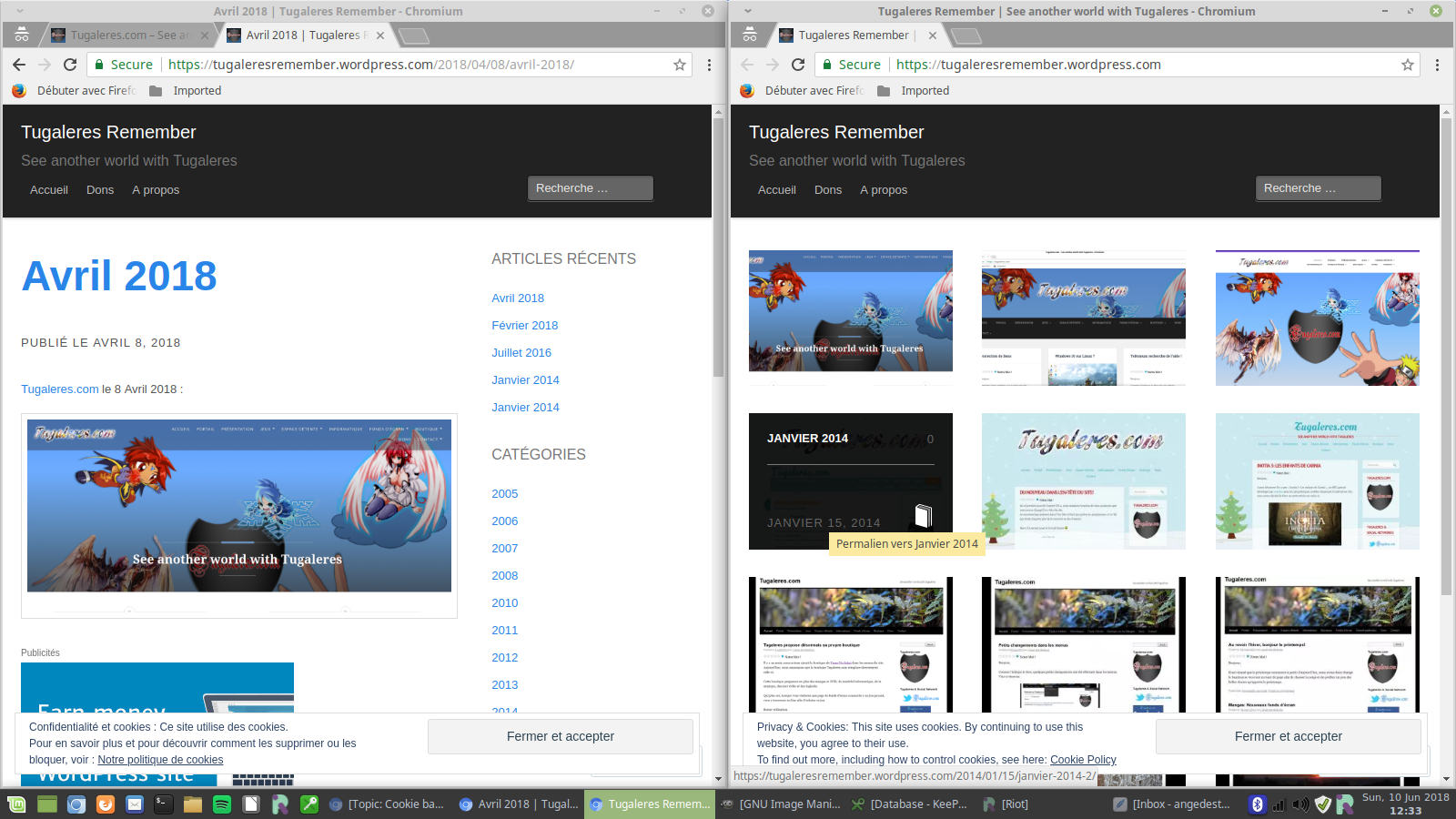
-
Thanks @kenwood31, it looks like this one might have been resolved now – I see it in French on inside pages as well as the front page.
Are you seeing the same thing?
-
@supernovia : Yeah, the issue concerning tugaleresremember.wordpress.com is now solved :)
Thanks for your support!
-
-
Hello,
Any news about the issue with yumenosekaiorg.wordpress.com?
Thanks in advance for your answer.
-
-
Hi @kenwood31 – thanks for reporting this issue!
This should now be fixed, so the cookie consent banner will float at the bottom of the screen on yumenosekaiorg.wordpress.com.
Just let us know if there’s anything else we can assist with!


- The topic ‘Cookie banner is not visible without scrolling down’ is closed to new replies.
 WordPress.com Forums