

Copy A Post does not work.
-
Copy A Post does not work – it used to work. Now, when I click on the Copy A Post button, it opens to start a new post, but there’s no panel for choosing a post to copy.
The blog I need help with is: (visible only to logged in users)
-
Hi there,
When I’m on a new post and click “Copy a Post”, a display of my recent posts appears in the “Copy a Post” area. Then, I can use the “Copy” button on the left-hand side of the screen to replace my current post with the copy. Here’s a screenshot of how this is appearing on my side:
Can you confirm this is how it’s working for you as well?
-
Thanks for reply !
There seems to be something wrong with the screenshot you posted – the image is filled with black.
No. when I click on “Copy A Post” I do not get a display of my recent posts. That’s how it used to work, but now I just get a new post screen, and there’s no display of my recent posts to choose from.
-
Hi there,
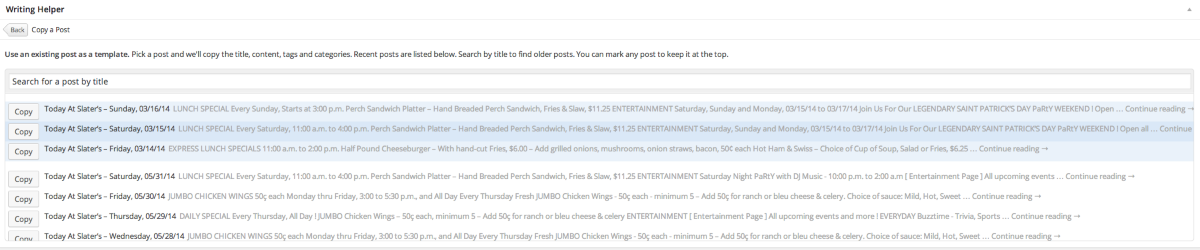
I apologize for the bad screenshot. Here’s another shot of what I see when I click the “Copy a Post” link from your Edit Post screen:
If you’re still having trouble, can you let me know what browser you’re using? Also, is this problem appearing on multiple browsers or just one particular browser?


- The topic ‘Copy A Post does not work.’ is closed to new replies.
 WordPress.com Forums