

Creating a new Site – No sitename.wordpress.com free option
-
I am trying to create a new site, but get stuck on page 6 of 6.
The option for the free site mysitename.wordpress.com does not exist. How do I skip past the plan page without signing up for the $5 or more options? -
There will be a free option at the top of the paid domain recommendations, but it may not be a .wordpress.com option.
The setup flow will only offer the names available, and will make a best suggestion based on your answers, but a free option will always be presented at the top of the list.
-
On Step 4 of 6
– Choose a style
Option: Continue
On Step 5 of 6
– Give your site an address
Options: (I copied the options below) – No free options
When I enter the domain I already own on the space provided, I get it message that it is taken, and I can map my domain with WordPress.com Premium. No free option offered.Copied options:
.com
.net
.org
.blog
.club
.co
.life
.me
More Extensions
10 domains found
rockysdrift.com
Best Match
Best Match
Close match
“.com” is the most common extension
First year included in paid plans
Renewal: $18.00 /year
Select
rockysdrift.blog
Best Alternative
Best Alternative
Close match
“.blog” is a common extension
First year included in paid plans
Renewal: $22.00 /year
Select
rockysdrift.net
First year included in paid plans
Renewal: $18.00 /year
Select
rockysdrift.org
First year included in paid plans
Renewal: $18.00 /year
Select
rockysdrift.online
First year included in paid plans
Renewal: $30.00 /year
Select
driftco.blog
First year included in paid plans
Renewal: $22.00 /year
Select
driftco.net
First year included in paid plans
Renewal: $18.00 /year
Select
driftco.org
First year included in paid plans
Renewal: $18.00 /year
Select
driftco.online
First year included in paid plans
Renewal: $30.00 /year
Select
driftco.press
First year included in paid plans
Renewal: $60.00 /year
Select
Already own a domain?
You can use it as your site’s address.Use a domain I own
Show more results -
Would you please use https://snipboard.io to share an image screenshot of that final page?
-
-
Sorry, I guess I mean the step before choosing a custom domain. :)
Step 5 of 6, it should look like this: https://cld.wthms.co/WjO2hW
One note though, if you are seeing this notice, it does mean that there are no free options close to what you wanted: https://cld.wthms.co/3l9n19
-
I accept that.
But nowhere do I get an option to just have a mysite.wordpress.com address. I get the choose the paid option screen every time.
Step 5 of 6

-
-
I end up right here:

Even if I start as blog, business or professional. All options pan out to the same end.
-
I shall do this for you step by step.
I open https://wordpress.com/start
I get redirected to:

Lets choose “Business” on this try.
I get redirected to:

I choose “Digital Marketing” and Continue.
I get redirected to:
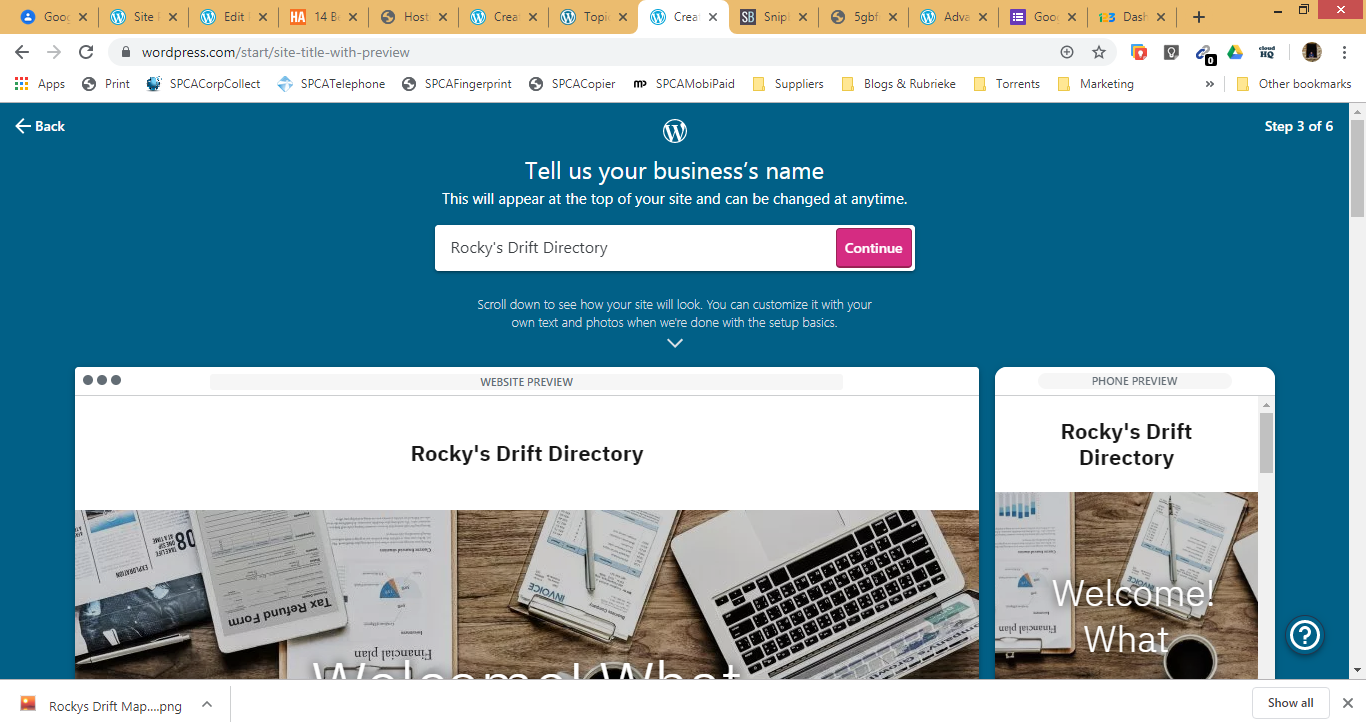
I enter the detail required and continue.
I get redirected to:

Lets choose “Modern” and Continue.
I get redirected to:

I enter the domain I own and click on add.
I get redirected to:

…..and I’m stuck.
No option past this. No option to skip this. No option but to pay. -
Ah, yes, if you want a free domain, don’t choose Business. ;)
The Business flow is very different and assumes you want to purchase, map, or transfer your business’s domain name.
-
-
I enter the domain I own and click on add.
You can’t do that if you want a free site. You have to type in a word or phrase at step 5 to get a free option.
-
Okay,
I now worked on a different browser.
I got as far as a free option:
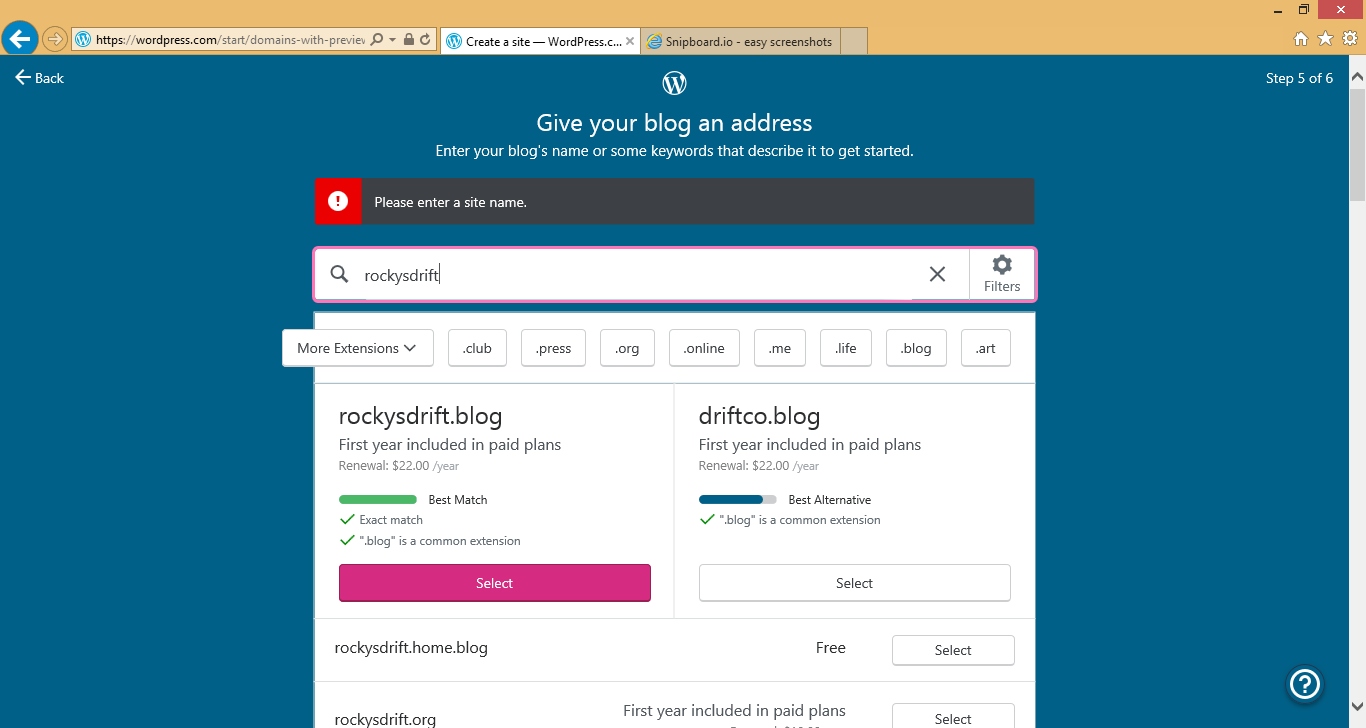
But when I click on select on the Free Option of rockysdrift.home.blog, it goes to a blue screen, saying something in the lines of Awesome, please wait, then bombs back to the same screen where i have to select the free option.
-
@mostlydazed try clearing browser cache and cookies then continue.


- The topic ‘Creating a new Site – No sitename.wordpress.com free option’ is closed to new replies.
 WordPress.com Forums