

Creating a website offline
-
Hi guys,
I need to create a website offline but it is asking me for a domain name.
I do have one which is associated to my existing site but I dont want to take it away from that just yet. Can I not just create a site…then once it has all been signed off, transfer it over to the new site?
Cheers.
-
Hi there,
What you could do is create a site with a free WordPress.com blog address. You are assigned a
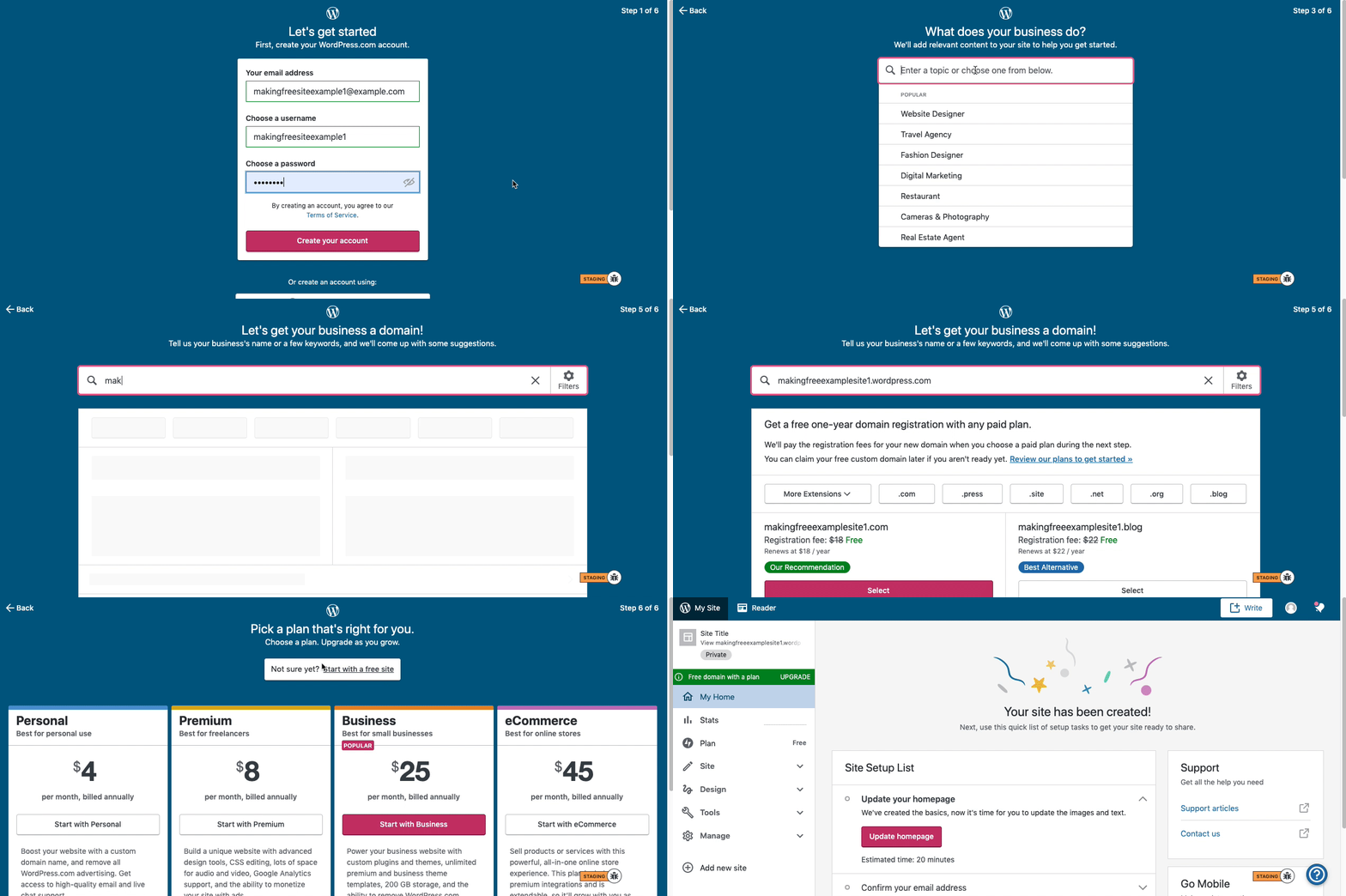
.wordpress.comor a.home.blogsubdomain whenever you create a site with WordPress.com, so you can just use that as the domain as you build the site and determine whether or not this is the platform you want to use.Here is visual instructions on how to create a free
.wordpress.comsite:Step 1: Select email, username, and password.
Step 2: select Blog for a
.home.blogfree site or Business for a.wordpress.comsite.Step 3: Select the Topic of your site.
Step 4: Type in the Title of site (optional).
Step 5: Type in the full, exact site address you want including the
.wordpress.comor.home.blogsubdomain (ex: freeexamplesite.wordpress.com, freeexampleblog.home.blog). The first option should be the free site that you manually typed in. Click select next to that option.Step 6: At the very top, click the link that says: start with a free site.
Once you are done developing the site, you can make the decision to transfer the domain over:
https://en.support.wordpress.com/incoming-domain-transfer/
Map an existing domain:
https://en.support.wordpress.com/map-existing-domain/
Or even create a new one:
https://en.support.wordpress.com/register-domain/
Hope this helps,


- The topic ‘Creating a website offline’ is closed to new replies.
 WordPress.com Forums