

Creating my blog layout and theme
-
once my domain is linked to wordpress, how do I change and customize my blog through WordPress? It is linked to my domain name but it’s appearing as it does in GoDaddy.com – just a white page with my domain in the page link. I went through WordPress, selected a theme, activated it and when I click to view my page, it takes me back to the generic white page godaddy gives me that is simply blank with my domain name.
Any help is greatly appreciated!
The blog I need help with is: (visible only to logged in users)
-
Hi there,
how do I change and customize my blog through WordPress? It is linked to my domain name but it’s appearing as it does in GoDaddy.com – just a white page with my domain in the page link.
I visited your site, and your domain appears to be working properly. Here is a screenshot of what I see at your domain:
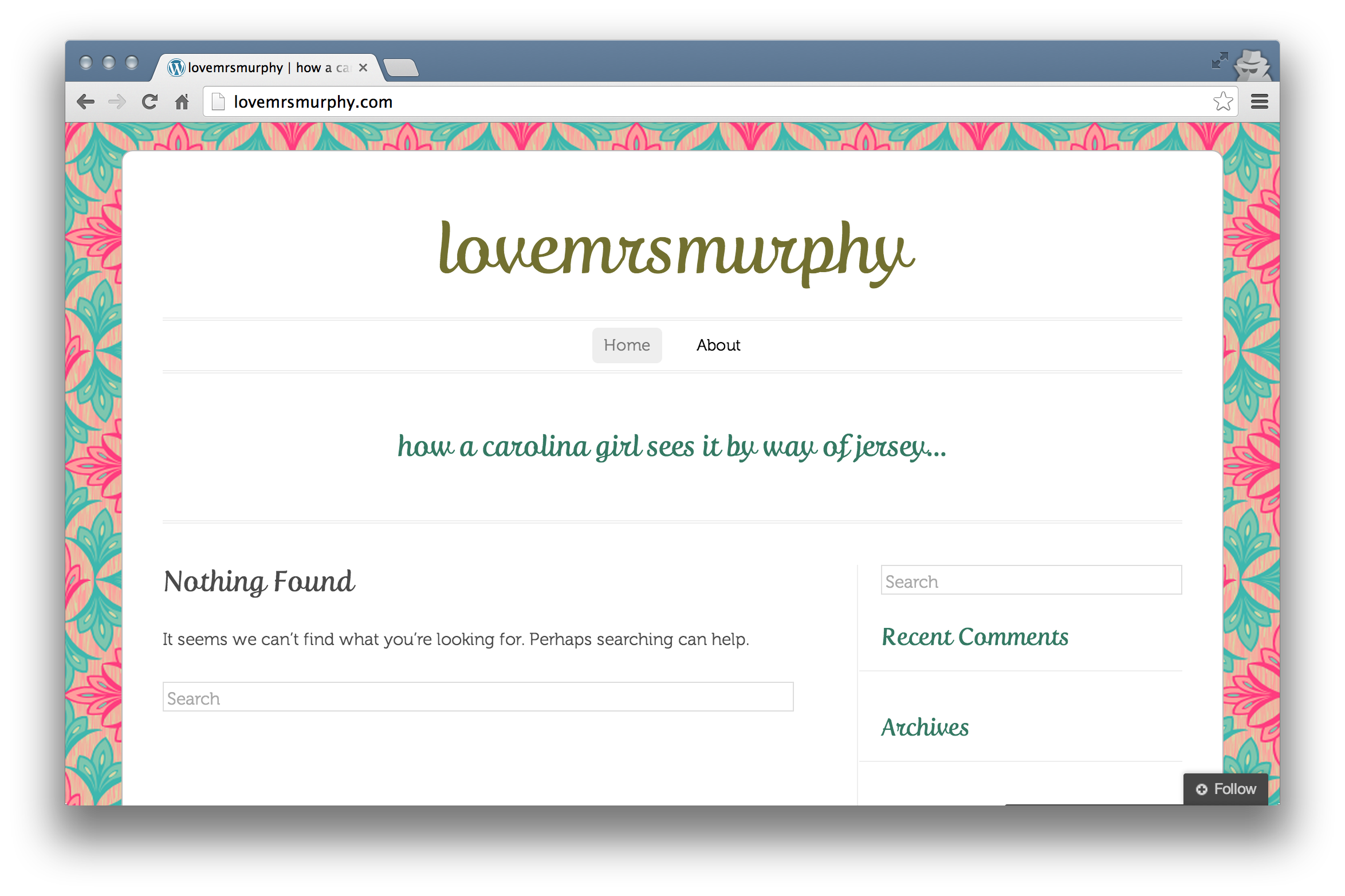
When a new domain is registered or the DNS of an existing domain is altered, there is a process called propagation, where information about the domain name is updated world-wide. This process can take up to 72 hours (though usually much less). During that time, you may also receive a warning message in your browser about “redirect errors” or a blank white screen.
Unfortunately, we have no control over this as it all depends on how often your internet service provider updates their records. Please rest assured that everything is proceeding normally with your domain.
If you still have trouble viewing the site after 72 hours has passed, please try clearing your browser’s cache and cookies:
If that doesn’t work, try clearing your local DNS cache:
http://www.opendns.com/support/article/68
Please let me know if you have any more questions.


- The topic ‘Creating my blog layout and theme’ is closed to new replies.
 WordPress.com Forums