

Cropped featured image in post
-
These posts:
http://thepicturebar.com/2015/04/02/senses/
http://thepicturebar.com/2015/03/29/new-york-january-2015/The featured images of the same are getting cropped.
The blog I need help with is: (visible only to logged in users)
-
1. The thumbnails for Portfolio under the customizer show complete image but on the actual website the thumbnail image is cropped?
2. These posts:
http://thepicturebar.com/2015/04/02/senses/
http://thepicturebar.com/2015/03/29/new-york-january-2015/The featured images of the same are getting cropped.
-
Hi again!
I see no cropping on the images on your Portfolio page:
On the other two posts, I looked at the post and the image file themselves side by side and don’t see any cropping:
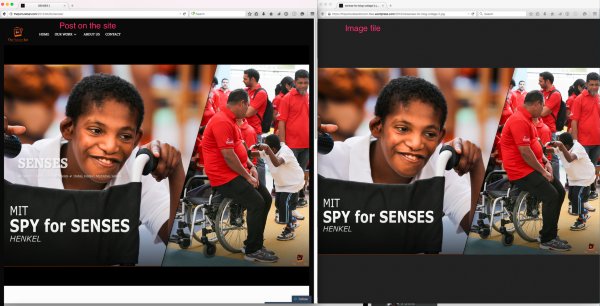
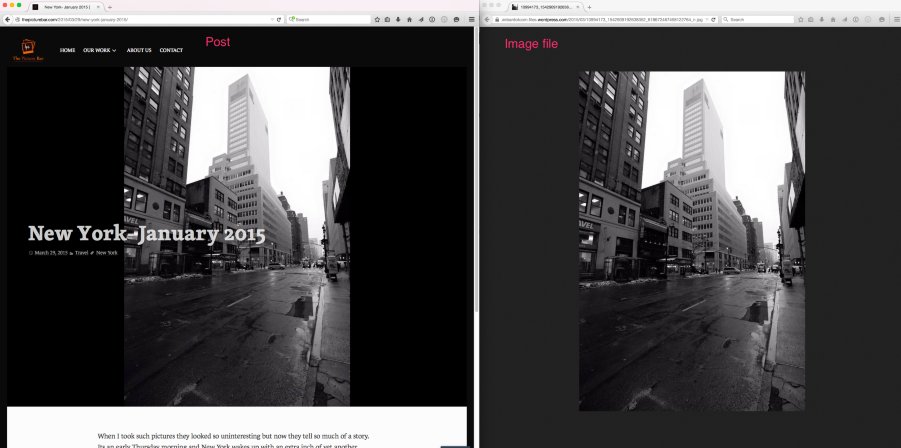
Could you please share a screenshot of what you mean for these pages? Upload the screenshot to your media library when you have it so I can take a look. :)
-Alex G.
-
Hi,
I was able to manage the posts but for the portfolio bit-
I meant the thumbnails on the homepage that showcase the Portfolio eg.- Save the Date is getting cropped. -
Ah, okay. Thanks for explaining. :)
I think that’s to be expected, because the theme demo also fits thumbnails into that specific size.
The width of the containers is already at 100%, but you can adjust its height with this:
#front-page-portfolio div.jetpack-portfolio{
    height: 300px !important;
}
Move that 300px up and down as you prefer.
-
Thanks! That worked perfectly.
Could you also please help me with the below:
https://en.forums.wordpress.com/topic/home-page-blog-banner?replies=3#post-2340071


- The topic ‘Cropped featured image in post’ is closed to new replies.
 WordPress.com Forums