CSS Required
-
Hello. My site is http://www.propcorner.in
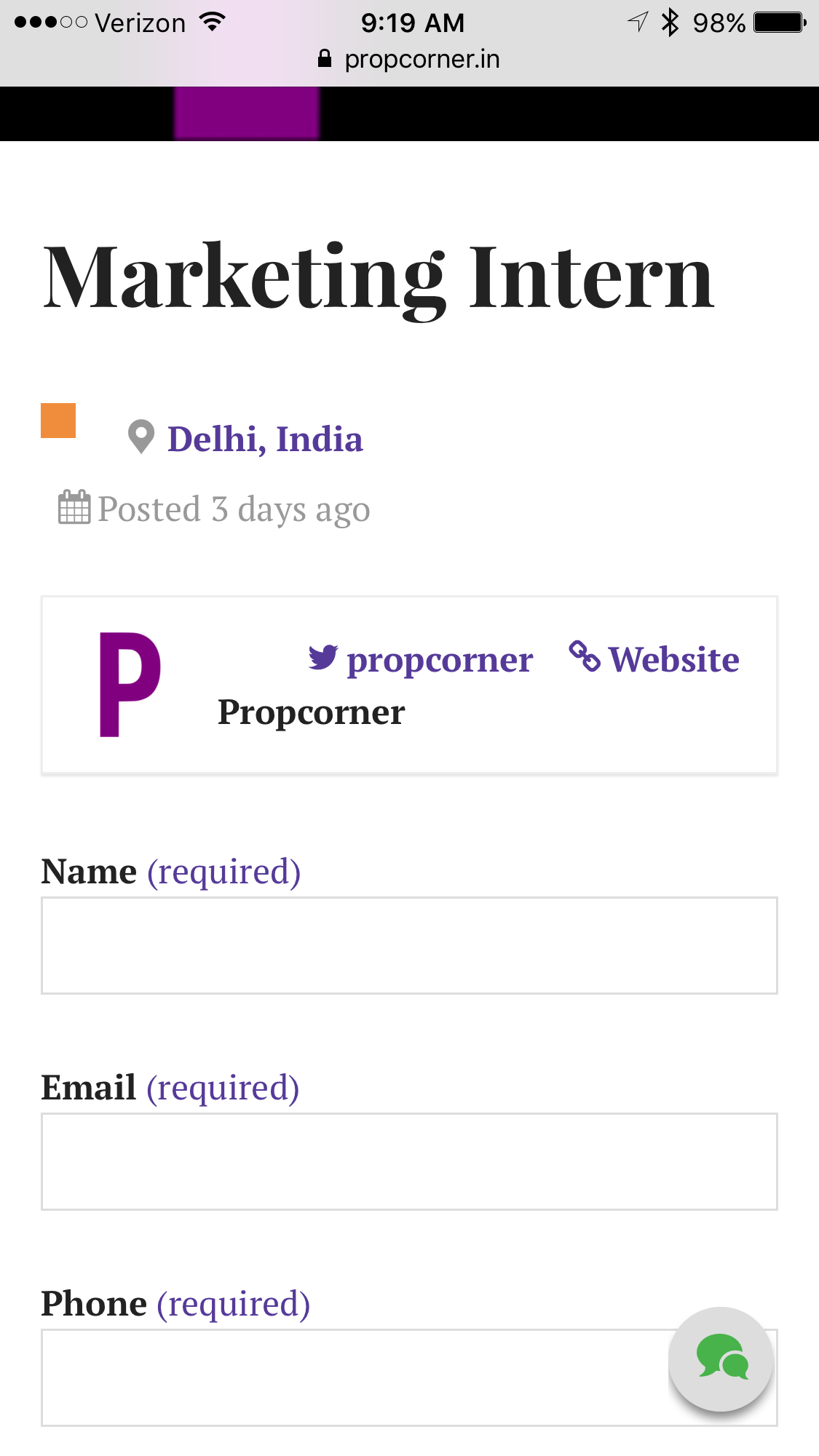
Please visit “Job Listings” under “Property Listings” and click on “Marketing Intern.” You will see a company logo, a “P”, a Twitter Icon and a Website link in one line. However, on mobile these three are not in one line. So I would require a custom css for this. Plugin is WP Job Manager.
Secondly I have installed the Ajax Lite Predictive Search plugin on my site. But the thing is that the search box covers and overlaps my site name on the iPad. Also you can see and download my app on the iPad – https://appsto.re/in/xkTajb.i
Hence I would require a custom css to remove this overlapping for the iPad version.
Thank You
The blog I need help with is: (visible only to logged in users)
-
Hi there,
There are two different versions of WordPress.
These forums only provide support for the WordPress.com version; your site appears to use the self-hosted version from WordPress.org.
If you need support for a self-hosted site, please try posting your question in the WordPress.org support forums.
To learn about the differences between the two versions of WordPress (.com vs.org), please see this guide.
Good luck!
-
Hi Gary! Just to clarify, Business Plan users like propcorner can now install third-party themes and plugins on WordPress.com. We’re still in the early phase, but we’re excited about the possibilities!
-
Thanks for the info @thesacredpath.
If a user needs to modify the appearance of a theme or plugin that is not available from WP.com, should they ask here, or should we direct them to the WP.org sub-forum for that theme or plugin?
-
Hi @propcorner, looking at that page, I don’t see that there is enough room to have all that on one line on mobile.
Screenshot from my iPhone 6s + : https://cldup.com/3o0OHM_nOw.PNG
I looked at it, but can’t figure our a way to adjust things so that it would be on one line. I would suggest posting in the WP Job Manager plugin support forum and see if they can perhaps update things and adjust the layout for phones so that it looks better.
-
Gary, you will be getting an email from the forum team this week and you can ask all your questions through that venue.
-
@thescacredpath : Even I noticed that now custom themes and custom plugins can be uploaded, just checked the support documents, its to exciting, if there is any information which is going to be floated, you can keep in the list as well..! :) Thanks..!
-
Thank you everyone. The issue has been resolved. Custom themes and plugins are awesome. But one has to be very choosy in this case as it can break your site. One might not lose data. But then all plugins need to be deactivated first and then reactivated because some plugins run on bad code. So check how many people have actually rated the plugin. Also when uploading third party custom themes, make sure it’s from a credible source. Advisable to use the ones on WordPress.org only. Migration to WordPress.org like features has been a ride. Required a lot of custom work.
-
Hooray and you are welcome, @propcorner. Let us know if you have additional questions or problems.


- The topic ‘CSS Required’ is closed to new replies.
 WordPress.com Forums