CSS saving issues & theme changing by itself
-
Hi!
I paid the CSS-tool short time ago and soon made myself a layout from the existing theme Neat!
Everything turned out fine and the layout worked, until short while ago when I was making small changes and the layout wouldn’t save. The next day I had a red-yellow error message on my dashboard about wordpress having troubles saving themes that time of the night when I was editing it. (I accidentally kinda clicked it away before I could even read it, so I’m not sure what else it said)
Anyway, since then I’ve been having several problems with my theme.
The preview shot always looks how it is supposed to, but whenever I save it, everything goes out of place. Usually by saving the same CSS about 5-10 times a row fixes this.
Worst thing is that when I’m not even editing the CSS, wordpress decides to push my header from side to side by 1px every second day. And it annoys me alot to change that 1px back and forth few times a week.
And if I happen to save it the wrong time, I end up having messed up layout and I need to save the code again and again until it works.
Usually it just shows through the original Neat! -theme.Does someone know why is this happening? Is there something wrong with my code that causes the header to move on it’s own?
At the moment I’m having trouble with the header & it seems that my footer disappeared too (though it shows in preview window)
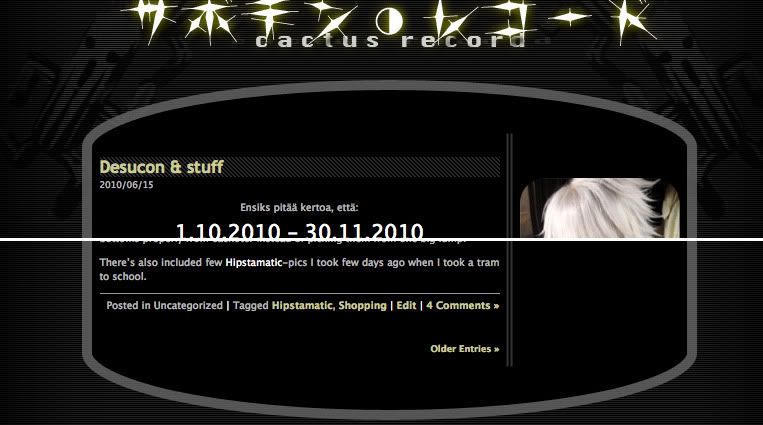
Here’s what my header & footer shows when previewed: http://i2.photobucket.com/albums/y15/MunakoisoMies/stuff/1c6727af.jpg
and that’s how they should be, but they won’t stay there when I save the code.
Strange thing is that they were fine just 3hrs ago, until I changed that header pixel again, causing everything to break.The blog I need help with is: (visible only to logged in users)
-
UPDATE:
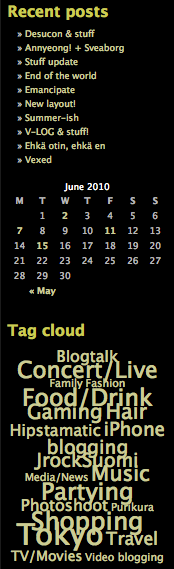
It seems that my sidebar broke too when I saved (didn’t change the code). Preview shows it like this:
http://i2.photobucket.com/albums/y15/MunakoisoMies/stuff/d67ffcb4.pngbut the site isn’t.
-
I would start looking back through the revisions below the CSS edit window and revert back to a time when it was right. Then start your other changes again.
WordPress did have some issues a few days ago and it may be that you were caught up in that and it corrupted your stylesheet changes.
Also I suggest that when you get things the way you want them, copy out all your changes and save them in a plain text file on your computer for safe keeping, and update that plain text file each time you make changes to your CSS. That way you always have a clean copy if you need it.
-
Yeah, saving the code when it was right would have been wise thing to do! Too bad I didn’t and then seemed to get caught in the wp issues.
I could revert to the revisions, but I’m facing the problem that since I’ve been continuously saving the layout again and again to fix it, I now have my revision list full of daily 20+ saves per minute and there seems to be a limit in them.
-
Tried applying a different theme, clearing the CSS and then reapply the Neat!-theme and (seemingly) working CSS I had made.
Result – Nothing’s fixed. Preview shows working layout, but after saving it’s not.
Either there is something wrong with the code that just doesn’t go through, or then the wordpress-issues earlier messed things somewhere else.
-
Well if there isn’t a clean revision, and you don’t have a copy, then I’m afraid it will just be a case of hunting down the errors and fixing them. Time consuming and tedious I know, but there isn’t any other way I know of.
You might contact staff directly and explain the situation to them. Perhaps if you can give them a date when it was “right” then they might be able to pull up a backup or something. I don’t know that they can, but it would be worth asking about.


- The topic ‘CSS saving issues & theme changing by itself’ is closed to new replies.
 WordPress.com Forums