

CSS tags for password prompt section?
-
Hello. I am using the Stay theme and have a couple password protected pages. One is Advisor Resources. If you click on that link on the top banner, you are prompted to enter a password for access. I would like to change the placement, font and margins for that message.
Can you provide me the Custom CSS bracket name needed to make that change?
For example, when I needed to adjust the contact form, I placed the parameters within these brackets in the Custom CSS “.contact-form { }”
I’m looking for the tag that will allow me to adjust the password prompt. Also, if there is a separate one for the submit button, that would be helpful to know as well.
Thanks much!
The blog I need help with is: (visible only to logged in users)
-
Hi!
Can you give this CSS selector a try and let me know if that works for what you’re looking for?
form.post-password-form { -
That’s exactly what I needed. Thanks so much for the help!
I’m a complete newbie at this, so I’m going to ask what is probably a very elementary question. Do you know where I can find a list of all the available tags to work with?
-
The tags can vary by theme and element. Instead, I would suggest using the Inspect Element tool in your browser to find the appropriate tag. Here’s an example:
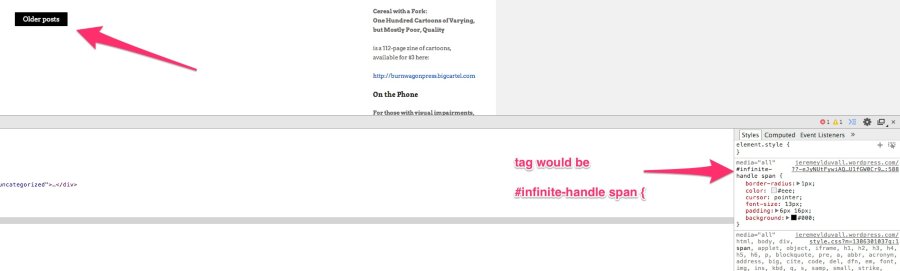
Here’s another explanation:
Look those over and let me know if you have any questions!


- The topic ‘CSS tags for password prompt section?’ is closed to new replies.
 WordPress.com Forums