Customising Twenty Fourteen using CSS
-
Hi there
I’m currently using the Twenty Fourteen Theme and experimenting with the CSS Preview to see if I can get the website looking the way I want to before committing to the CSS upgrade (but happy to do that if it works).
I’ve already found CSS to turn the primary (left) sidebar background white. I now want to set the padding so that the two sidebars and the main content area are aligned horizontally .
I also want the widgets in the left side bar to share the format of the right (content) sidebar i.e. bold black titles, same font size, horizontal dividing lines etc.
On a related note can you advise me what value to change to reduce the padding below each widget?
I’m hoping this is all within the scope of changes to CSS.
Thanks in advance for your help.
The blog I need help with is: (visible only to logged in users)
-
It helps very much to have a specific link to look at, so I found this one from your site: http://theginhouserocks.com/category/news/
Also, as you get started, learning how to use your browser to look up CSS selectors will help you a ton. You should check out this page:
http://en.support.wordpress.com/custom-design/how-to-find-your-themes-css/I now want to set the padding so that the two sidebars and the main content area are aligned horizontally .
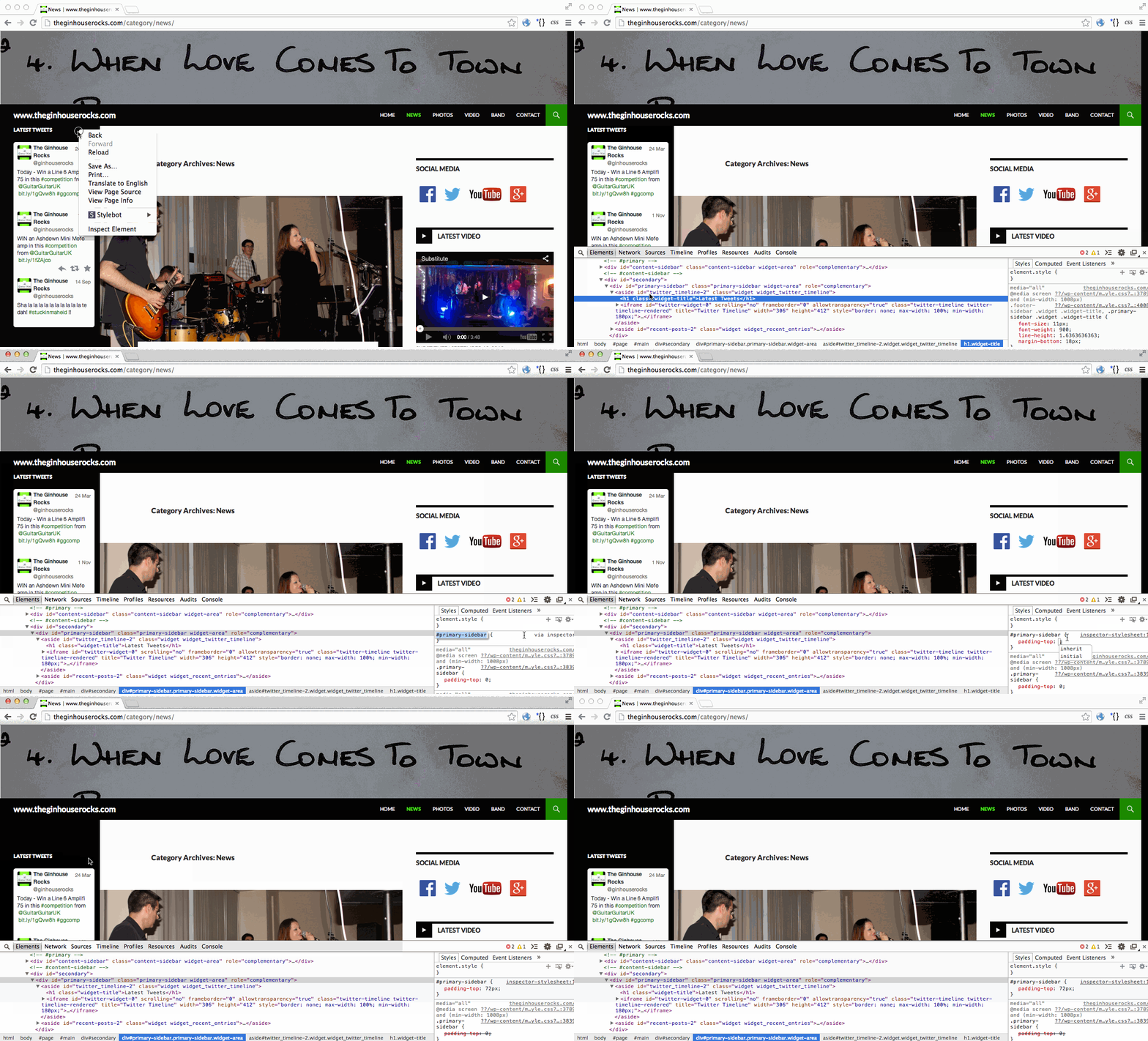
I would suggest that you add some padding to the top of the primary sidebar. To get the 72px number, I just picked something and kept adjusting it until it looked right.
#primary-sidebar {
	padding-top: 72px;
}
To find out what selector to use, I right-clicked something in the sidebar, navigated through the HTML until what I wanted to see was highlighted, and used the style panel in the web inspector to add a selector for me. This shows how I did it: https://i.cloudup.com/yb9QZrQwtf.gif
-
I also want the widgets in the left side bar to share the format of the right (content) sidebar i.e. bold black titles, same font size, horizontal dividing lines etc.
I made another example showing how to compare the titles in the right sidebar and then apply some of the same CSS rules to the titles in the left sidebar:
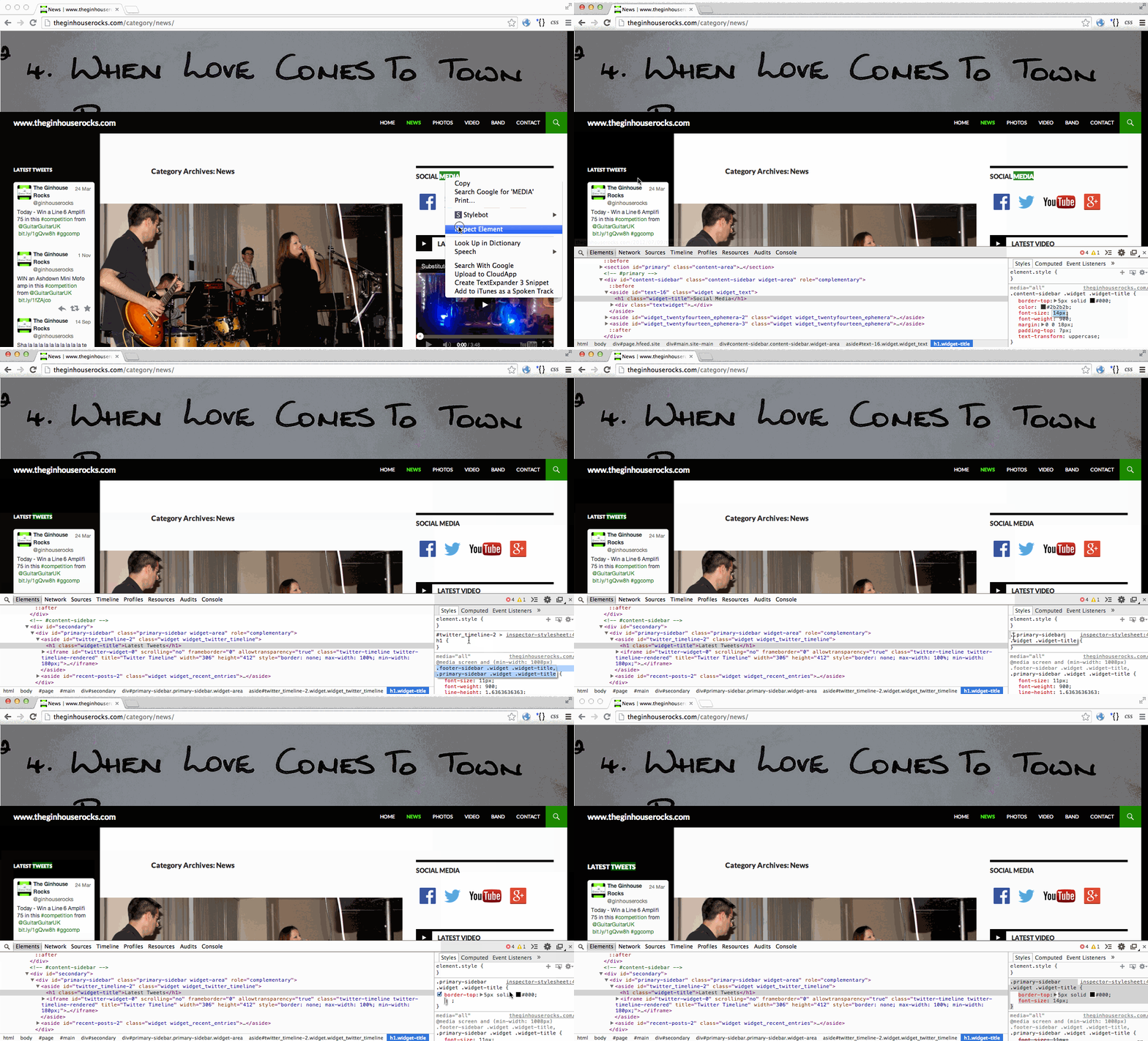
This time, I copied the selector used by the theme instead of letting the browser tools pick it for me.
Here is the CSS example from that work:
.primary-sidebar .widget .widget-title { border-top: 5px solid #000; font-size: 14px; } -
On a related note can you advise me what value to change to reduce the padding below each widget?
Give this a try:
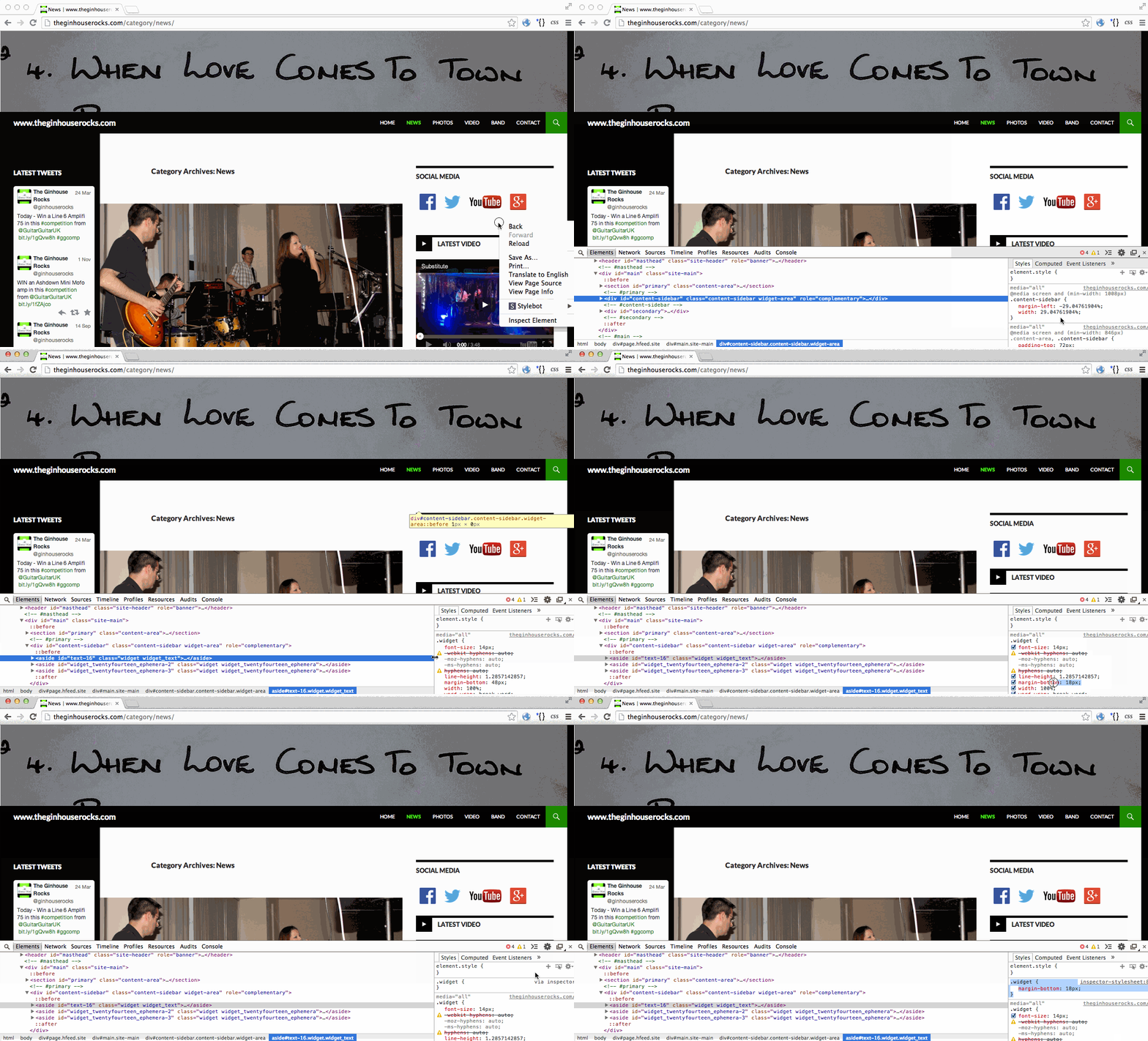
https://i.cloudup.com/Egb8d7Dz52.gif.widget { margin-bottom: 18px; } -
Thanks so much for your help. That gets me a long way towards where I want to be.
I’ll be picking up the Custom Design Upgrade alongside my domain renewal in a couple of weeks time.
I’ll probably be back with more questions then…
-
Great! This forum is excellent for CSS questions! And I look forward to seeing what you do with your site. :D


- The topic ‘Customising Twenty Fourteen using CSS’ is closed to new replies.
 WordPress.com Forums