

Customization & the Sela Theme
-
It feels like the default banner size for the Sela theme is too tight for my design, but when I use the site logo option, there’s way too much white space added around it and I can’t find a happy medium. Will purchasing the customization option ($99/year) for my site allow me to modify the size of the header for the Sela theme?
The blog I need help with is: (visible only to logged in users)
-
Since the site you’ve linked to is marked Private, I can’t really see what is happening. So in general, please refer to the Sela’s theme showcase page for set up help https://wordpress.com/themes/sela/
As far as purchasing the Premium Bundle upgrade to change the header size, I believe so. You can test this by changing your site’s CSS in the Customizer. That will allow you to preview any changes, but it won’t take effect until you purchase the upgrade.
If you need more help with this, you can add the MODLOOK tag to the Tags section of the forum thread sidebar for Staff attention.
-
Awesome information. I have temporarily made the site public so you can see all the extra white space at the top and bottom of the logo. But I will definitely try to test that modification. Thanks!
-
It seems like you’ve added your tagline (A Little of This…) where a call to action should go. If you look at the Sela demo site https://selademo.wordpress.com/ you’ll see what I mean.
-
I’d suggest you try cropping the extra whitespace at the top and bottom of your image and see if you like the result:

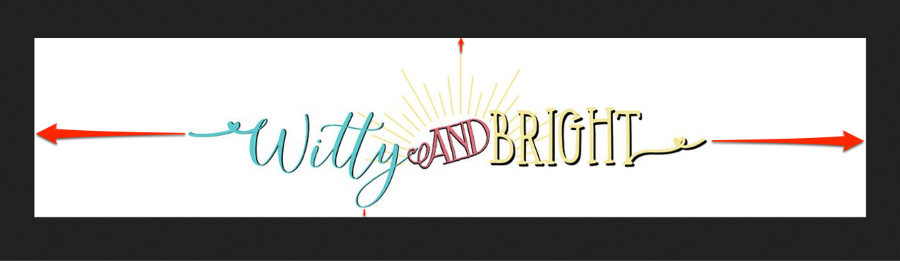
While you’re at it, I’d also suggest cropping the whitespace to the left and right of the logo for a better result on small screens.


- The topic ‘Customization & the Sela Theme’ is closed to new replies.
 WordPress.com Forums